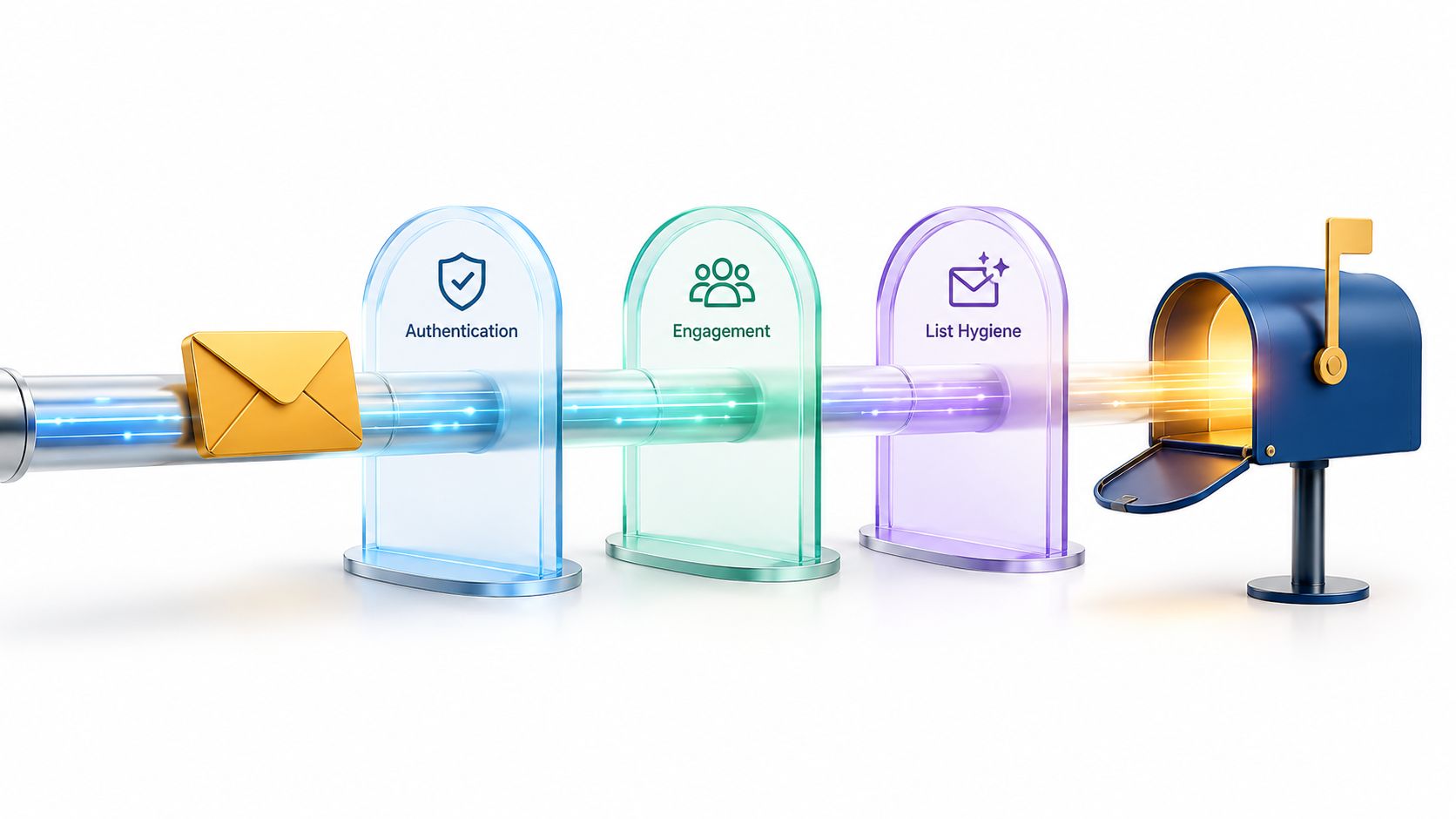
Email deliverability is the rate at which messages reach the intended inbox, not merely the rate at which receiving servers accept them. Even when 100% of messages are accepted, some can still land in spam, promotions, or another folder where recipients never engage with them.
The popular advice is to “keep your bounce rate low and you'll be fine.” That advice is incomplete. A valid address can still receive a message in spam, an authenticated domain can still lose trust through complaints, and a clean campaign can still fail because the sender's reputation has weakened over time.
For product engineers, the useful question isn't only whether an email was sent successfully. It's where the message went, why the provider made that decision, and which system input caused the outcome. That requires separating technical acceptance from inbox placement, then treating authentication, engagement, and list hygiene as independent controls that work together.
Table of Contents
- The Definition Most Teams Get Wrong
- Core Concepts Every Sender Should Know
- Key Metrics That Show Actual Inbox Performance
- How Authentication Protects Your Sending Identity
- Where List Quality Breaks Deliverability
- Why Verification Alone Will Not Save a Damaged Reputation
- Building an Operational Deliverability Program
The Definition Most Teams Get Wrong
SMTP acceptance is the first gate. Your application hands a message to a receiving mail server, and that server responds that it has accepted the message for processing. A delivery dashboard may count that event as successful.
Email deliverability asks a harder question: did the message reach the recipient's intended inbox rather than being rejected, deferred, or filtered into spam or junk? A provider can accept the message and then use reputation, content, recipient behavior, and authentication signals to decide where it belongs.
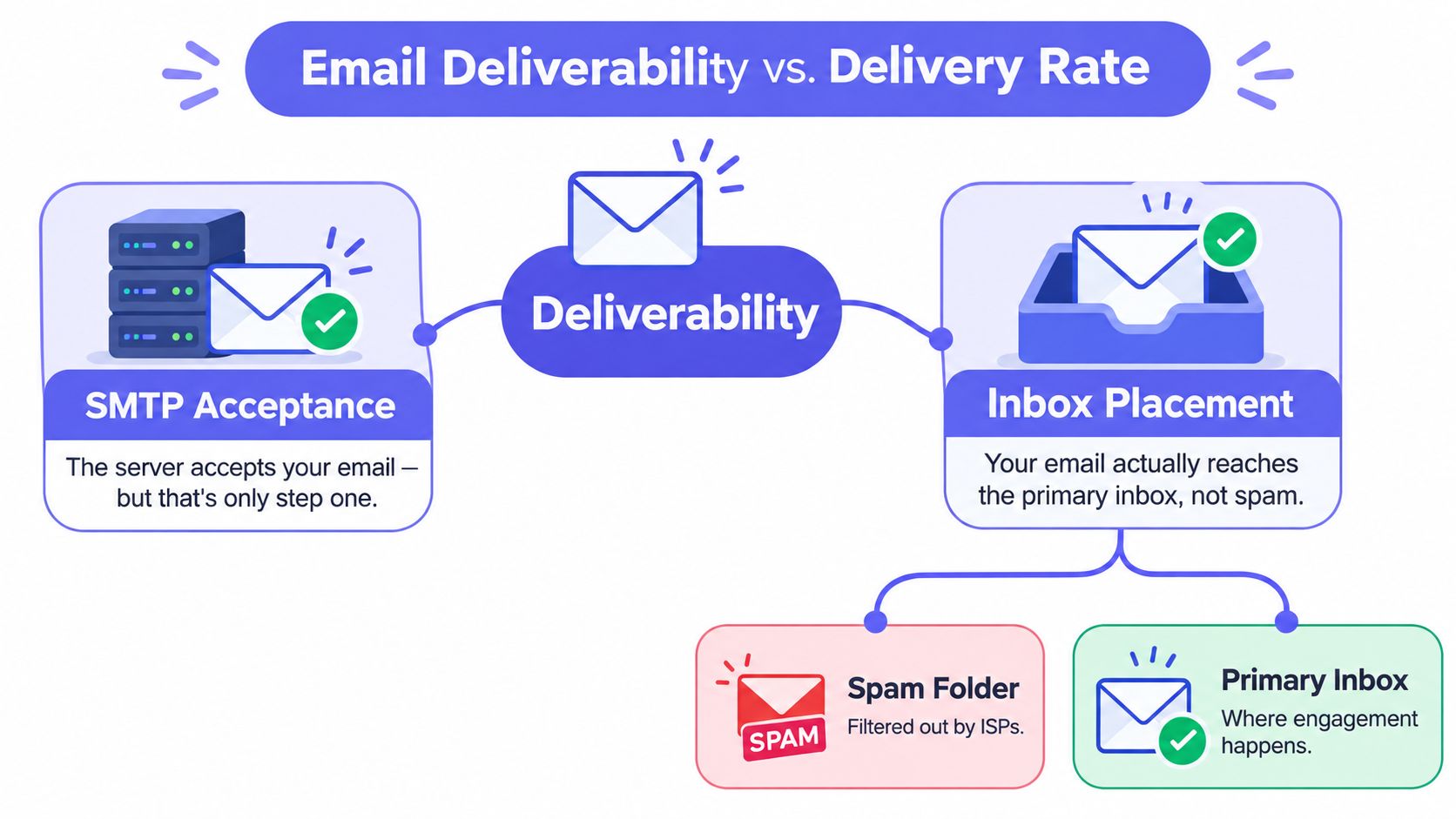
Acceptance is not visibility
Suppose a SaaS product sends a password-reset email. The receiving provider accepts it, so the sending system records a success. The user checks the primary inbox, finds nothing, and eventually discovers the message in spam. From the mail server's perspective, delivery happened. From the product team's perspective, the authentication journey failed.
The same distinction applies to newsletters, receipts, invoices, and lifecycle messages. A message in a promotions folder may still be useful, while a message in spam may be effectively invisible. The business outcome depends on recipient visibility and action, not on the SMTP response alone.
Mailbox providers evaluate patterns across a sending domain and IP infrastructure, not just the isolated message currently in front of them. They consider authentication outcomes, invalid-recipient activity, complaints, engagement, traffic consistency, and message quality. That means one successful test email doesn't prove that the next campaign will receive the same treatment.
Three levers shape placement
Think of deliverability as a control system with three independent levers:
- Authentication proves that your sending infrastructure is authorized to use the domain shown in the From address.
- Engagement shows whether recipients interact with, ignore, delete, or report your messages.
- List hygiene limits malformed, nonexistent, disposable, and otherwise risky addresses before they create bounces or complaints.
These levers interact, but they aren't interchangeable. Address verification can't replace DMARC. Authentication can't make unwanted mail desirable. Strong engagement can't excuse a stream of invalid recipients. A reliable sender manages all three continuously.
Core Concepts Every Sender Should Know
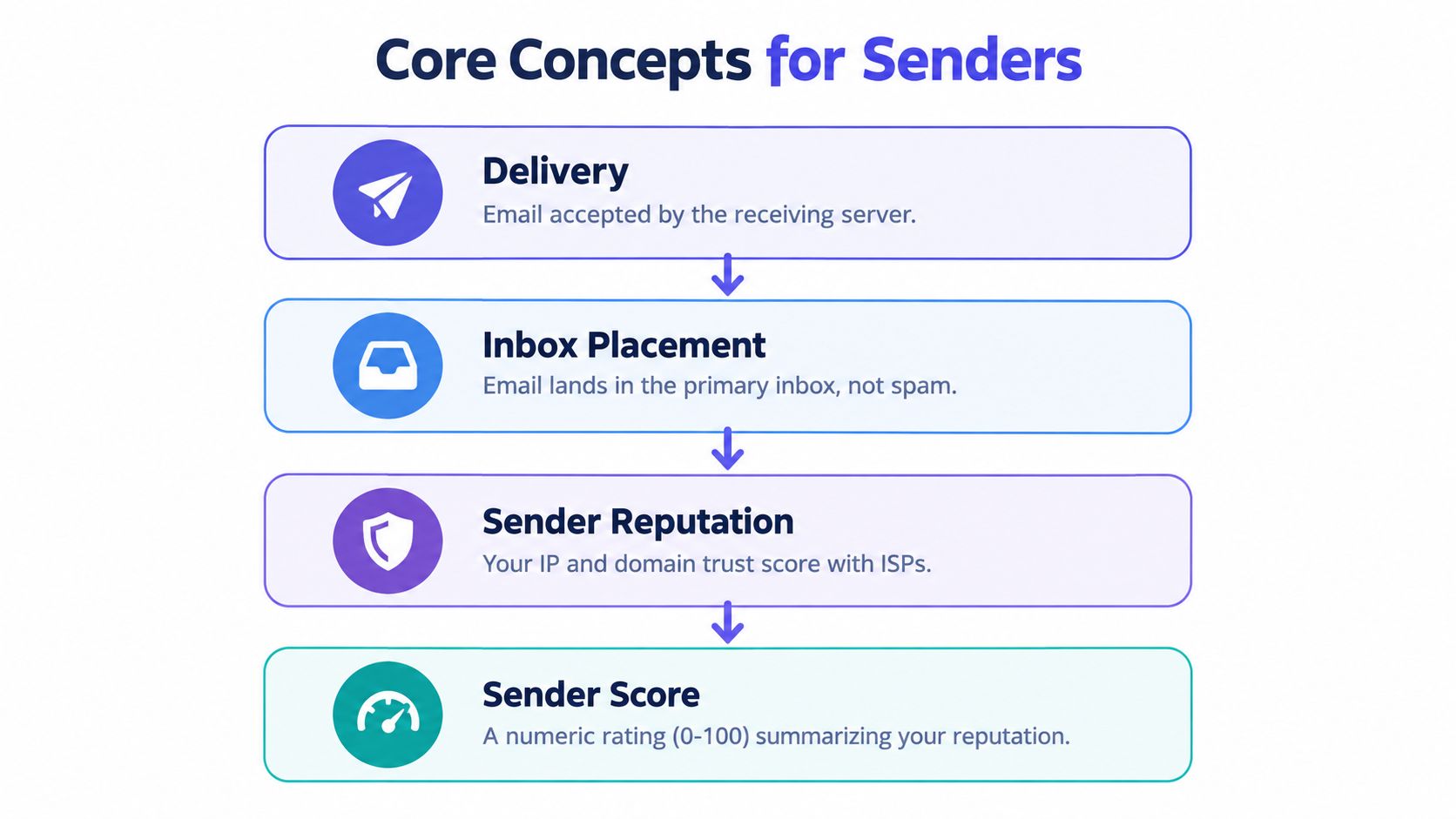
A useful mental model starts with a club entrance. Delivery means the building's reception desk accepted your invitation. Inbox placement means the host carried it to the guest's preferred table. Sender reputation is the club's memory of your organization, and a sender score is a simplified numerical summary of that memory when a provider or tool exposes one.
Four ideas, four different questions
Delivery asks whether the receiving infrastructure accepted the message. A rejection or a temporary deferral prevents the message from progressing, but acceptance alone doesn't tell you where the provider will place it.
Inbox placement asks whether the message reached the primary inbox, spam, promotions, or another folder. This is the outcome recipients experience.
Sender reputation is the provider's evolving assessment of your sending behavior. It can reflect the reputation of your domain, your IP infrastructure, your sending stream, and your relationship with particular mailbox providers. Reputation is not a universal certificate. Gmail, Microsoft, and other providers can assess the same sender differently.
Sender score is a numerical representation used by some systems to summarize reputation. Treat it as a diagnostic indicator, not as the mailbox provider's complete internal decision model. A score can help identify direction, but it can't replace provider-specific placement evidence.
Practical rule: Treat a new sending domain as unproven, not trusted by default. Build confidence through authenticated, consistent sending to recipients who want the messages.
A brand can also have separate reputational paths. Transactional mail sent through one provider may perform differently from marketing mail sent through another. A domain can look healthy for password resets while promotional traffic generates complaints. Monitoring by stream helps prevent an apparently small campaign from weakening critical product messages.
The result is a nested model:
- Delivery records server acceptance.
- Inbox placement records folder visibility.
- Sender reputation explains why placement changes.
- Sender score may summarize part of that reputation.
That hierarchy prevents a common debugging mistake. If SMTP acceptance is healthy but users report missing mail, checking retries alone won't solve the problem. You need placement evidence and reputation signals.
Key Metrics That Show Actual Inbox Performance
A message can be accepted by the receiving server and still miss the inbox. Metrics become useful when each one answers a separate diagnostic question. A hard bounce points to an invalid or nonexistent recipient. A complaint points to unwanted or misleading mail. A click or reply shows active interest more reliably than an open event, especially as privacy-preserving mailbox behavior makes opens less dependable.
Google requires senders to keep their reported spam rate below 0.3% in Postmaster Tools. Its guidance defines bulk senders as organizations sending more than 5,000 messages per day to Gmail addresses. Complaint monitoring therefore belongs in daily operations, not only in retrospective analysis. See Google's sender requirements for Gmail for current provider guidance.
Read metrics as symptoms
Hard bounces are permanent failures, including nonexistent mailboxes. Suppress those addresses immediately. Soft bounces are temporary failures, such as throttling or a full mailbox. Retry them under controlled rules, rather than classifying every failed attempt as a dead address.
Unknown-user events need close attention. Repeated attempts to nonexistent recipients show that acquisition or list maintenance is weak. A high email bounce rate can therefore indicate poor data quality, a damaged sending reputation, or both.
Spam complaints are among the clearest negative signals. Segment them by domain, campaign, acquisition source, and sending stream. For example, a complaint spike in marketing mail can be hidden when it is combined with low-complaint transactional traffic. The aggregate may look stable while one stream is losing trust.
Clicks, replies, and conversions show meaningful interaction. Opens can provide directional context, but they should not be the only engagement signal used to assess inbox visibility. A recipient who clicks or replies has taken an observable action, while an open may reflect mailbox processing rather than deliberate reading.
| Metric | Healthy range | Warning threshold | What it signals |
|---|---|---|---|
| Hard bounce rate | Keep as low as possible | Any sustained increase | Invalid, stale, or mistyped addresses |
| Soft bounce rate | Occasional transient failures | Repeated deferrals for the same provider | Throttling, capacity, or temporary mailbox conditions |
| Spam complaint rate | Below 0.3% (Gmail bulk senders) | Approaching or exceeding 0.3% | Recipients or providers consider the mail unwanted |
| Click rate | Stable relative to the stream | Sudden decline | Lower interest or reduced inbox visibility |
| Reply rate | Consistent for conversational mail | Abrupt fall without a content change | Possible placement or audience-quality issue |
| Unknown-user rate | Minimal | Persistent increase | Weak acquisition controls or list decay |
The strongest dashboard separates SMTP acceptance, inbox placement, spam-folder placement, and interaction. Break each view down by mailbox provider, domain, geography, and sending stream. A single delivery percentage can show that a server accepted mail while hiding a provider-specific placement failure affecting an important customer segment. That separation reveals whether authentication, engagement, or list hygiene needs attention.
How Authentication Protects Your Sending Identity
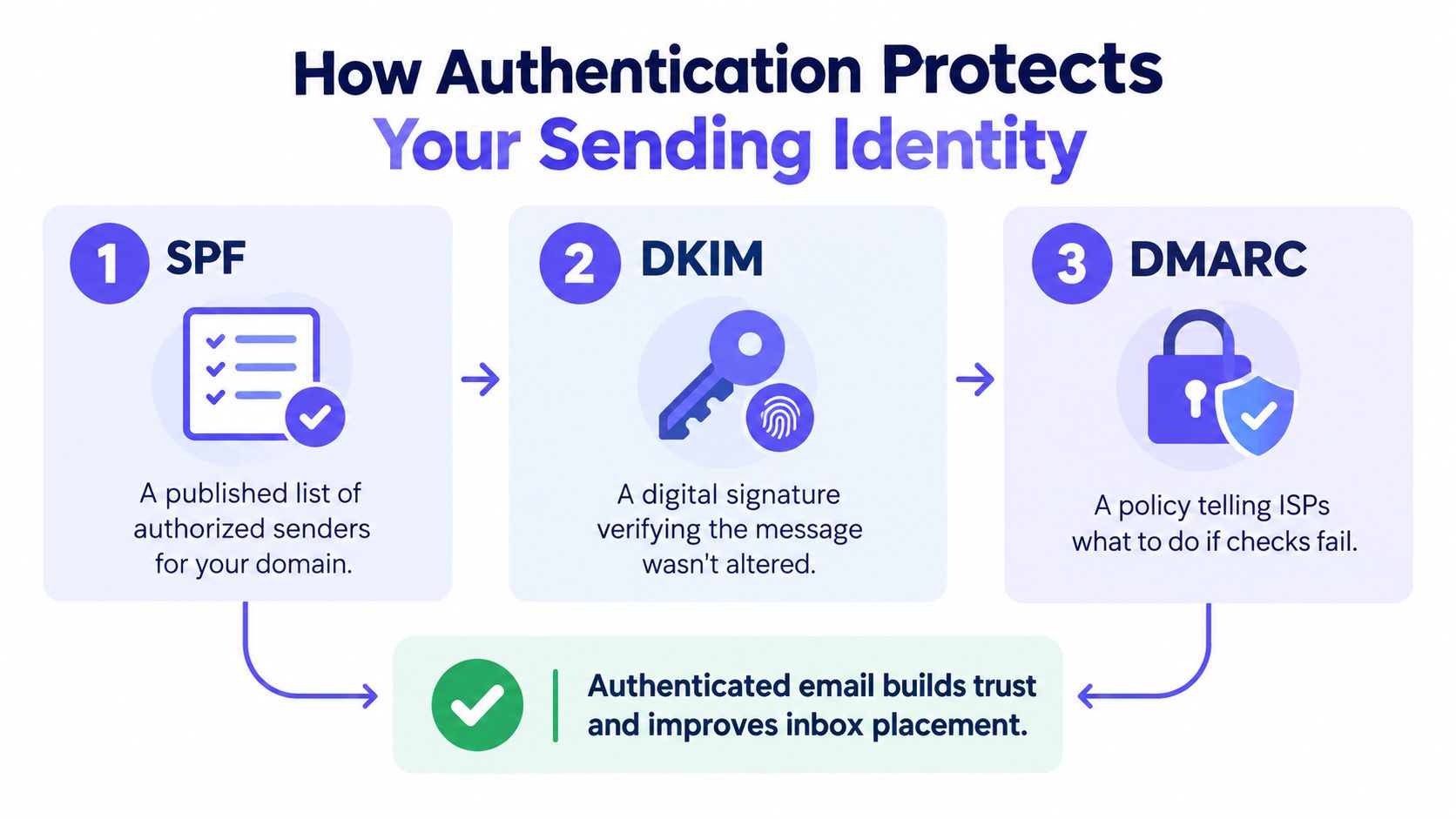
Authentication answers a basic question for the receiving provider: is this sender authorized to use the domain displayed in the message? It doesn't guarantee inbox placement, but missing or misaligned authentication makes reputation harder to establish and spoofing easier to detect.
The three identity checks
SPF publishes which sending infrastructure is authorized to send on behalf of a domain. It functions like an approved guest list. If the sending service isn't represented in that list, the provider has less reason to trust the infrastructure.
DKIM adds a cryptographic signature to the message. The receiving provider checks that signature to confirm the message came from an authorized system and wasn't altered in transit.
DMARC connects those checks to the visible From domain and defines what a provider should do when authentication fails. Alignment matters. A message can pass SPF or DKIM for one domain yet fail DMARC if that authenticated domain doesn't align with the domain recipients see.
Read this explanation of an email authentication error when diagnosing a message that appears authenticated in one check but fails the complete policy evaluation.
A common migration failure happens when a company tightens DMARC without first finding every legitimate sender. The overlooked system might be a billing platform, an agency, a regional marketing tool, or a transactional provider used only by one product team. Once enforcement begins, confirmation emails from that system may be quarantined or rejected even though the message is legitimate.
Make enforcement observable
Inventory every service that sends mail for each domain and subdomain. Confirm the visible From domain aligns with the authenticated identity, review DMARC aggregate reports, and move gradually from monitoring toward stronger enforcement. Separate transactional and marketing streams so that a poorly performing campaign doesn't compromise password resets or account notices.
Authentication establishes identity and authorization. It doesn't establish that recipients want the message. Providers still combine authentication with complaints, engagement, invalid-recipient activity, volume consistency, and content signals.
Where List Quality Breaks Deliverability
A signup form can damage deliverability before the first campaign exists. One visitor types alex@exampl.com, another uses a temporary mailbox for a product trial, and a third enters info@company.example, which several people share. A basic form validator may accept all three records, yet each creates a different risk for future delivery and inbox placement.
Follow one signup through the checks
Product teams can evaluate an address in layers:
- Syntax validation catches malformed structure and obvious typing errors.
- DNS and MX checks confirm that the domain is configured to receive mail.
- SMTP probing provides evidence about whether a mailbox appears to exist without sending a message.
- Disposable-domain detection identifies temporary addresses that may vanish before lifecycle messages become useful.
- Role-account detection flags addresses such as
info@orsupport@, where several people may receive or ignore the message. - Catch-all assessment identifies domains that accept many unverified mailbox names, making existence checks less certain.
Each check answers a different question. A domain can have working mail infrastructure while the specific mailbox does not exist. A mailbox can exist while being disposable. A catch-all server can accept an address without confirming that a real person will read it. List quality therefore acts as one independent lever in the sender reputation system, alongside authentication and recipient engagement.
Put the decision at the point of entry
A verification result should trigger a product decision rather than disappear into a dashboard. The workflow might allow a low-risk address immediately, request confirmation when the result is uncertain, or keep a clearly undeliverable address out of a marketing audience. User-facing feedback should explain how to correct the address without exposing internal diagnostic details.
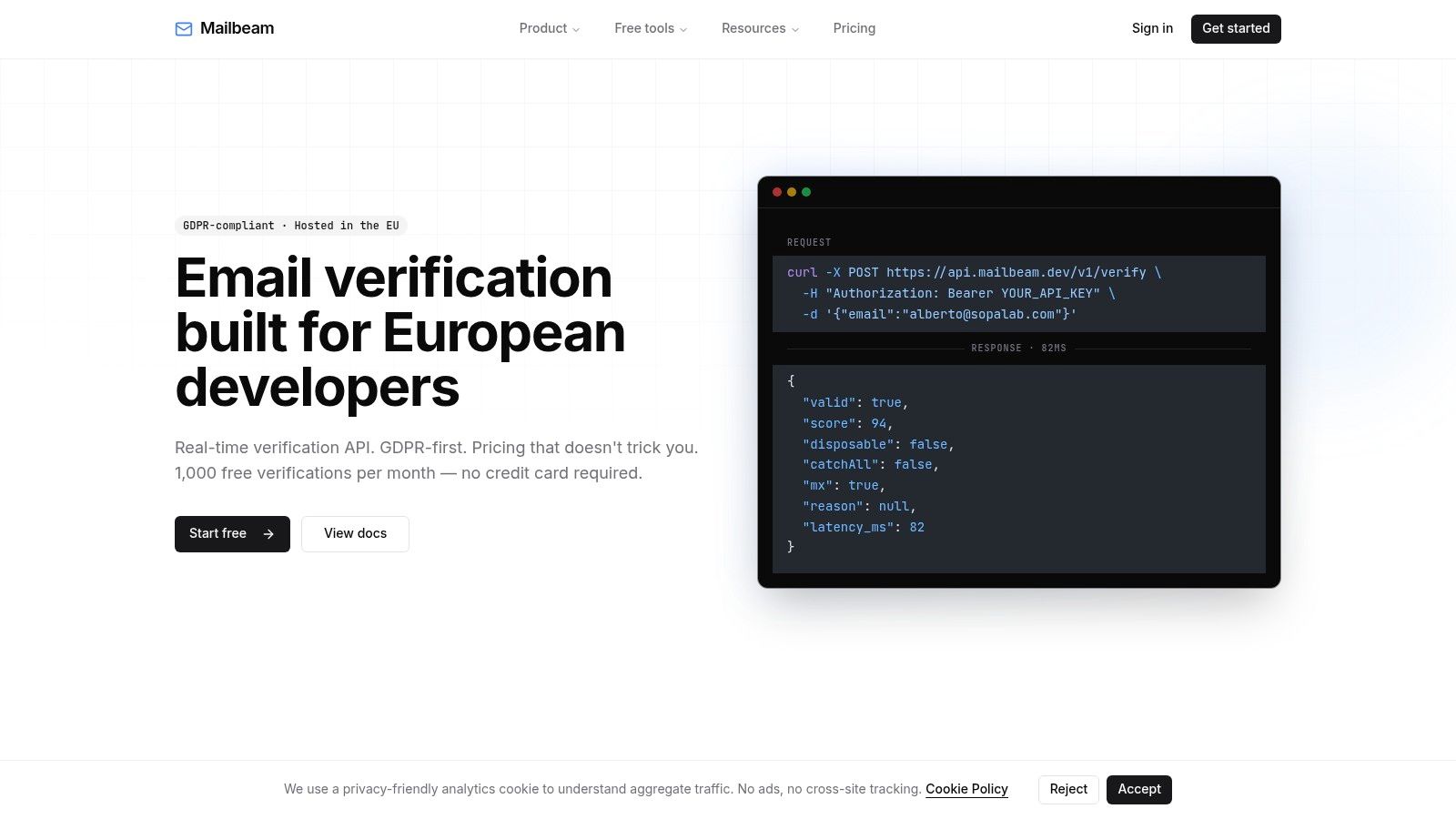
Mailbeam's real-time verification endpoint can return validity, a numeric score, and a machine-readable reason for each address. A cached or DNS-only check may respond faster than a full SMTP probe, while the latter examines the recipient system more directly.
Role addresses require judgment instead of automatic rejection. They may suit an operational notification but produce weak engagement in a personal onboarding sequence. Catch-all results also require caution because the receiving provider accepts mail without proving that the named mailbox exists.
Preventing questionable records during signup is easier than identifying them after they generate bounces, complaints, or inactive cohorts. Teams can use email list hygiene practices to define suppression, review, and revalidation rules. That keeps address quality visible at the point where the product can still act on it.
Why Verification Alone Will Not Save a Damaged Reputation
List cleaning doesn't reset a sender's history. Consider a brand that removes every address that fails validation, then sends the next campaign through a domain with a missing authentication alignment and a recent complaint spike. The list is cleaner, but the provider still has reasons to distrust the sender.
That outcome follows from the way reputation works. Deliverability behaves as a feedback-controlled reputation system rather than a one-time configuration task. Poor address acquisition increases unknown-user and hard-bounce events, repeated failures weaken trust, weaker trust increases throttling or spam placement, and reduced visibility can produce still weaker engagement signals. Google's SPF administration guidance describes the importance of authenticated sending and provider controls around sender behavior.
Verification is preventive
Verification has its strongest effect before an address enters a campaign or lifecycle stream. It can reduce preventable hard bounces, identify risky signup patterns, and keep a new cohort from starting with poor data. It cannot make an unwanted message wanted, repair a complaint history, or align an incorrectly configured sending domain.
Use a simple ownership model:
- Product validates addresses during signup and decides how the interface handles uncertain results.
- Marketing operations suppresses permanent failures, manages preferences, and monitors engagement by stream.
- Engineering and infrastructure maintain authentication, retry behavior, provider segmentation, and event telemetry.
- Compliance connects consent records, retention rules, unsubscribe handling, and vendor processing requirements.
A clean list can produce little visible inbox improvement when reputation or authentication is the dominant constraint. Conversely, fixing identity and engagement while continuing to admit nonexistent addresses leaves the system exposed to preventable failures.
The right expectation is modest but useful: verification protects future reputation by improving the inputs entering the sending loop. It isn't a repair button for a sender that providers already distrust.
Building an Operational Deliverability Program
A working program turns deliverability into a recurring operating loop. It starts when a product collects an address and continues through sending, provider feedback, suppression, and re-engagement. Each team needs a clear handoff so that no one assumes another system owns the failure.
Separate streams and observe outcomes
Keep transactional and marketing traffic logically separate. Password resets, receipts, and security notices have different recipient expectations from newsletters or promotional campaigns. Separate streams make it easier to identify which traffic causes complaints or deferrals and protect critical product mail from weaker promotional performance.
For every stream, capture events by provider and domain:
- SMTP acceptance, rejection, and temporary deferral
- Hard bounces and soft bounces
- Spam complaints and unsubscribe actions
- Clicks, replies, conversions, and other meaningful interactions
- Inbox placement or spam-folder results where testing and provider telemetry make them observable
New sending infrastructure should be introduced gradually rather than exposed immediately to a large, untested audience. Keep traffic consistent, avoid abrupt volume changes, and investigate provider-specific throttling before increasing throughput.
Define automated failure handling
Permanent failures should be suppressed immediately. Temporary SMTP deferrals need controlled retries with backoff, not an endless loop that repeatedly contacts a provider already signaling congestion or suspicion.
A useful event policy might look like this:
- At signup, validate syntax, domain reception, disposable status, role behavior, and mailbox evidence where appropriate.
- Before enrollment, confirm consent, message type, and preference status.
- At send time, use authenticated infrastructure and the correct stream.
- After sending, classify bounces, complaints, unsubscribes, and engagement by provider.
- During review, adjust acquisition, content, retry rules, or infrastructure based on the failing signal.
- During suppression, preserve the decision and its reason so a later import can't re-enable the address.
Consent records matter because a technically valid address isn't automatically a permitted marketing contact. Unsubscribe processing should be immediate and durable across campaigns, vendors, and regional systems.
Use a diagnostic sequence
When inbox placement falls, ask these questions in order:
- Is the issue provider-specific? Compare Gmail, Microsoft, and other recipient domains instead of relying on one aggregate rate.
- Is acceptance failing? Inspect rejection and deferral responses before investigating folders.
- Is authentication aligned? Check SPF, DKIM, DMARC, and the visible From domain for each sending stream.
- Did recipient behavior change? Look for complaint growth, weaker clicks or replies, and rising unsubscribes.
- Did list quality change? Review recent signup sources, unknown-user events, hard bounces, disposable addresses, and catch-all results.
- Did traffic change? Check new providers, new domains, sudden volume increases, or a campaign sent to a broader audience.
The goal isn't a perfect result from one campaign. It's a system that learns from every accepted, rejected, deferred, filtered, and engaged message. Authentication proves identity, list hygiene protects recipient quality, and engagement shows whether the audience wants the traffic. Together, those signals give mailbox providers a reason to keep placing legitimate mail where recipients can see it.
Mailbeam provides real-time email verification for signup flows and list maintenance, returning validity, a quality score, and machine-readable reasons across checks such as syntax, MX, SMTP, disposable domains, role accounts, and catch-all behavior. Visit Mailbeam to evaluate how address verification can fit into your broader authentication, consent, suppression, and inbox-placement workflow.