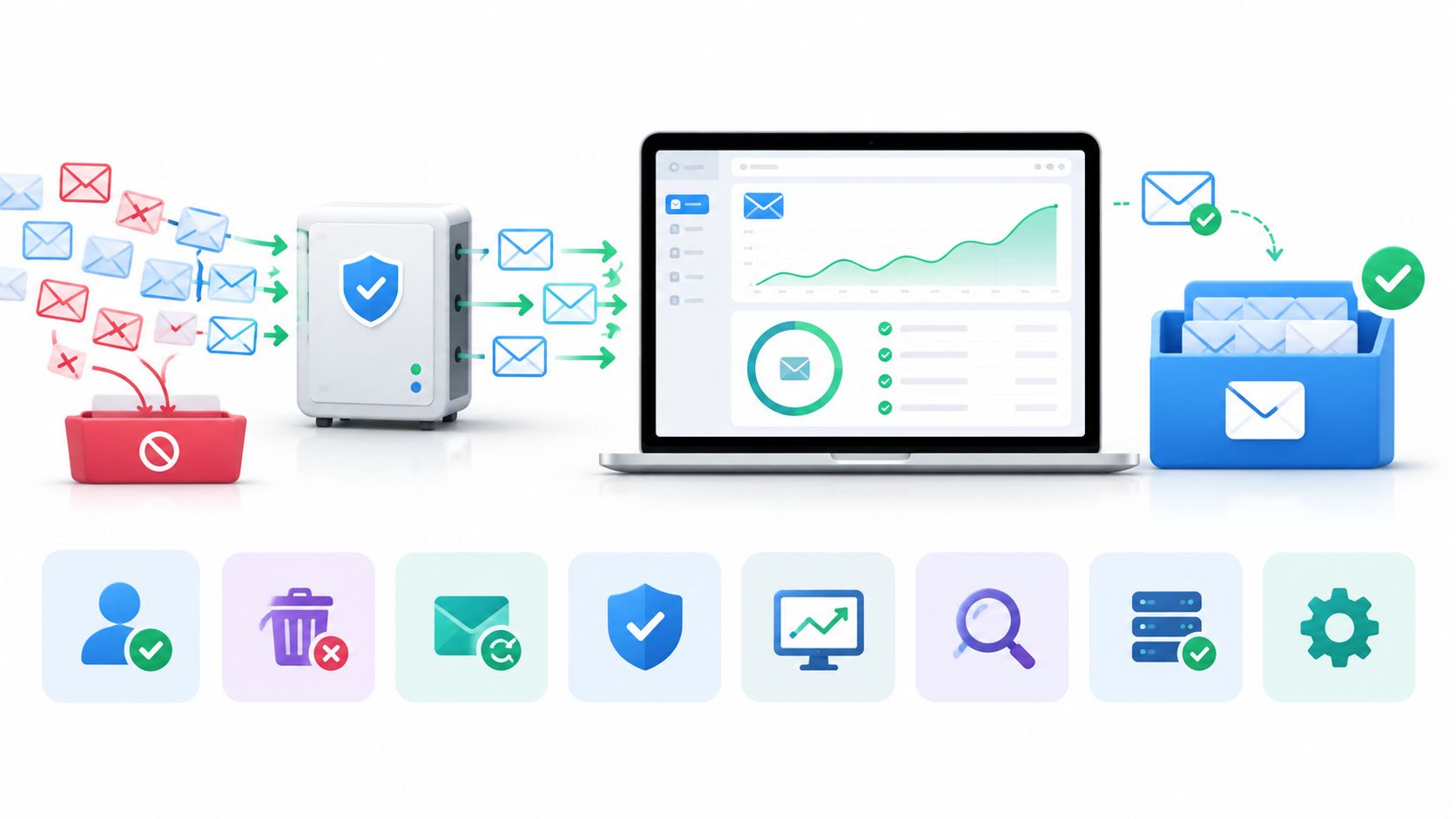
53% of mobile visitors abandon a page that takes more than three seconds to load, a reminder that friction can drive people away before they complete an interaction. For email bounce rate reduction, combine real-time signup verification with recurring list hygiene, automatic hard-bounce suppression, and correct SPF, DKIM, and DMARC configuration.
These measures address different failure points. Verification stops many bad addresses at entry, hygiene catches addresses that have since become unreachable, bounce handling prevents repeated sends, and authentication helps receiving providers trust your messages. No single tactic covers the full path from signup to inbox.
Start by separating email bounce rate, which tracks messages that couldn't be delivered, from website bounce rate, which concerns visitors who leave without meaningful engagement. Then find where delivery failures originate: signup forms, aging lists, event-processing gaps, or sender configuration. Apply the tactics below in order, beginning with prevention and ending with infrastructure protection.
Table of Contents
- 1. Real-Time Email Verification with Tiered Risk Policies
- 2. Typo Detection and Correction at Entry
- 3. Blocking Disposable and Role-Based Addresses
- 4. Double Opt-In Confirmation
- 5. Automatic Hard-Bounce Suppression
- 6. Bounce Event Webhooks and Soft-Bounce Retry Logic
- 7. Scheduled Bulk List Hygiene and Re-Verification
- 8. Sender Authentication with SPF, DKIM, and DMARC
- 8-Point Bounce Rate Reduction Strategy Comparison
- Turn These Tactics into a Measurable Rollout
1. Real-Time Email Verification with Tiered Risk Policies
Check an address when someone submits a signup form, before it enters an account or marketing database. A useful verification flow can assess syntax, domain mail records, mailbox signals, disposable-address status, and other risk indicators. The decision shouldn't be a blunt valid-or-invalid switch: some results are uncertain, and rejecting every uncertain address can block legitimate users.
Set clear actions for different risk tiers. Accept addresses that pass the checks you trust, reject addresses that are clearly malformed or belong to domains that can't receive mail, and handle catch-all or unknown results more cautiously. For example, a SaaS product could explain that a domain has no mail records, while a fintech onboarding flow might let a catch-all address proceed only after confirmation.
Make the decision visible and useful
Show a specific, respectful error beside the email field. A reason such as “This domain can't receive email” gives the user a way to fix the problem; a generic “invalid email” message doesn't. Keep uncertain addresses in a separate tier rather than treating them as failures. Depending on the product, use confirmation, limited sending, or review to manage the risk without excluding a real person.
Keep the form responsive by caching suitable lookup results and avoiding unnecessary delays in the submission path. Mailbeam's API returns validity, a score, and machine-readable reason codes for use in signup workflows. See real-time email validation for signup flows when deciding how to integrate checks into a form.
Start with conservative rules, document what each result means, and tune policies using your own bounce outcomes. That lets the team protect deliverability while preserving legitimate reach.
2. Typo Detection and Correction at Entry
A valid-looking address can still bounce because someone mistyped a familiar domain. Catch likely errors while the user is still on the form, rather than discovering them after an onboarding or transactional email fails.
If someone enters john@gmial.com, the interface can suggest john@gmail.com before submission. Make the correction a clear choice, not an automatic change: users may have a reason for entering an unfamiliar domain, and rewriting an address without notice can create account-access problems.
Pair suggestions with verification
Typo detection is a helpful first pass, but it doesn't establish that a mailbox exists. Run server-side verification after the user accepts a suggestion or submits the address. This combination catches both common typing mistakes and addresses that look correctly formatted but can't receive mail.
Use the same approach in checkout forms. If a customer mistypes an address used for an order confirmation, they may miss a message they expect and contact support to resolve the issue. A timely correction prompt can prevent that avoidable failure without blocking the purchase.
Track whether people accept suggestions and whether those corrected addresses later bounce. That gives product and marketing teams a way to refine their domain-matching rules. Don't treat every unfamiliar domain as a typo, and don't turn a low-confidence suggestion into a hard block. The right policy makes correction easy while leaving the user in control.
3. Blocking Disposable and Role-Based Addresses
Disposable addresses and role-based addresses create different risks, so don't group them into one rejection rule. A temporary mailbox may stop working before a later product or marketing message arrives. An address such as sales@company.com may be shared by a team, but it can still be a legitimate contact for a business account.
Choose the policy based on what the signup is for. A free-trial product that sends onboarding messages to a user's individual mailbox might block known disposable domains to reduce failed or low-value signups. A B2B platform should usually flag info@, admin@, or sales@ addresses for review or special handling rather than rejecting them automatically. For a company-level account, a shared inbox may be exactly what the customer intends to use.
Keep the policy explainable
When you block an address type, tell the person what they can do next. For example, a product could ask for a long-term business or personal address if it doesn't support temporary inboxes. Avoid implying that role-based addresses can't receive email; the concern is often about ownership, shared access, or suitability for a specific workflow, not deliverability alone.
Review blocked-signup logs regularly. If legitimate users are getting caught by a rule, adjust the policy before that friction costs more signups than the rule saves in failed delivery. Keep different outcomes distinct in your data, too: a disposable-domain block, a role-address flag, and a hard-bounce suppression should not appear as the same event. Clear categories let the team see whether a policy is protecting the list or unnecessarily limiting reach.
4. Double Opt-In Confirmation
Double opt-in asks a person to confirm an address by clicking a link sent to it before a subscription or account becomes active. The confirmation establishes that the mailbox can receive a message and that the person can access it. It doesn't replace address verification, but it adds a direct confirmation step that automated checks can't provide.
Send the confirmation message promptly, with a clear subject and a simple next action. Keep the landing page focused: tell the user that confirmation succeeded and explain what happens next. If the link expires, give the person an easy way to request another rather than forcing them to start over.
Balance confirmation with signup completion
Double opt-in trades some completed signups for stronger evidence that an address is accessible. That trade-off may suit newsletters and ongoing promotional programs, while an account activation flow may need to let a user begin product setup before confirmation is complete. Decide based on the product's consent model and what access an unconfirmed account should have.
Don't send confirmation messages to addresses that your verification rules already identify as clearly undeliverable. And don't count a sent confirmation as a successful signup: measure confirmation completion separately from form submission. Retain consent records needed for your compliance process, and make sure the flow clearly communicates what the person is agreeing to receive.
5. Automatic Hard-Bounce Suppression
A permanent delivery failure should stop future sends to that address. A hard bounce often indicates that the mailbox doesn't exist or the destination can't accept mail. If your sending system keeps trying, it repeats a failure that won't be fixed by another attempt and may harm the sender's standing with mailbox providers.
Process the delivery provider's event and add the address to a suppression list as soon as the permanent failure is confirmed. Apply that suppression across marketing and transactional sending systems, not just the campaign that first produced the bounce. Otherwise, another application may continue sending to the same address. Learn how your system classifies a hard bounce and handles permanent delivery failures.
Separate invalid recipients from policy failures
Don't treat every failed delivery as proof that an address is invalid. Some rejections stem from message policy, sender configuration, or temporary provider decisions. Review the event reason before suppressing an address permanently, and preserve enough detail to diagnose patterns.
If a user reports that an address has been corrected, verify the new address before removing any suppression. Keep the previous address suppressed unless there's a specific reason to reconsider it. A good suppression system protects every sending stream while allowing a legitimate correction to be handled without restoring a known-bad recipient by mistake.
6. Bounce Event Webhooks and Soft-Bounce Retry Logic
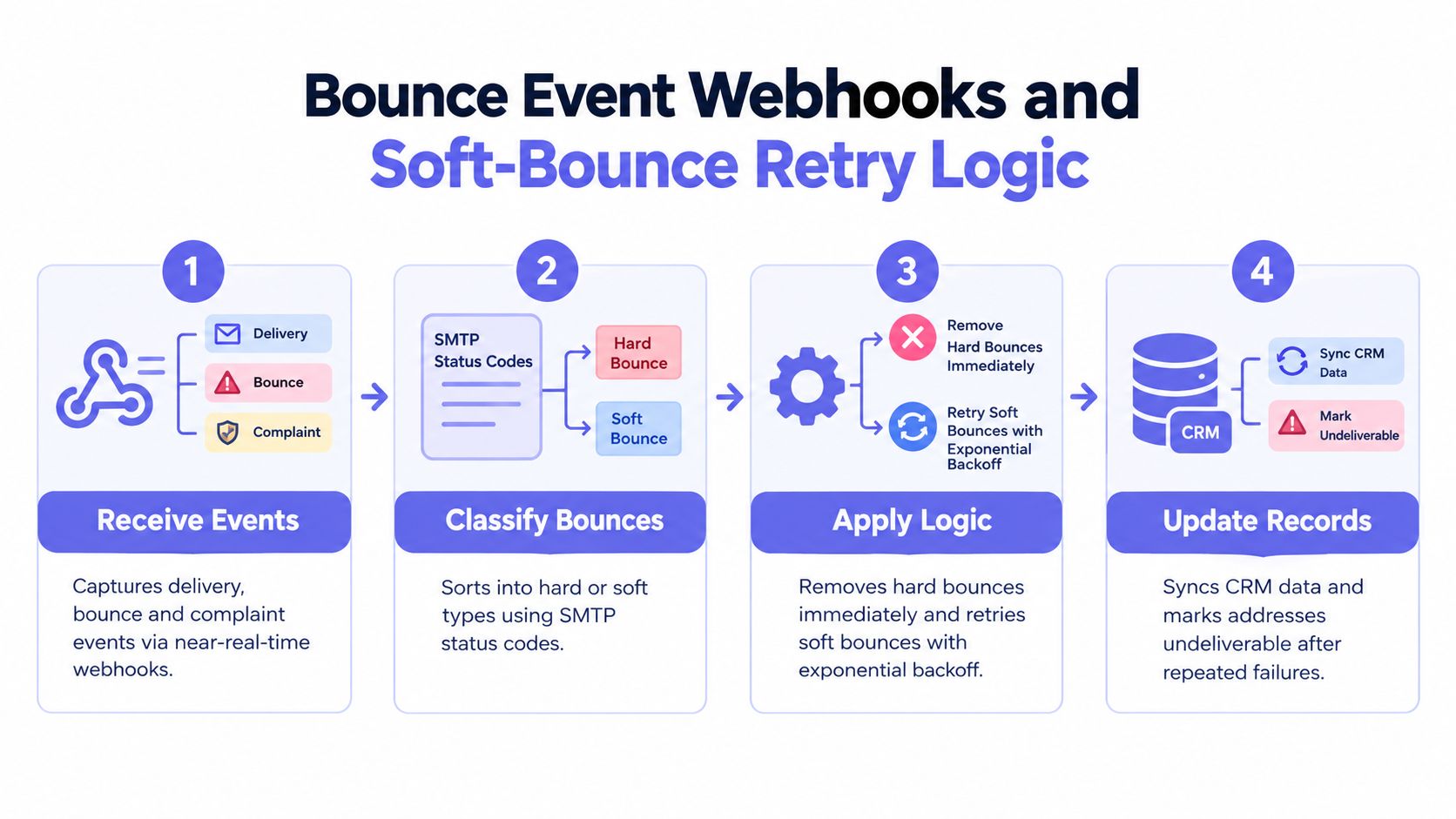
Bounce events need to change what your systems do. Connect your email provider's notifications to a webhook handler that classifies each result, updates the contact record, and stops or schedules future sends. For a SaaS product, that could mean marking an account's email as unreachable and prompting the user to update it the next time they sign in.
Hard bounces should be suppressed promptly. Soft bounces need a different response because the failure may be temporary, such as a full mailbox or an unavailable receiving server. Retry with increasing delays, and stop after repeated failures within a defined period. Don't resend immediately in a tight loop: that adds traffic without resolving a temporary problem.
Operational rule: Treat bounce notifications as state changes for the address, not as reporting data to review later.
Build a reliable event handler
Verify webhook signatures so an outside party can't inject false delivery events. Make the handler idempotent, which means processing the same notification more than once won't create duplicate actions or contradictory contact states. Store the event category and provider reason so support and marketing teams can distinguish an invalid mailbox from a temporary failure or policy rejection.
Feed hard-bounce patterns back into signup rules. If a particular domain or signup source repeatedly produces delivery failures, investigate whether your form checks or acquisition controls need adjustment. Track bounce categories over time, and look for clusters that suggest a provider is blocking your domain or that one integration has stopped processing events correctly.
7. Scheduled Bulk List Hygiene and Re-Verification
Addresses decay. People leave jobs, close mailboxes, and stop using domains. A list that was once deliverable can therefore generate failures later, even if the original signup process was sound. Re-verify existing contacts before major campaigns and on a regular schedule, with special attention to people who haven't engaged recently.
For example, a growth team can check inactive contacts before a reactivation campaign, while an agency can schedule recurring hygiene for client lists. Use batch processing for large files, and plan how you'll handle results before the job starts. Decide which addresses will be suppressed, which need confirmation, and which uncertain results should be held out of a high-volume send.
Protect borderline contacts
Don't delete every address with an uncertain result. Move borderline contacts into a cautious segment, pause promotional sends where appropriate, or ask the person to confirm their address through a relevant product interaction. That preserves a path back for legitimate users without treating uncertainty as proof of a bad mailbox.
Keep the original list and verification outcomes available to the authorized team for the period your process requires, then follow your retention rules. Compare bounce categories before and after each hygiene run, and check that records sync to every sending platform. A batch report is only useful if the CRM and campaign tools act on its results.
8. Sender Authentication with SPF, DKIM, and DMARC
A clean recipient list can still produce delivery problems if mailbox providers can't verify that your messages are authorized. Configure SPF to identify permitted sending infrastructure, DKIM to sign messages, and DMARC to tell receivers how to handle messages that fail authentication and where to send reports. Authentication won't make an invalid mailbox deliverable, but it can address failures tied to spoofing or misconfiguration.
Start by inventorying every service that sends mail for your domain, including marketing platforms, product notifications, support tools, and billing systems. Coordinate DNS changes with the teams that own those services. A missing sender in SPF, an incorrect DKIM setup, or a DMARC policy deployed before legitimate traffic is aligned can disrupt mail that customers rely on.
Monitor before enforcing stricter policies
Use DMARC reports to identify legitimate senders and authentication failures before tightening your policy. Separate transactional and marketing mail onto appropriate sending subdomains where that fits your architecture, so a problem in one stream is easier to diagnose and contain. Check your provider's domain-reputation and complaint reporting as part of routine operations.
Google's bulk-sender requirements, effective in February 2024, specify SPF, DKIM, and DMARC for senders sending more than 5,000 messages per day to Gmail addresses. See the email authentication configuration guidance when investigating setup failures. Authentication is one layer of deliverability protection, not a substitute for consent, careful list management, and prompt suppression.
8-Point Bounce Rate Reduction Strategy Comparison
| Approach | 🔄 Implementation Complexity | Resource Requirements | 📊 Expected Impact | Ideal Use Cases | ⭐ Key Advantage |
|---|---|---|---|---|---|
| Real-Time Email Verification with Tiered Risk Policies | High: synchronous checks and policy tuning | Verification service, form integration, caching, ongoing monitoring | Fewer invalid signups and hard bounces; may add submission latency | Signup and onboarding flows where address quality matters | ⚡ Stops clearly invalid addresses while giving uncertain ones flexible treatment |
| Typo Detection and Correction at Entry | Low: domain-matching logic and optional prompt | Small domain list or library; minimal maintenance | Recovers some users who mistype common email domains | Signup and checkout forms | 💡 Low-friction way to correct common mistakes |
| Blocking Disposable and Role-Based Addresses | Medium: detection rules and signup policies | Updated disposable-domain data, pattern checks, review process | Can reduce temporary-address bounces and trial abuse; risk of false positives | Free trials, lead capture, and B2B signup flows | 🔄 Supports block, flag, or allow policies |
| Double Opt-In Confirmation | Low–medium: confirmation email and activation flow | Email delivery, token handling, consent recordkeeping | Confirms address access; may reduce completed signups | Newsletters, subscriptions, and account activation | ⭐ Provides evidence that the user could access the address |
| Automatic Hard-Bounce Suppression | Low–medium: bounce classification and shared suppression list | Email provider integration and suppression storage | Prevents repeat sends to permanently undeliverable addresses | Campaigns and transactional email streams | ⚡ Automates removal from future sends |
| Bounce Event Webhooks and Soft-Bounce Retry Logic | High: secure, idempotent event processing and retry rules | Engineering time, webhook infrastructure, monitoring | Keeps records current and distinguishes temporary from permanent failures | Products with custom CRM or email-provider workflows | 📊 Preserves potentially valid contacts while managing repeated failures |
| Scheduled Bulk List Hygiene and Re-Verification | Medium: batch jobs and segmentation workflow | Verification service, processing time, budget, recurring schedule | Finds address decay and can reduce wasted sends | Large or aging lists, especially before major campaigns | 🔄 Checks existing contacts that signup-time validation cannot cover |
| Sender Authentication with SPF, DKIM, and DMARC | Medium–high: DNS setup and staged policy changes | DNS access, authentication tools, report monitoring | Can reduce authentication-related rejections and protect against spoofing; does not validate recipients | Organizations sending email from their own domains | ⭐ Establishes domain-level sending authentication and visibility |
Turn These Tactics into a Measurable Rollout
Implement the changes in the order that prevents new problems first and then contains the ones already in your system. Begin with real-time verification, typo suggestions, and a deliberate policy for disposable and role-based addresses. These controls affect the point where addresses enter your database, so make sure the form communicates decisions clearly and gives legitimate users a way to correct mistakes.
Next, add double opt-in where it fits the product and consent model. Track form completion and confirmation completion separately so the team can see whether the added step protects list quality at an acceptable cost to signup volume. Don't judge the flow only by the number of records created; confirm that new contacts can receive messages and complete the actions your product depends on.
Then connect provider bounce events to automatic suppression and retry handling. Test the full path from a simulated delivery event through your webhook, CRM, and sending platform. Schedule list re-verification for aging and inactive contacts, and make sure uncertain results receive a distinct treatment rather than being automatically deleted or sent at full volume.
Finally, audit SPF, DKIM, and DMARC across every legitimate sending service. Review authentication reports and delivery failures together, since recipient quality and sender setup can produce different symptoms that require different fixes.
Track hard-bounce rate, soft-bounce rate, delivery rate, complaint rate, signup conversion, and list growth by acquisition source. Break results down by form, campaign, provider, and relevant contact segment so an overall improvement doesn't conceal a problem affecting a legitimate audience. Also check that your measurement setup has stayed consistent. Google Universal Analytics used a different definition of bounce from Google Analytics 4, and standard Universal Analytics processing ended on July 1, 2023. GA4 defines an engaged session as one that lasts longer than 10 seconds, includes a conversion event, or contains at least two page or screen views. A change in analytics definition can alter website bounce-rate comparisons without showing a real change in visitor behavior; the Google Analytics engagement and bounce-rate definitions explain the distinction.
Treat bounce rate as one diagnostic, not the goal by itself. A lower rate matters only if the program also protects legitimate reach, engagement, and compliance. Review failed sends alongside completed signups and downstream outcomes, then refine the rules that create avoidable bounces without blocking people who can and want to receive your messages.
Mailbeam provides a real-time email verification API for signup flows and bulk tools for ongoing list hygiene, with machine-readable results to support clear handling decisions. If you're building a bounce prevention workflow, visit Mailbeam to explore its verification tools and developer documentation.