12.93% of email messages fail on the first delivery attempt, and roughly a third of those failures are delivered after the sending system retries. The figures come from a 2024 Internet Measurement Conference study built on delivery data from a large email service provider, and the second number is the part that changes how you should read the word undeliverable.
A first refusal is closer to a busy signal than a disconnected line. Nearly one message in eight gets refused on the first attempt, and a large share of those refusals are temporary. The address wasn't wrong. The receiving server was busy, throttling the connection, greylisting an unfamiliar sender, or applying a policy that expired an hour later. A system that treats every rejection as a dead mailbox discards reachable recipients over a scheduling problem.
An undeliverable email message is mail the receiving system refused for that recipient on that attempt. It isn't mail that was accepted and then filtered into spam, and it isn't proof the address is bad. Those are three separate outcomes, and each asks your system to do something different.
Get the classification right and the rest follows. You retry what's recoverable, suppress what's dead, and stop blaming the address for a problem that lives in your own sending infrastructure.
Table of Contents
- Why So Many Messages Fail on the First Try
- How to Read Common Delivery Failure Codes
- Address Problems Versus Server Problems
- Why a Valid Address Can Still Bounce
- Real Notices and What They Mean
- How Address Checks Reduce Hard Bounces
- Decide Whether to Retry Suppress or Verify
Why So Many Messages Fail on the First Try
A new user submits an address in your signup form on a Tuesday morning. Your mail provider accepts the message, and an hour later the receiving server hands it back with a short rejection line. Your application marks the account unverified, the user emails support, and someone on the team labels the address bad. That sequence happens far more often than people assume, and it usually isn't what it looks like.
The 2024 Internet Measurement Conference study analyzed delivery data from a large email service provider and found 38 million messages that failed to reach their recipients on the first delivery attempt, equal to 12.93% of all observed emails. About one third of those failed messages were eventually delivered after the sending system retried. The remaining two thirds were permanently undeliverable, which puts messages that never arrived, even after retry, at roughly 8.6% of the measured population.
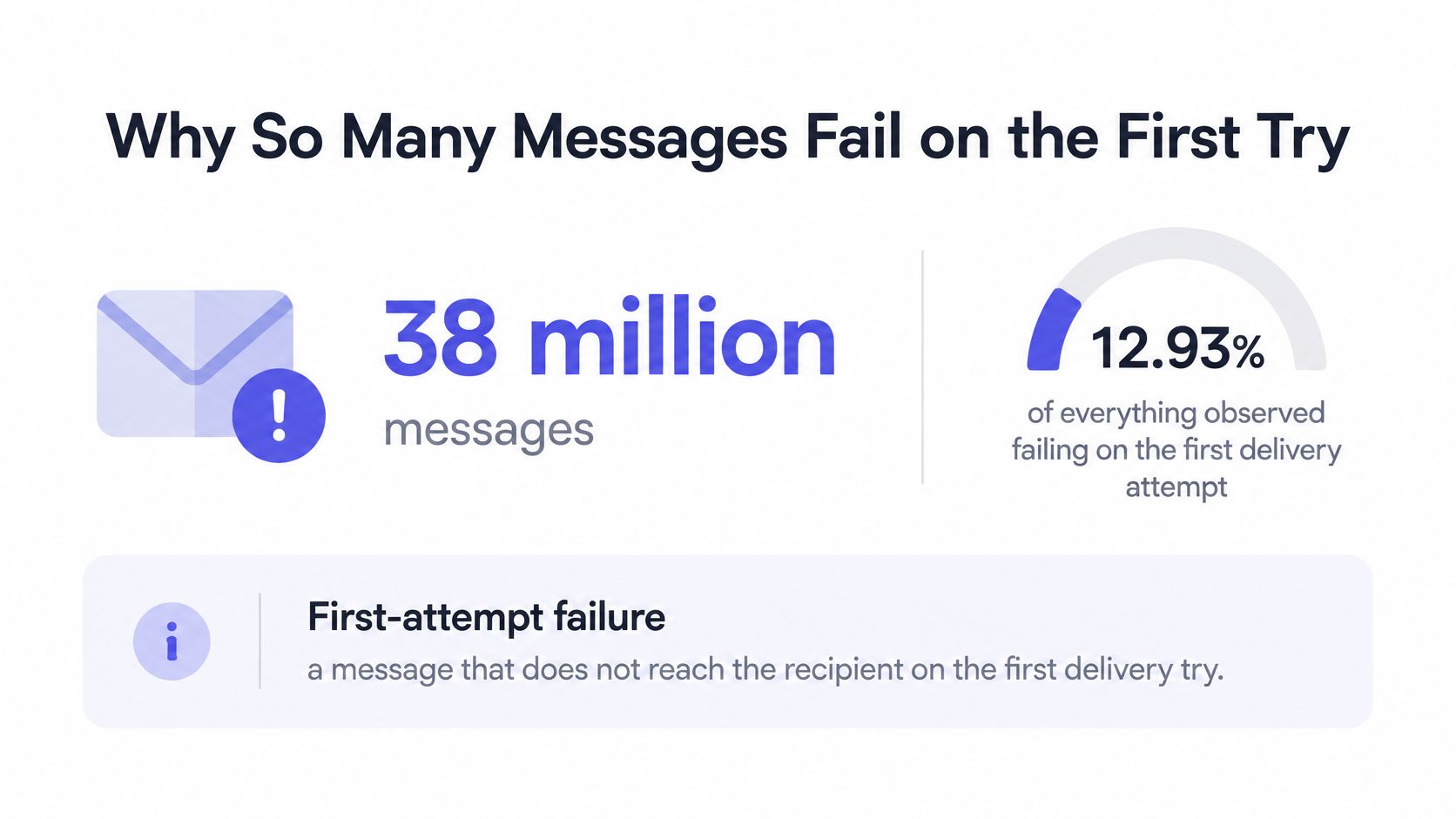
Two numbers, one list, two very different stories. The 12.93% counts attempts that were refused. The 8.6% counts recipients who were unreachable. Everything between them is retry policy, which means your sending system has real influence over the outcome.
What You're Holding When a Message Fails
An undeliverable email message is mail the receiving system refused for that recipient on that attempt. The refusal might come from an overloaded server, a throttling rule, a greylist that wants a second knock in ten minutes, or a mailbox that no longer exists. In your logs, they all look similar.
The returned parcel is the right picture. A parcel sent to a house number that doesn't exist never arrives, no matter how many times the courier goes back. A parcel that failed because the street was closed for an hour arrives on the second run. Sorting failures is deciding which parcel you're holding.
- Temporary rejection: the receiving server asked you to come back later. Keep the message, back off, retry inside a bounded window.
- Permanent rejection: the mailbox or the domain will keep refusing this recipient. Stop sending and ask the person to correct the address.
- Accepted but filtered: the server took the message and your recipient never saw it. A different problem with a different fix.
Three groups feel a misread failure immediately. Product engineers watch signups get blocked over a server that was briefly unavailable. Transactional senders lose password resets and receipts. List owners suppress good contacts and then wonder why engagement fell.
Sort the next notice by its SMTP reply before you touch the customer record. The reply usually tells you which of the three you're holding.
How to Read Common Delivery Failure Codes
Every failure notice carries a three digit reply from the receiving server. The first digit decides what you do next.
SMTP failure codes and what to do next
| Class | Typical meaning | Action |
|---|---|---|
| Temporary | 421 service not available or closing the connection | Retry later with backoff |
| Temporary | 450 mailbox temporarily unavailable or short policy block | Keep the message and retry |
| Temporary | 451 local error while processing | Retry; do not suppress the address |
| Temporary | 452 insufficient system storage | Retry after a delay |
| Permanent | 550 no such user, mailbox unavailable, or refused access | Suppress further sends |
| Permanent | 551 user not local; try a different path | Do not keep retrying the same route |
| Permanent | 552 recipient storage allocation exceeded | Treat as durable until new evidence |
| Permanent | 553 mailbox name not allowed | Fix the address or suppress it |
| Permanent | 554 transaction failed | Stop and record the enhanced status |
The 450 That Saves a Customer
RFC 5321 defines 450 as a temporary mailbox-unavailable condition, such as a busy mailbox or a temporary policy block, and expects the sender to preserve the message for controlled retry with backoff. A 550 describes a more durable failure, including a nonexistent mailbox, lack of access, or a policy rejection, and repeated attempts should generally stop unless later evidence changes the classification.
Say your billing system sends an invoice and the reply reports a mailbox over quota. The person is real, the invoice is owed, and the mailbox frees up when they clean it out. Hold the message and retry at 5 minutes, 15 minutes, 45 minutes, then 4 hours, stopping after a fixed window such as 72 hours. If nothing has landed by then, move the message to a failed queue for a human to review rather than dropping it.
A 550 naming no such user is a different animal. Suppressing it is correct, and continuing to hammer it tells the receiving provider your list is stale, which affects messages to everyone else on the same domain.
What to Record on Every Failure
- Enhanced status code and raw SMTP text: so you can tell a 5.1.1 from a 5.7.1 six weeks later.
- Receiving host: one bad MX host explains a cluster of failures that looks like an address problem.
- Timestamp and retry count: persistence becomes measurable instead of a matter of opinion.
- The original address string, unmodified: a corrected address stays distinguishable from the one that failed.
Apply bounded exponential backoff to 4xx responses and quarantine persistent 5xx outcomes rather than deleting them on sight. Build the decision from those stored fields, not from string matching against response text that changes per provider. Pre-send syntax and MX checks remove obvious failures, though they can't prove a mailbox will accept your mail, because final policy and recipient state are decided by the receiving SMTP server.
Never delete a user or burn a list on a single 4xx. A 450 is a scheduling problem, not a verdict about the person.
Address Problems Versus Server Problems
A wrong house number never starts working. A traffic jam clears by lunchtime. Nearly every misread failure is one of those two, and the correct response to each is the opposite of the other.
Address problems are stable. A typo like gmal.com, a domain with no mail exchanger, a mailbox closed when someone left the company, a local part the server says does not exist. Each deserves one confirming 5xx and then a permanent suppression.
Server problems move. In a September 2004 MIT measurement study, researchers monitored 1,468 servers across 571 domains, running traces every 15 minutes for an entire month, and approximately 25% of the tested domains replied with bounce-backs during the survey (MIT Computer Science and Artificial Intelligence Laboratory). The same work documented bursty loss: some servers responded normally for stretches, then temporarily answered only a fraction of probes, so mail failed intermittently rather than consistently.
That is exactly what greylisting, a full queue, congestion, or a brief outage looks like from the sender's side. On one attempt it reads as an undeliverable email message. An hour later the same address accepts mail without complaint.
Judging Persistence Instead of a Single Reply
- Same 4xx across the retry window: infrastructure trouble. Keep retrying and leave the record alone.
- Same 550 naming the mailbox, twice: the address. Suppress it with a recorded reason.
- Silence, then acceptance: greylisting or throttling. Your backoff did the work.
- No mail exchanger on the domain: it cannot receive mail at all, whatever the mailbox is. How to check MX records covers the lookup and what a deliberately empty MX answer means for a domain.
A single instantaneous probe can misclassify a good address whenever the receiving server is momentarily unavailable. That's why verification results that flip between runs usually reflect the receiver, not the recipient.
Hammering a no-such-user 550 costs more than the wasted send. Providers read repeated attempts to dead mailboxes as a list-quality signal, and it follows your sending domain into subsequent campaigns.
When a spike of failures arrives in the same hour across many unrelated domains, check for recent email delivery problems before you delete anything, because a receiver-side incident can look exactly like a list full of dead addresses.
Why a Valid Address Can Still Bounce
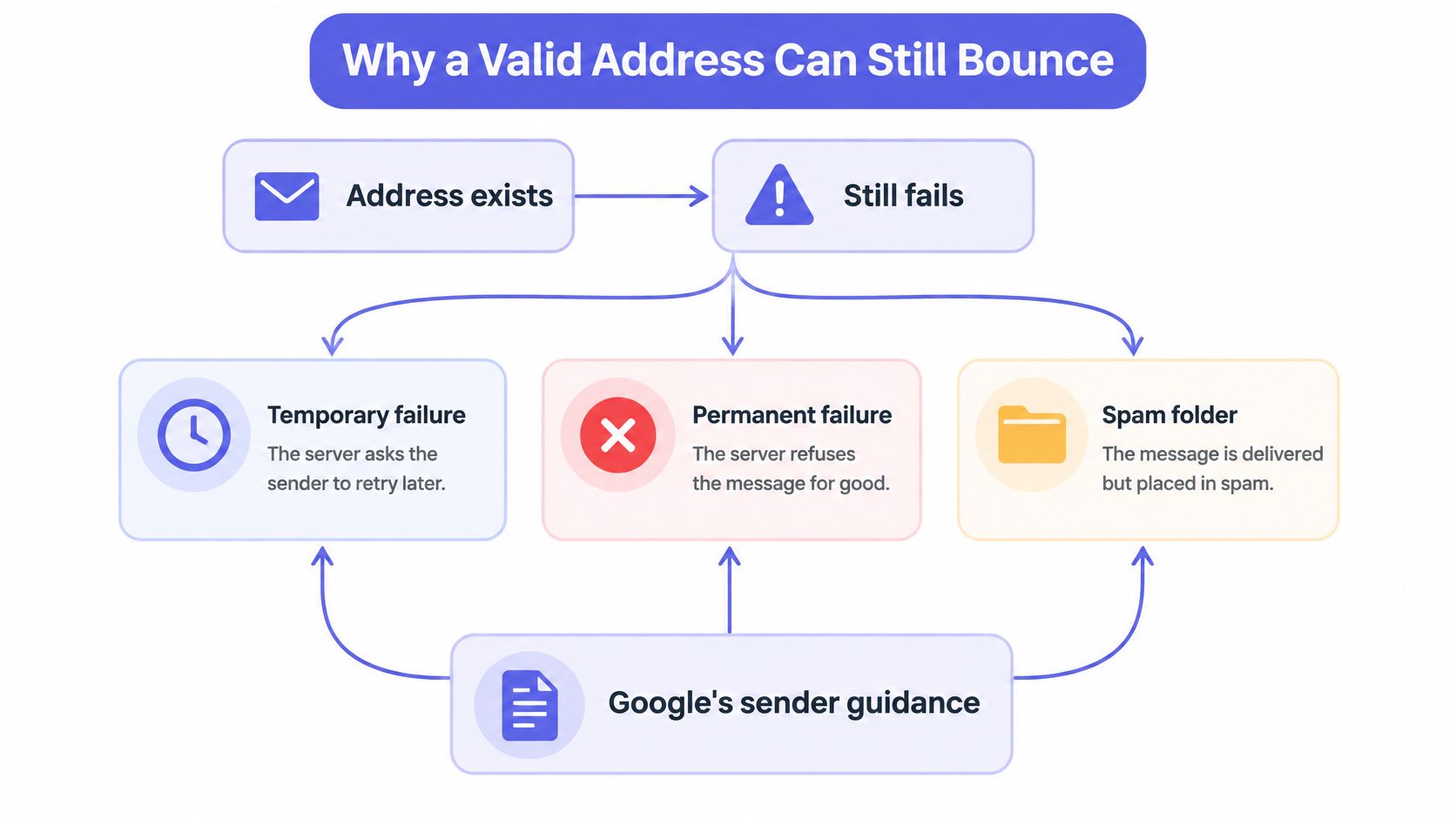
The address exists. The person reads mail there every day. And the message still fails, or lands in a spam folder nobody opens. When that happens, the cause usually sits on your side of the connection rather than in the recipient's mailbox.
Google's sender and deliverability guidance lists missing or misaligned authentication, invalid forward or reverse DNS, lack of TLS, and malformed RFC 5322 messages as causes of temporary or permanent failure, or of spam-folder placement. None of those say anything about whether the recipient exists.
Sender thresholds that decide bulk delivery
| Metric | Threshold or requirement | Consequence |
|---|---|---|
| Reported spam rate | Below 0.1% | Google's recommended level |
| Reported spam rate | 0.3% or higher | Delivery support or mitigations may become unavailable |
| Gmail quota error 4.7.28 | Stop sending for at least 10 minutes | Diagnose the cause, then restore connections one at a time |
| Gmail and Yahoo bulk senders | SPF, DKIM, DMARC, one-click unsubscribe | Required for bulk mail |
The Complaint Rate Is a Delivery Setting
The same guidance recommends keeping reported spam below 0.1% and preventing it from reaching 0.3%, the point at or above which delivery support or mitigations may become unavailable. That threshold is the reason a list can be full of valid, real, engaged addresses and still become effectively undeliverable. Reputation is a property of your sending domain, not of the individual mailbox.
Engineering teams should correlate delivery outcomes with SPF, DKIM and DMARC alignment, PTR records, TLS negotiation, complaint rate, and sending volume. When failures cluster by receiving domain rather than by address, the domain is telling you something about your authentication.
When Gmail Tells You to Slow Down
A quota-related 4.7.28 response isn't a verdict on the recipients. Google's guidance for that error is to stop sending mail for at least 10 minutes, diagnose the cause, then cautiously restore connections one at a time. Suppressing that segment throws away customers who exist, opted in, and were waiting for the message.
Spam Placement Hides Address Trouble
A filtered message produces no hard bounce. Your dashboard looks clean, the address looks good, and nobody reads anything. That's why bounce counts alone are a poor measure of list health, and why a verification pass before sending has to be paired with post-send monitoring, including SMTP verification results, complaint rates, and inbox placement signals.
Each outcome maps to one action. Failures that cluster by receiving domain mean fix DNS and alignment. A rising complaint rate means repair consent and unsubscribe handling. A confirmed permanent recipient failure means suppress. A temporary policy rejection means wait, because it isn't proof the person doesn't exist.
Real Notices and What They Mean
A delivery notice works like a hospital wristband. The status code says which ward the message belongs in. The word undeliverable on the envelope does not. Many first-attempt failures clear on a later try, so classification and the retry rule matter more than that label.
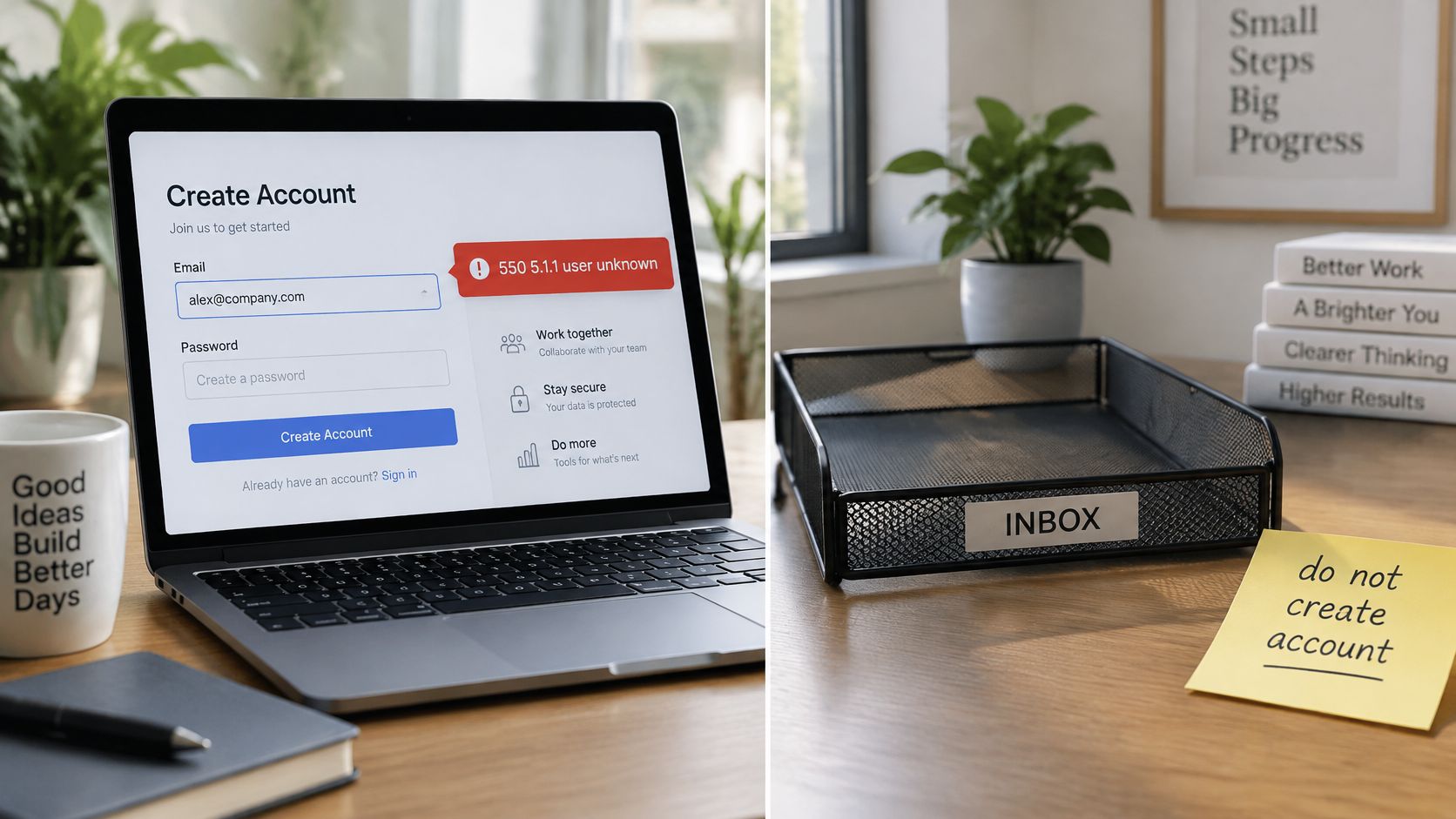
550 5.1.1 user unknown, at signup. Alex types alex@company.com and the server says the mailbox doesn't exist. Someone left and the address was closed. Don't create the account on that address and don't queue the welcome campaign behind it. The support agent says: "That address doesn't exist on your company's mail server, could you check the spelling?" Store the code, the receiving host, the timestamp, and a retry count of zero. A 5xx recipient failure is a closed door until a human supplies a new address.
452 4.2.2 over quota, on an invoice. This is a different code, and the verdict is the opposite of the 550 case above. The billing mailbox is full, which means the person is real and the invoice is owed. A full box is a jammed mail slot: the resident still lives there. Queue the message, retry on the backoff schedule, and never display "this email does not exist." The support line: "Your invoice couldn't be delivered yet because the mailbox is full. We'll keep trying."
421 4.7.28 during a campaign blast. The text names a rate or policy limit, not a missing user. Gmail is asking you to slow down. Pause the send, check volume and authentication, and bring connections back gradually. Suppressing that segment discards customers who did nothing wrong. Log a deferral on the campaign, not a bad address on the person.
sam@gmal.com, no mail exchanger. The domain isn't Gmail, so this is a typo pattern rather than a block. Suggest the likely correction in the form error, block the malformed string, and keep the failed input so you can spot a spike if the same typo appears in hundreds of signups.
One code, one verdict, one stored record. If a notice arrives and your system can't say which of these four it is, the problem is the logging, not the recipient.
The edge case is a full mailbox that later closes for good. A 452 can turn into a 550 when someone leaves the company, so reclassify only after repeated durable failures across separate sends, never on the first notice. Keeping the history makes the decision explainable to a support agent and to an auditor.
How Address Checks Reduce Hard Bounces
A first failure is often a delay, not a dead address. Plenty of those messages still deliver after a retry, so the check you run before send should pull out only the addresses that will never work. Leave temporary trouble in the queue.
A pre-send check works like a clerk who stops a letter with no street before it gets on the truck. It cannot make a mailbox accept your mail. It removes the permanent slice of the failure population, and it should run cheapest step first.
- Syntax first. Reject strings that fail RFC 5322 or run past 254 characters before any network call. A malformed address cannot become valid later.
- Domain and MX lookup. A domain with no mail exchanger cannot receive mail. This step catches most typo domains before you open an SMTP conversation.
- Mailbox probe where policy allows. Ask the receiving server whether the mailbox exists. A rejection recorded here is the same evidence a bounce would give an hour later, only cheaper, and before the message enters your stream.
- Catch-all handling. If the domain accepts every recipient, mark the mailbox unverifiable rather than valid. The probe proved nothing. Calling it valid writes a guess into your reports.
- Disposable and role addresses. Throwaway domains and shared boxes like info@ or admin@ are quality risks. That is a different claim from "does not exist," and it needs its own reason code so a report does not mix the two.
- Hand off only what is deliverable. Pass the clean segment to the transactional and marketing systems. Keep the risky and undeliverable segments where someone can inspect them.
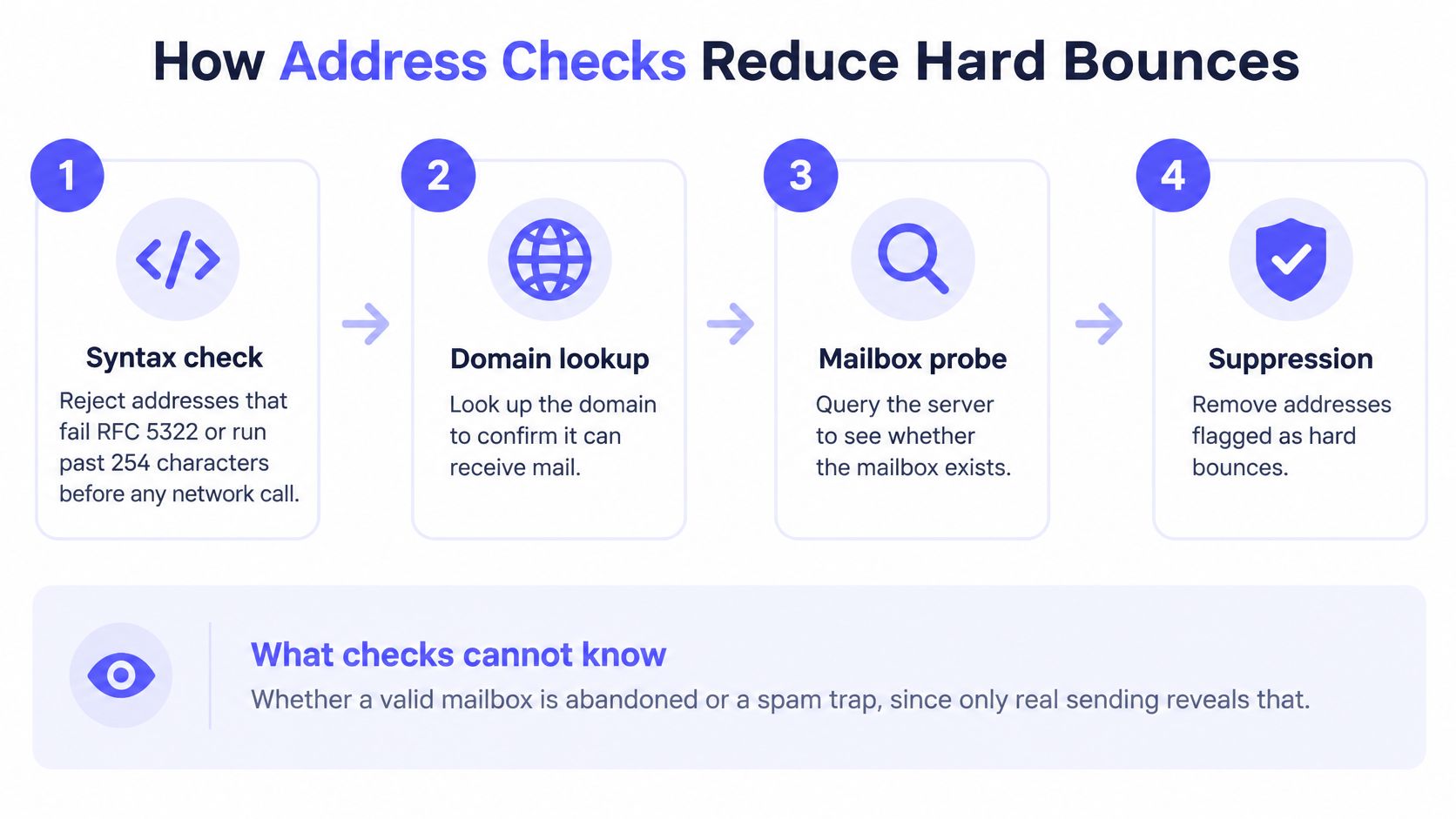
The limit of any check: verification reduces obvious invalid-address failures. It does not guarantee inbox placement, because reputation, throttling, and receiver policy keep changing after the check runs.
Unknown results should stay unknown. Forcing a catch-all mailbox to pass or fail invents information you do not have, and every downstream report inherits the error. Exporting deliverable, risky and undeliverable segments, then keeping those lists in sync, is the core of good email list hygiene.
Consent and address quality are separate records. A 2025 benchmark summary reports that Gmail and Yahoo recommend double opt-in as the preferred permissioning mechanism (2025 Benchmark Report). Double opt-in does work no verifier can: it proves someone controls the mailbox and wants the mail. A clean address only says the mailbox can receive. For a regulated practice, Growing your firm with email still depends on consent you can show, because that proof is a different question from delivery.
Decide Whether to Retry Suppress or Verify
Every notice resolves to one of four decisions. Pick the wrong one and you either lose a customer or teach a provider that your list is worthless.
- A 4xx notice, including a full mailbox, greylisting, or a short policy block: keep the message queued, back off on the schedule you already use, and never tell the user the address is fake.
- A confirmed 5xx for a missing mailbox, or a domain with no mail exchanger: suppress that address and ask the person for a corrected spelling, gmail.com for gmal.com.
- Valid recipients that Gmail or Yahoo refuse or throttle: pause the campaign and repair the sender-side causes before the next send. The addresses are fine.
- A failure at signup: check the address before the account exists, so hard bounces never reach your mail stream at all.
For that last path, a real-time verifier such as Mailbeam returns deliverable when the mailbox is confirmed, undeliverable when it's confirmed bad, risky for a real but low-quality address, and unknown when it couldn't find out. When the valid flag is false, the reason field carries a machine-readable cause such as invalid_syntax, no_mx_records, smtp_rejected, disposable_domain or role_address, which is what you put in the form error. Don't block anyone purely because a catch-all domain can't be verified: keep the score and let them proceed or confirm through another channel. Enforce the verdict on your server at submit time, and treat post-send bounces as a separate signal from the pre-send check. Sorting the two is also the difference between a suppression list and an opt-out, and mixing them up creates complaints you can't explain.
Mailbeam verifies addresses in real time inside your signup flow, returning a verdict, a score, and a machine-readable reason in a single API call, with EU hosting and a default DPA for teams that need it. Point it at the addresses your current system has been marking undeliverable and see how many of them are really temporary refusals rather than dead mailboxes. Start at Mailbeam.