
An MX (Mail Exchange) record is a DNS instruction that tells the internet which server is responsible for receiving email on behalf of a domain, using DNS record type code 15, standardized in RFC 1035 in November 1987. When someone sends a message to user@example.com, the sender's mail system checks the MX records for example.com before it attempts delivery.
You may be looking at an email that never arrived, preparing to move your company to a new mail provider, or validating an address during signup. In each situation, the same question appears first: where should the receiving mail server send the message? MX records answer that domain-level routing question. They don't, on their own, prove that a specific mailbox exists.
Table of Contents
- How Email Actually Finds Your Domain
- Understanding MX Record Components
- How Mail Servers Route Messages
- Checking Your MX Records Effectively
- Common Misconceptions About Validity
- Troubleshooting Delivery Failures
How Email Actually Finds Your Domain
Think of email delivery as postal delivery. The sender knows the recipient's street address, but the postal service still needs to identify the correct local facility before it can deliver the letter. In email, the domain after the @ symbol plays the role of the destination area, while the MX record tells the sending system which mail server handles that area.
Suppose someone sends a message to alex@example.com. The sender's mail system separates the local part, alex, from the domain, example.com. It then asks the Domain Name System, or DNS, which mail-exchange hosts accept incoming mail for that domain. DNS returns one or more hostnames, and the sender connects to those hosts through SMTP.

The receiver's address comes first
The important shift is to view MX lookup from the receiver's perspective. Before a receiving server can accept a message, the sender needs a reliable destination for the domain. If the domain advertises no usable route, the sender may not know where to begin.
Postal analogy: An MX record identifies the receiving facility for a domain. It doesn't identify every person who has a mailbox inside that facility.
DNS doesn't contain the email message and usually doesn't contain individual mailbox details. It publishes routing instructions that help independent mail systems find one another across the internet. For a broader explanation of the stages involved in sending and receiving messages, see this guide to how email works.
A domain can use an external provider for mail reception while keeping its own public email address. The MX target may live in another DNS zone, so example.com can direct incoming mail to a provider-managed hostname without changing the addresses customers recognize. That separation is one reason MX records remain central to hosted email.
Understanding MX Record Components
An MX record contains two essential pieces of information: a preference value and a target hostname. The preference tells the sender which destination to try first. The hostname identifies the mail server that should receive the connection.
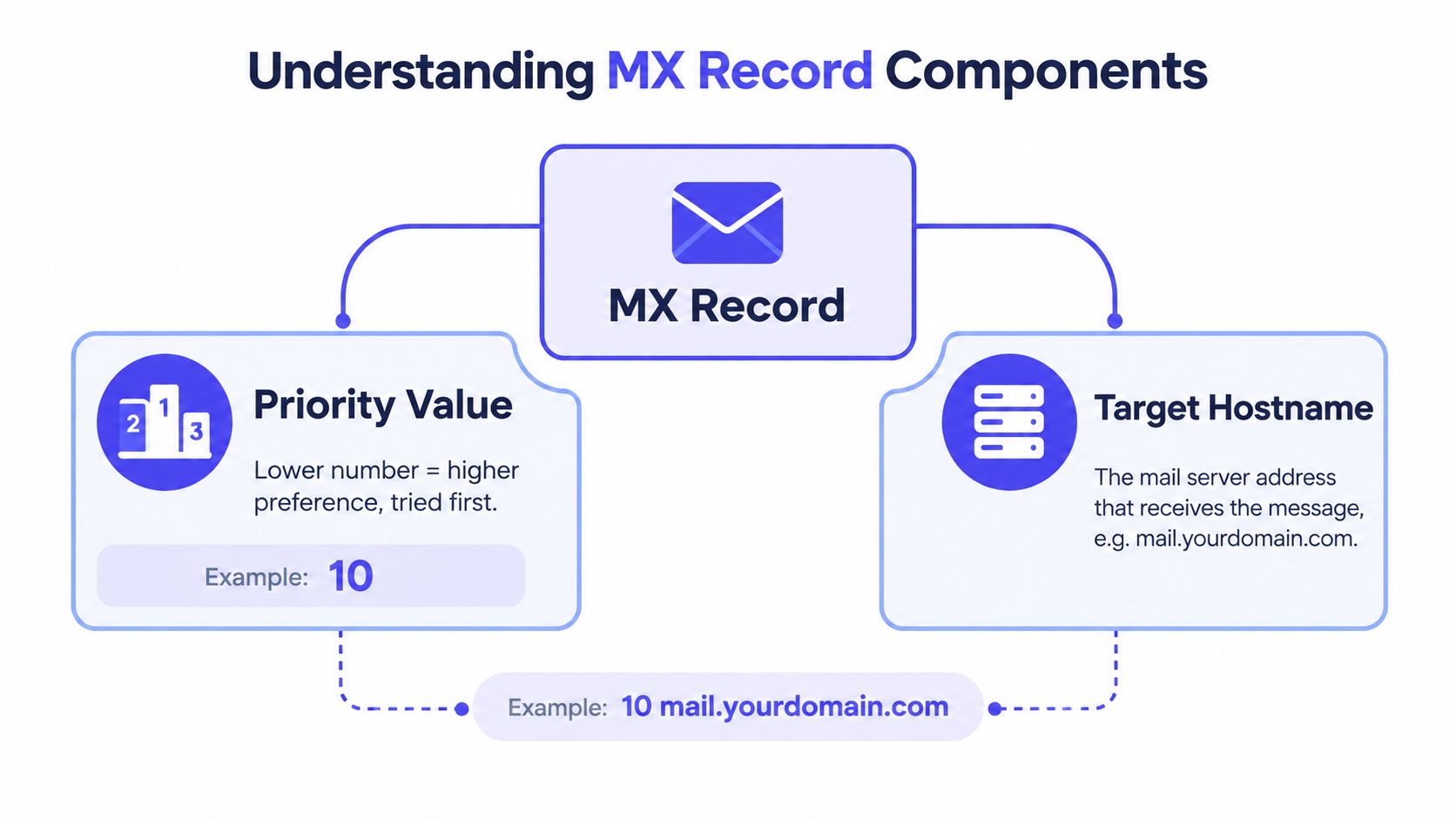
Preference value
The preference, sometimes called priority, is a 16-bit value from 0 to 65,535. The IANA DNS resource-record registry lists MX as type code 15, while the RFC 1035 specification and annotations define the preference field used to order mail exchanges.
Lower values have higher preference. A destination at preference 10 is attempted before one at preference 20. The number isn't a quality score, speed rating, or guarantee that one server is healthier. It only establishes relative order.
| Preference | Target hostname | Typical interpretation |
|---|---|---|
| 10 | mail-primary.example |
Preferred destination |
| 20 | mail-secondary.example |
Later destination if needed |
A domain may publish several records. If two records have the same preference, sending systems may distribute delivery attempts between them. If the records have different preferences, the lower value normally comes first, with the higher value available as a later route.
Target hostname
The second component is the mail-exchange hostname. An MX record must point to a hostname, not directly to an IP address. The hostname is then resolved through an A or AAAA record before the sender attempts an SMTP connection.
That extra lookup matters during troubleshooting. A record can appear in DNS while its target fails to resolve, leaving the sender with a published destination that it cannot reach. A complete MX review therefore checks both the record itself and the DNS resolution of every target.
Practical rule: Read the preference and hostname together. A number without a usable target doesn't provide a working delivery route.
How Mail Servers Route Messages
An email journey starts with a recipient address, but the sender can't connect to the local part directly. It follows a chain of decisions that begins with the recipient's domain.
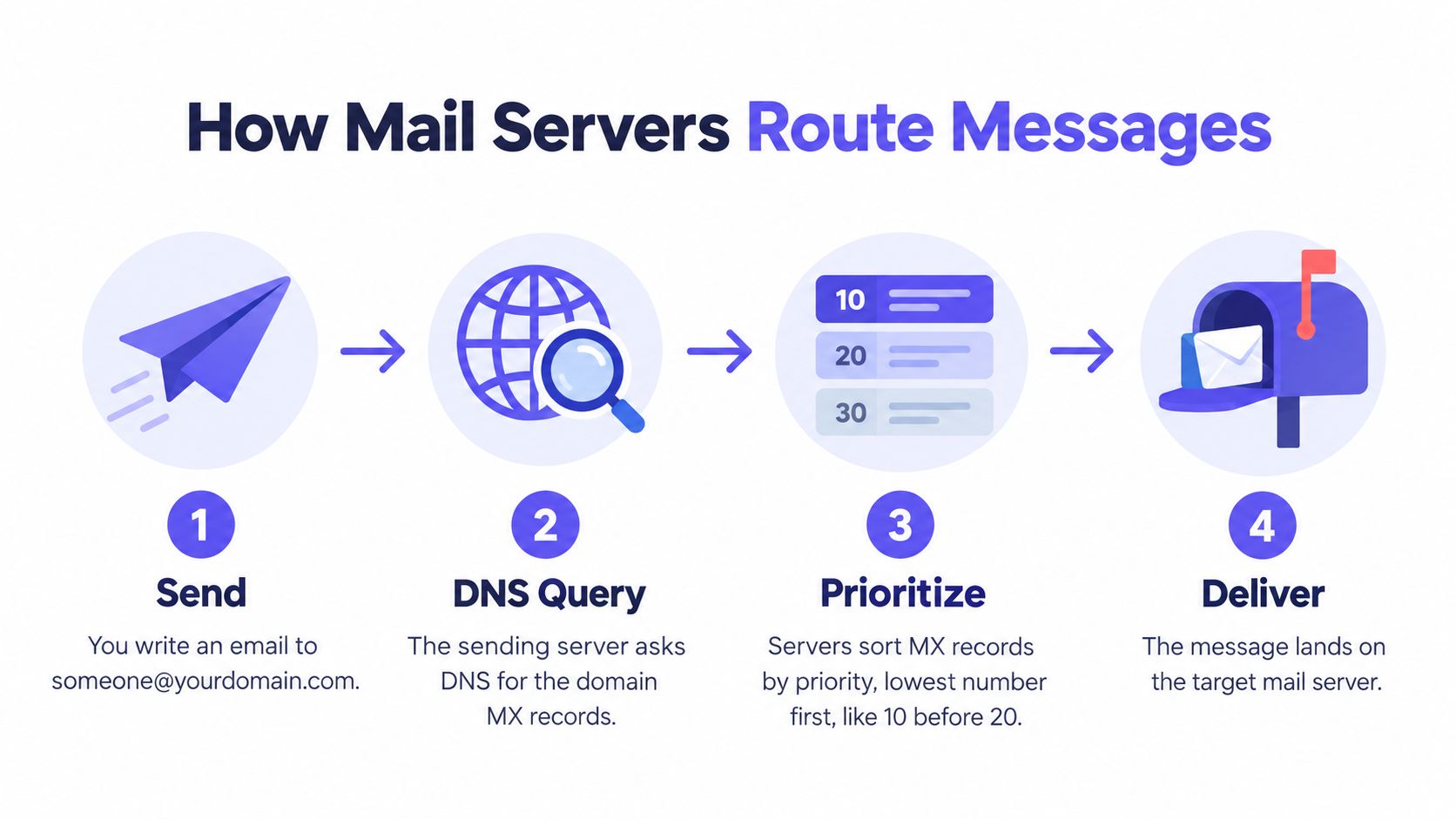
Four decisions in sequence
- Identify the domain. The sending system reads the part after
@, such asexample.com. - Query DNS. It requests the domain's MX records and receives the available target hostnames and preference values.
- Order the destinations. It considers the lowest preference value first. Equal-preference records may share delivery attempts.
- Resolve and connect. It resolves the selected hostname to an address, then attempts an SMTP connection to the receiving host.
The SMTP standard in RFC 5321 treats MX lookup as part of the process used to locate a recipient domain's mail exchanger. This explains why a sender can fail before it has exchanged message content with the receiving system. DNS routing is the gate that determines whether an SMTP conversation has a destination at all.
The postal analogy helps here too. A sender first finds the correct regional facility, then checks that the facility has a reachable physical address, and only then hands over the letter. If the first facility can't accept the delivery, the sender may try another listed facility according to the published order.
Equal priorities and resilience
Multiple MX records can support operational resilience. Different hosts can represent separate receiving systems, and equal preferences can allow delivery attempts to be shared. Different preferences can establish an ordered path, with one destination favored over another.
That design only helps when each target is valid and reachable. A backup hostname that no longer resolves can turn an apparently redundant setup into a misleading one. For teams working with SMTP handoffs, the distinction between DNS routing and the later mail transaction is also useful in this explanation of SMTP relaying.
Checking Your MX Records Effectively
A lookup should answer more than “does a record exist?” You want to know which hostnames the domain publishes, how their preferences are ordered, and whether those hostnames resolve to usable addresses.
A practical inspection routine
You can use common DNS utilities such as dig, nslookup, or a web-based MX lookup tool. The exact interface differs, but the reasoning stays the same.
- Query the domain's MX data. Enter the domain without the mailbox name. You're checking
example.com, notalex@example.com. - Record every target. Note each mail-exchange hostname returned by the resolver.
- Compare preferences. Confirm that the intended primary destination has the lower value when records use different priorities.
- Check target resolution. Look up each returned hostname and confirm that it resolves through the required address records.
- Repeat from another resolver when necessary. DNS caches can temporarily produce different observations after a change, so compare results if a migration is in progress.
A healthy result has a clear set of hostnames, coherent preference ordering, and targets that resolve. A domain with an MX record whose target doesn't resolve should not receive the same status as a domain with a reachable mail host.
What the result does and doesn't tell you
An MX lookup establishes a domain-level routing signal. It tells you that the domain advertises an email-receiving destination. It doesn't tell you whether the specific local part is provisioned, whether the receiving server will accept a message, or whether the message will reach an inbox.
For a more focused workflow, follow this guide to checking MX records. Use the result as the first diagnostic gate, then continue with SMTP behavior and other validation signals when you need address-level confidence.
Common Misconceptions About Validity
The most common mistake is treating an MX-positive result as proof that an email address exists. It isn't. An MX record describes the domain's receiving infrastructure, while the part before @ identifies a particular mailbox, alias, role address, or possibly nothing at all.
For example, alex@example.com and not-a-real-user@example.com share the same domain. A successful MX lookup produces the same domain-level routing result for both addresses. DNS has answered “where should mail for this domain go?” It hasn't answered “does this recipient exist?”
Separate the verification layers
Email validation works best as a sequence of increasingly specific checks:
- Syntax: Does the address follow the expected email format?
- Domain routing: Does the domain publish usable MX infrastructure?
- Target resolution: Do the MX hostnames resolve to address records?
- SMTP behavior: Does the receiving system respond during a carefully managed transaction?
- Catch-all behavior: Does the server accept recipients even when it can't confirm that they exist?
- Domain intelligence: Is the domain disposable, temporary, or otherwise unsuitable for the intended workflow?
The distinction is documented in this explanation of MX record behavior during email verification. A receiving server can reject a recipient after DNS succeeds. It can also accept every recipient through catch-all behavior, defer a transaction, or suppress verification probes. Each outcome carries a different confidence level.
The right label is “domain has mail-routing infrastructure,” not “mailbox verified.”
This matters for signup forms and list hygiene. If a product blocks every address without an MX record, it may reject domains that have a genuine configuration problem. If it approves every address with an MX record, it may admit nonexistent, disposable, or catch-all recipients.
Why the receiver's perspective matters
A sender may think of MX as a simple destination lookup. A receiver needs a richer interpretation because every ambiguous result affects what the application does next. A missing record may justify asking the user to check the domain. An MX-positive but catch-all domain may justify accepting the signup while treating the address as lower confidence. An unresolved target calls for technical remediation, not a claim that the mailbox is fake.
MX is therefore a necessary first gate, but it's a weak standalone indicator of individual address validity.
Troubleshooting Delivery Failures
When delivery breaks, start with the postal question: does the domain publish a receiving facility, and can the sender reach the address it published? This keeps the investigation focused on routing before you inspect mailbox behavior or message content.
Interpret the failure state
A useful diagnostic distinguishes among several conditions rather than returning a single pass or fail result.
| Observed condition | What it means | Sensible next step |
|---|---|---|
| No MX record | The domain doesn't publish an explicit mail exchanger | Check whether the domain intentionally relies on fallback behavior |
| MX target doesn't resolve | DNS names a destination that can't be located | Correct the target or restore its address records |
| Invalid MX target | The record uses an unacceptable destination format | Replace it with a valid mail-server hostname |
| Reachable mail host | The domain advertises an addressable receiving destination | Continue with SMTP and mailbox-level checks |
| Several targets with unclear ordering | Delivery preferences may not match operational intent | Review preference values and provider documentation |
Under SMTP rules, a sender first looks for MX records. If none exist, it may fall back to the domain's address records, a legacy compatibility behavior. That means no MX doesn't always mean no possible route, although it remains an important warning that deserves investigation. The standards-based distinction is described in this MX lookup troubleshooting guide.
Fix the cause, not the symptom
During a provider migration, confirm that the new receiving hostnames resolve before removing the old route. During a DNS cutover, different senders may temporarily observe different answers because resolvers cache DNS data. A split-horizon setup can also produce different results inside and outside the organization, so test from the environment where delivery fails.
If the domain has several records, inspect every target, not only the preferred one. A broken secondary route can create confusing behavior during an outage, while an outdated destination can continue attracting delivery attempts after infrastructure has moved.
For applications validating addresses, treat MX as the first gate in a decision chain. Keep no route, unresolved route, and domain route exists but mailbox uncertain as separate outcomes. That approach reflects what DNS can prove and prevents a routing warning from being mistaken for evidence that a person's address is invalid.
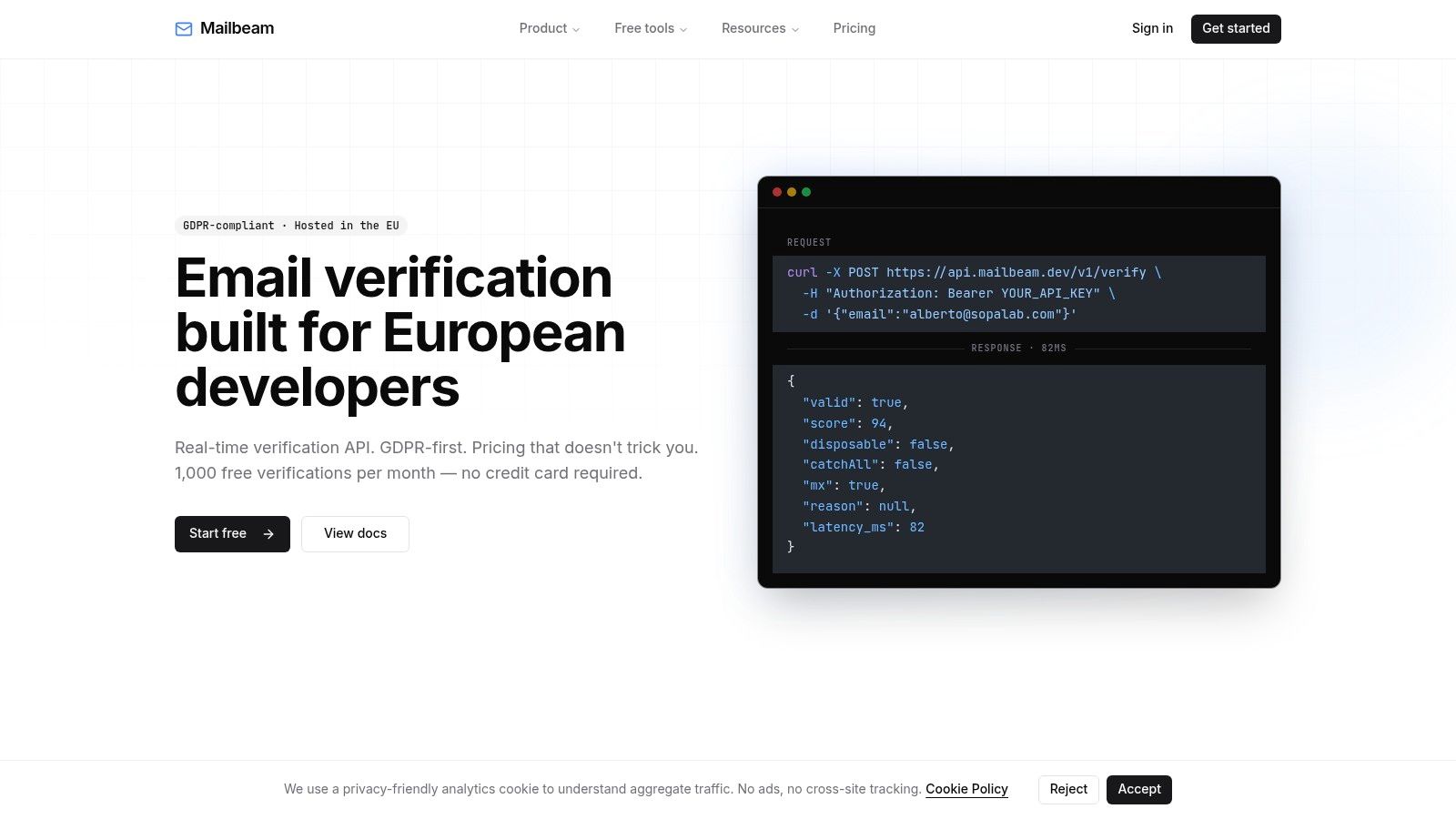
Mailbeam provides an MX Record Checker and an email verification API that can inspect domain MX records, validate target resolution, account for preference-ordered records, and return an mx_check result for use in signup and list-cleaning workflows. Visit Mailbeam to connect MX diagnostics with broader email verification checks.