
Cleaning a list and sending anyway is the most common advice in email marketing, and it's also where teams get burned. An email bounce checker can flag a dead address before you send, but it can't promise that a live address will accept your message, land in the inbox, or survive your own authentication setup. Treating a green checkmark as a delivery guarantee confuses one useful signal with the whole system.
Table of Contents
- Why Most Bounce Checks Miss the Layered Problem
- How an Email Bounce Checker Actually Works
- Reading SMTP Codes Like a Practitioner
- Wiring a Real-Time API and Webhooks into Signup Flows
- The Catch-All Blind Spot Most Articles Skip
- Bounces the Checker Cannot See
- GDPR, Data Residency, and Choosing a Compliant Provider
Why Most Bounce Checks Miss the Layered Problem
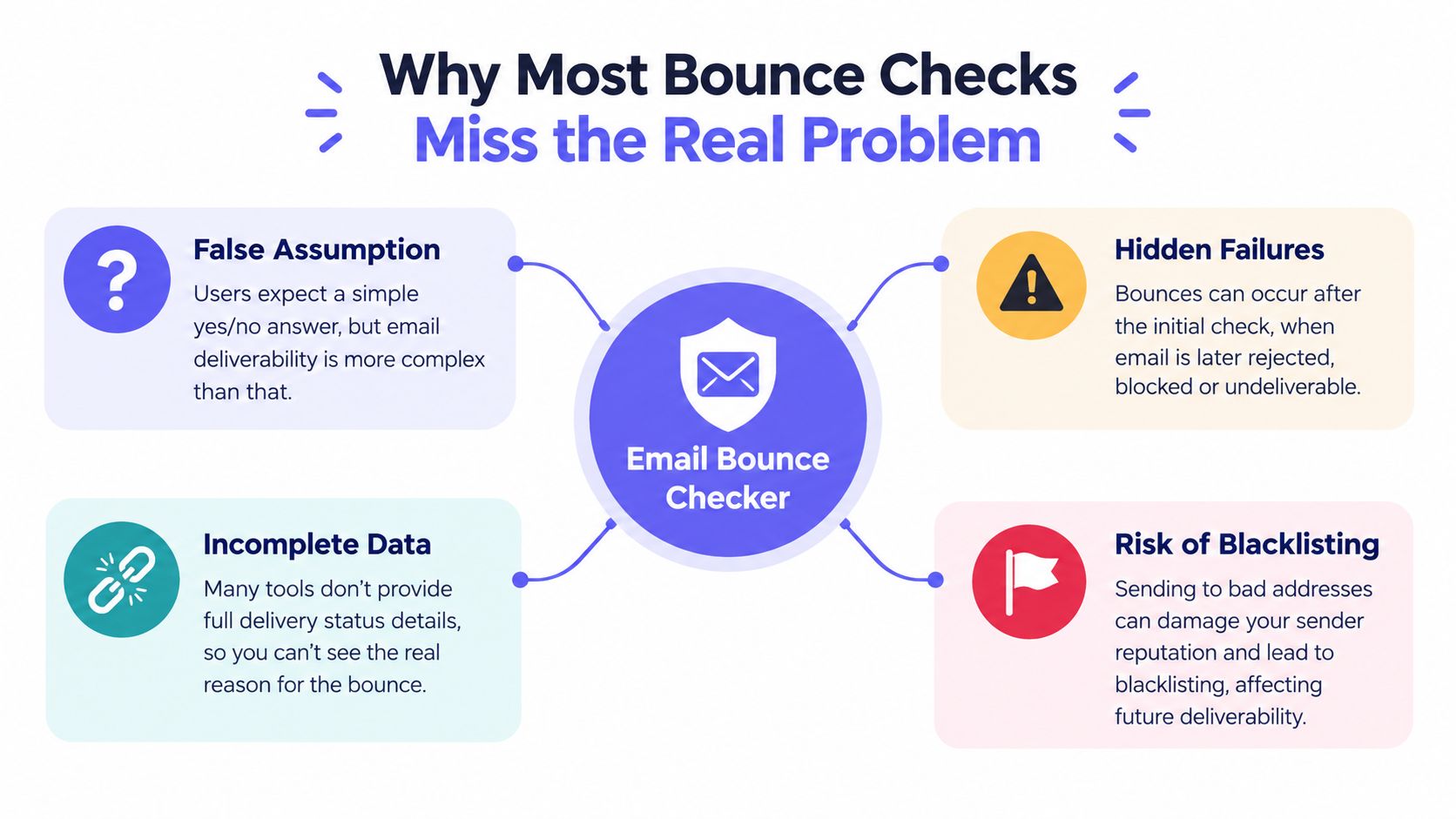
A growth team runs a checker, sees 98% valid, and sends. Half the campaign still defers. The addresses were fine; the failure happened somewhere the checker never looked. That gap between a clean list and a clean send is where bounce handling lives.
Bounces fail in layers, and each layer needs a different response. The recipient may not exist. The receiving server may be throttling you or temporarily unavailable. A policy check may reject you because SPF, DKIM, or DMARC is missing or misaligned. A reputation system may block you over past sending behavior, even when every address on today's list is real. A single verification result says almost nothing about which of these will bite you.
The Assumption to Drop First
Address-only validation covers exactly one of those layers. That is still worth running, because dead addresses are cheap to catch and expensive to send to. The mistake is treating the result as a verdict on the whole send rather than a report on the mailbox layer alone.
I've watched senders purge engaged subscribers over a temporary deferral that meant "try again in an hour." I've also watched teams blame the list when their own DNS records were the failure. Both errors come from the same assumption: one tool, one answer.
Practical rule: Never ask whether an address passed. Ask which layer failed, whether that failure is permanent, and what action that specific failure justifies.
Once you classify failures by layer, the workflow sorts itself. Suppress clear nonexistence. Retry temporary conditions. Fix your own DNS when authentication fails, and slow your sending when reputation is the problem. Validation becomes the first control in a larger system.
How an Email Bounce Checker Actually Works
A defensible checker runs a staged pipeline, and each stage catches a failure the previous one can't see. Syntax alone isn't proof of deliverability. A perfectly formatted address can point to a domain that doesn't exist, a server that won't talk to you, or a mailbox that's never been created.
The flow below shows those stages in the order a real system executes them.
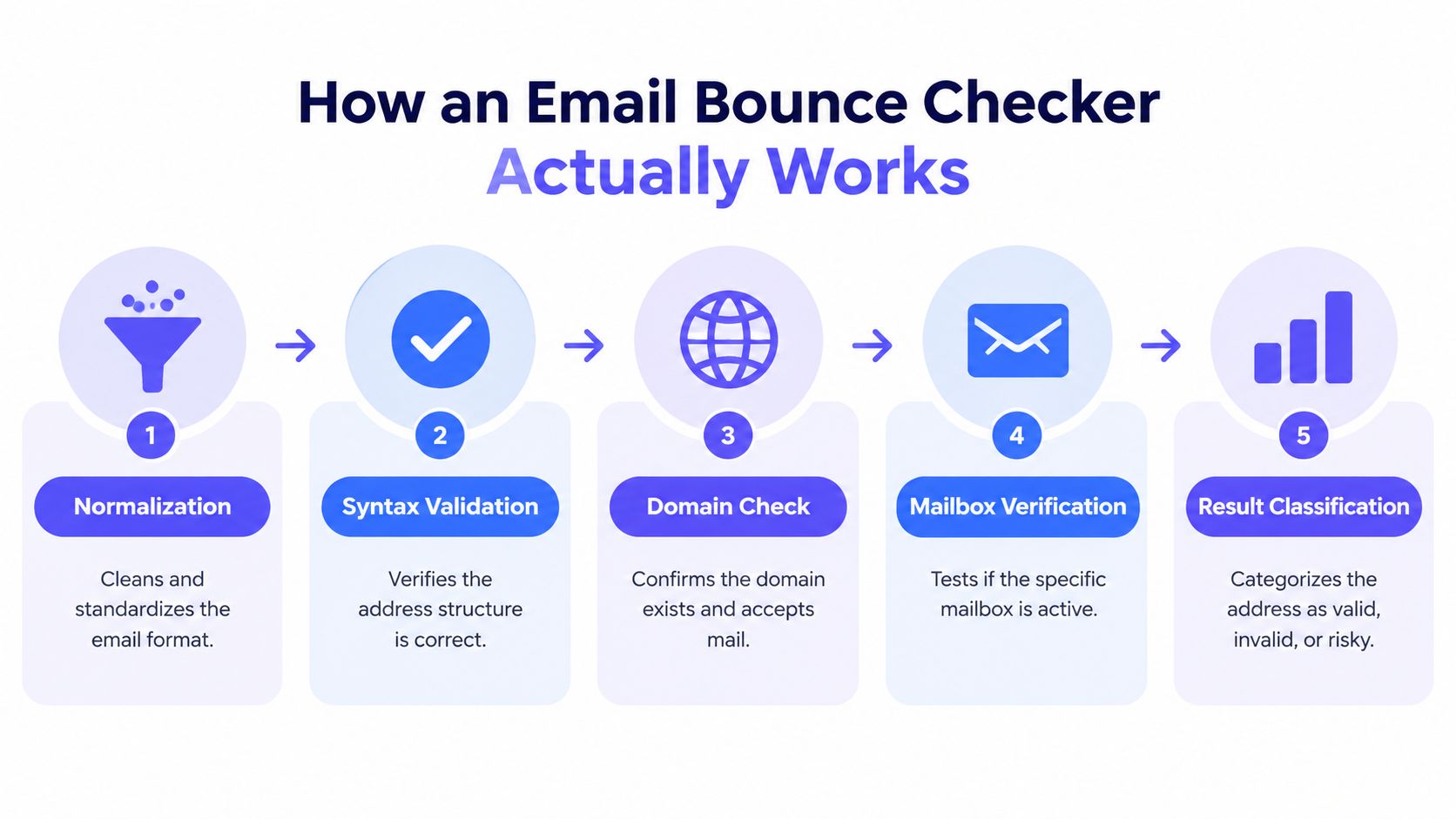
The Six Stages in Order
- Normalize carefully: Trim whitespace and standardize encoding, but don't rewrite the local part before the @ sign without warning. Guessing at corrections creates a different address than the user gave you.
- Check syntax and domains: Validate RFC-compatible structure and handle internationalized domains correctly. This catches malformed input cheaply, before any network call.
- Resolve mail routing: Look up the domain's MX records, falling back to an A or AAAA host only where the mail system permits it. No route means no delivery, full stop.
- Open an SMTP session: Connect to the receiving server and read its banner, with bounded timeouts so one slow host can't stall your form.
- Probe with RCPT TO: Issue the envelope-level recipient command and read the reply. SMTP defines RCPT TO as the command identifying the recipient, and a 250 response means the server accepted the forward path, as described in the SMTP specification in RFC 5321.
- Classify, don't collapse: Sort the result into deliverable, undeliverable, temporary, catch-all, or indeterminate, and keep the raw reason code with it.
That last stage matters more than vendors admit. Many servers disable mailbox verification commands or deliberately give noncommittal replies, so an accepted probe isn't a guarantee of inbox placement later. Aggressive probing can also trigger throttling or reputation defenses, which makes your next thousand checks less reliable than your first.
The walkthrough below shows this negotiation in practice, including where servers stop giving useful answers.
Keep the evidence, not just the verdict. DNS status, SMTP reply class, probe timestamp, and a confidence level let you recheck intelligently later, instead of arguing with a binary label that's already stale.
Reading SMTP Codes Like a Practitioner
The reply code is where checking stops being a guess. SMTP responses fall into classes that tell you what to do next. 4xx responses signal transient failures that may succeed on retry, while 5xx responses signal permanent failures that generally require correction or suppression, a distinction summarized in Mailer To Go's SMTP error code statistics for 2026.
Enhanced status codes add the detail you need to act precisely. They use a class.subject.detail format, so 550 5.1.1 points to an invalid or nonexistent recipient, while 421 4.4.7 points to a temporary delivery problem. Same channel, opposite actions. One address leaves your list. The other gets a patient, bounded retry.
Common SMTP Codes and the Action They Trigger
| SMTP Code | Meaning | Recommended Action |
|---|---|---|
| 250 | Server accepted the recipient path | Treat as deliverable, keep confidence context |
| 421 4.4.7 | Temporary delivery problem | Retry later with bounded backoff |
| 450 or 451 | Temporary local error or deferral | Retry, watch for greylisting patterns |
| 550 5.1.1 | Invalid or nonexistent recipient | Suppress as a permanent failure |
| 550 policy or auth text | Rejection tied to sender policy or authentication | Fix sending configuration, don't suppress the contact |
| Timeout or no reply | Indeterminate, server may be defending itself | Recheck later, don't label invalid |
That table only works if you preserve the enhanced code and the server's text alongside it. Two 550s can mean entirely different things, and collapsing them both into invalid will cost you real customers when the actual fault sits in your own setup.
Why the Percentages Deserve Respect
Population-level data shows why this classification isn't academic. Combined hard and soft bounce rates for permission-based programs averaged approximately 1.5% worldwide, with delivery around 98.5%, according to Validity's 2023 Email Deliverability Benchmark. That same benchmark put global inbox placement just below 85% in 2022, which proves an accepted message can still miss the primary inbox entirely.
Run the arithmetic on your own sends. At that benchmark rate, a campaign to 1 million addresses produces 15,000 undeliverable messages. That's not a rounding error you absorb without noticing. It's a reputation signal receiving systems notice, generated by lists that were permission based to begin with. Address decay happens to well-run programs, which is why pre-send validation is data quality control rather than optional polish.
On a 100,000 recipient campaign, a hypothetical 2% permanent failure rate creates 2,000 invalid deliveries. Misclassify temporary failures as permanent instead, and you delete people who wanted your email without noticing.
Hard and soft bounces map directly onto this split. A hard bounce generally indicates a permanent problem, which calls for suppression. A soft bounce reflects a temporary condition like throttling or mailbox unavailability, which calls for retries. The definitions and handling differ enough that it helps to review what counts as a hard bounce before you encode rules in your suppression logic.
Benchmarks Need Handling Too
Don't treat published rates as interchangeable. One industry report cited an average bounce rate of 1.98%, while another says leading industries keep rates below 0.5%, figures discussed in DMN's summary of email marketing performance research. List age, acquisition method, and whether temporary bounces count in the denominator change those numbers materially, so compare your own rate against your own history first.
Measure your checker the same way. Track hard bounce rate after verification, false positives among addresses labeled deliverable, false negatives among those labeled invalid, indeterminate rate, timeout rate, and latency at the median and 95th percentile. A tool that reports a reassuring valid percentage while hiding a large indeterminate bucket isn't accurate. It's just silent about its uncertainty, and you'll pay for that silence at send time.
Build a test set that can expose those weaknesses. Include consumer providers, business domains, internationalized addresses, role accounts, disposable domains, malformed inputs, dormant mailboxes, and domains known for greylisting. Compare predictions against controlled sends or confirmed outcomes, respecting consent. That discipline turns reason codes from log noise into the most useful output your verification API returns.
Wiring a Real-Time API and Webhooks into Signup Flows
Where you call the checker matters as much as what it returns. Synchronous validation at signup stops bad addresses from entering your database at all. Batch cleaning, by contrast, repairs a list that's already decayed. Most growing products need both, wired differently.
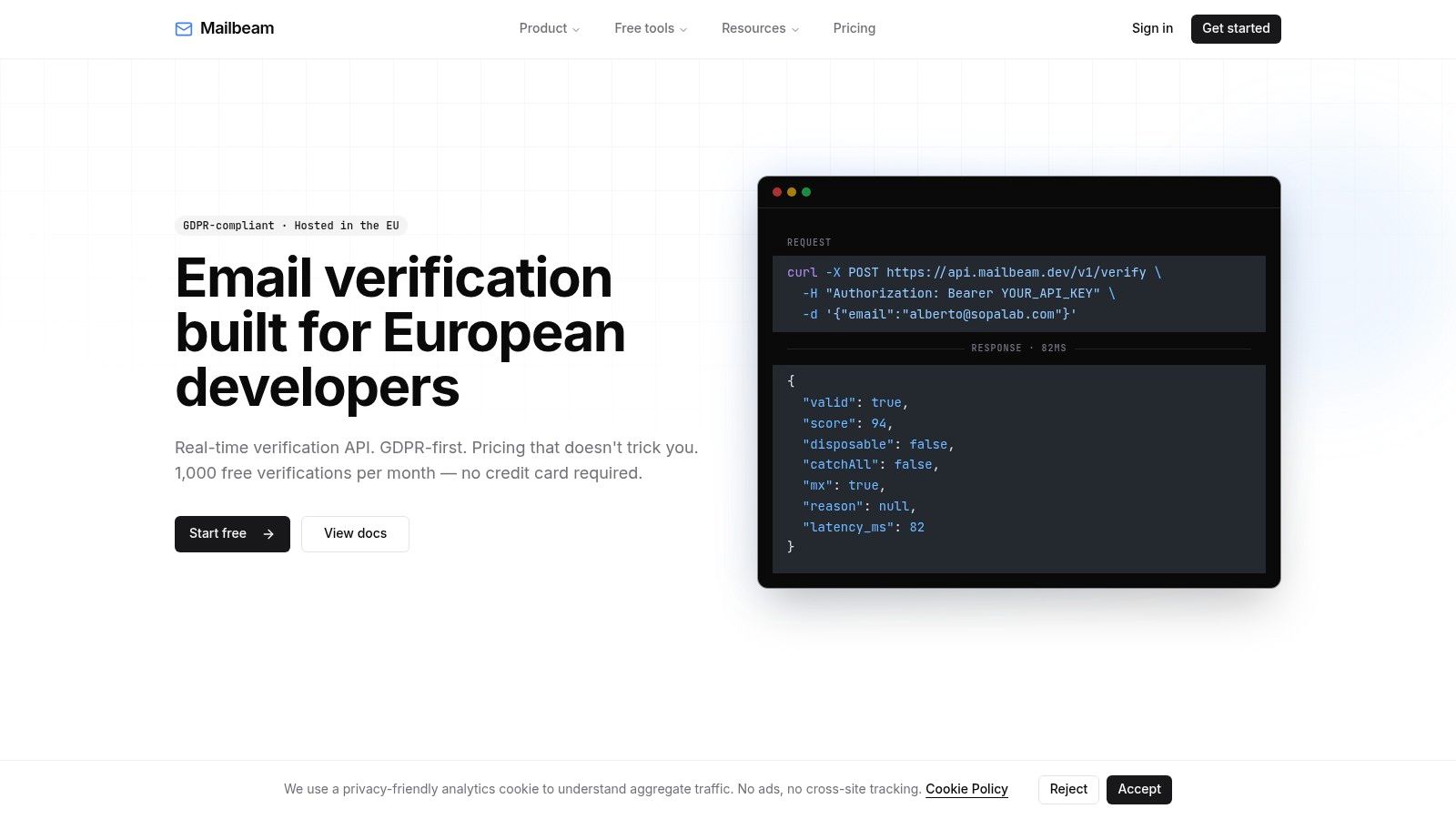
Latency decides whether synchronous checking is viable. Mailbeam, for example, documents roughly 80 ms for cached and DNS-only paths and under one second for full SMTP probes, which fits inside a normal form submission. Budget for the tail, not the average, and set a timeout policy before launch so a slow receiving server can't hang your registration page.
Gate Hard, Challenge Softly
Block only the results you're confident about. Disposable addresses, malformed input, nonexistent domains, and permanent SMTP failures justify a hard stop with a clear message. Role accounts, catch-all results, greylisting, and timeouts don't prove anything about the person typing, so allow them through or add a soft challenge like a confirmation email step.
Surface the reason in the interface while you're at it. A user told their domain can't receive mail will often spot their own typo. A user told only that something went wrong will retry the same address, then blame your form.
Push Results Where Work Happens
- Webhooks into your CRM: Send verification outcomes downstream so suppression lists update without a manual export, following the event model described in the Mailbeam webhooks documentation.
- Batch jobs on a schedule: Run CSV uploads or asynchronous endpoints against older cohorts, since addresses verified at signup still decay afterward.
- Provider-level monitoring: Watch post-send hard bounces by domain so one receiver's changed behavior doesn't look like a global list problem.
The design goal stays constant throughout. Keep the form responsive, keep the decision explainable, and never let an indeterminate probe become a rejected customer.
The Catch-All Blind Spot Most Articles Skip
A B2B sales team verifies a fresh prospect list, sees a wall of valid results, and sends with confidence. A painful share of that mail bounces anyway. Nothing malfunctioned. The checker asked each domain whether it would accept mail for those recipients, and the domains said yes, because they say yes to everything.
That's a catch-all domain. It's configured to accept mail for any local part, real or invented, which makes SMTP probing nearly useless at the mailbox level. Acceptance confirms the domain receives mail. It tells you nothing about whether the person exists.
Available 2026 benchmark reporting estimates catch-all addresses at roughly 23 to 31% of B2B databases, with observed deliverability ranging from 40 to 85% depending on the receiving domain, according to EmailAddress.ai's 2026 email bounce rate benchmarks. A label that hides a range that wide isn't a verdict. It's a coin you're flipping at scale.
Split the Bucket, Change the Action
- Confirmed valid: Send normally and monitor engagement as usual.
- Confirmed invalid: Suppress immediately, no second opinion needed.
- Catch-all or uncertain: Check domain-level signals, throttle first sends, watch early engagement closely, or confirm through a user interaction before committing volume.
- Disposable and role based: Handle by policy, since these are quality judgments rather than existence questions.
- Temporarily unreachable: Reprobe later instead of forcing a decision today.
The contrarian risk runs the other direction too. Aggressive validation that rejects every catch-all address looks clean on a dashboard while excluding legitimate corporate users whose employers deliberately accept all recipients. In a signup flow, that's lost revenue disguised as hygiene.
Demand uncertainty from your tooling. A checker that returns only pass or fail forces you into false confidence or false rejection, and neither helps you. Deliverable is a probability, and it's at its weakest exactly where B2B lists are densest. Your handling should admit that openly, segment catch-all traffic, and let real engagement data settle what probing couldn't.
Bounces the Checker Cannot See
Sooner or later someone asks the obvious question. The checker said the address was valid, so why did the message bounce? The answer almost always lives outside the recipient layer, in the sender's own identity, infrastructure, or history.
Recent reporting links rejection and filtering increasingly to SPF, DKIM, and DMARC enforcement at major mailbox providers, as covered in Mailer To Go's mailer daemon bounce diagnostics statistics for 2025. A clean list doesn't rescue a sender whose authentication is missing, misaligned, or attached to a poor reputation. The receiving system isn't doubting the recipient. It's doubting you.
Sort Every Failure by Layer
- Recipient invalidity: The mailbox or domain doesn't exist. Suppress it.
- Temporary server condition: Throttling, downtime, or a full mailbox. Retry with backoff.
- Authentication or policy rejection: Your SPF, DKIM, or DMARC failed or is misaligned. Fix DNS and signing, not the list.
- Rate limiting and reputation blocking: You've sent too fast or carried too much bad history. Slow down and repair sending patterns.
- Content filtering: The message itself triggered spam systems. That's a placement problem no address check can detect.
The uncomfortable truth: Better list hygiene produces diminishing returns when the dominant failure is your own sender identity. Verifying the same clean list harder will not fix a broken DMARC alignment.
This is also where inbox placement separates from delivery. A message can be accepted, generate no bounce, and still land in spam, which means absence of bounces isn't proof of success either. Bounce checking and authentication aren't two chores on a deliverability list. They're two halves of one system, and debugging starts by identifying which half failed before you touch anything.
GDPR, Data Residency, and Choosing a Compliant Provider
Every verification call sends personal data to a third party. An email address identifies a person, and under EU law that makes your choice of checker a compliance decision, not just a tooling preference. Where the address gets processed, how long it's kept, and under what contract all become your problem during an audit.
Non-Negotiables to Demand from Any Vendor
- EU-only data residency: Processing infrastructure hosted inside the European Union, with no routine transfers elsewhere for verification work.
- A DPA by default: A Data Processing Addendum included in the standard relationship, not locked behind an enterprise negotiation.
- Documented retention windows: Single verifications that aren't retained after completion, and batch uploads automatically deleted after a short, stated period such as roughly 72 hours.
- Transparent pricing: Per-verification rates without opaque credits or multipliers, so you can predict cost before finance asks.
- Explainable outputs: Reason codes you can surface in your own interface and defend to users and auditors alike.
Those criteria disqualify tools quickly, which is the point. You're not shopping for the longest feature list. You're checking whether a provider's defaults match the obligations you'll carry. The deeper regulatory background sits in this guide to GDPR email compliance, worth reading before procurement rather than after a complaint.
Questions That Reveal Weak Postures
Ask where batch files live between upload and deletion, and who can access them. Ask whether verification data trains shared models or enriches anyone else's database. Ask what happens to addresses submitted through free web tools compared with the paid API. Providers with sound data handling answer these directly, because the answers are already written down. Evasion on retention is itself an answer, and you should treat it as one.
Also confirm the separation of concerns inside the product. Address-level checks are one thing. Anything a provider does with your sender data, campaign data, or engagement history is another, and you want contractual clarity on both. The narrower the data a verifier needs, the smaller your exposure when something goes wrong on their side of the fence.
Putting the Whole System Together
A signup arrives and hits the verification API. Staged checks return a classification with raw reason codes, SMTP reply class, and timestamp. High-confidence failures stop at the form with a message the user can act on, while catch-all, role, greylisted, and timeout results pass through or meet a soft challenge.
Webhooks carry each outcome into your CRM and suppression lists. Batch jobs recheck older cohorts on a schedule, because yesterday's valid address decays. Post-send bounces get sorted by layer, so recipient failures are suppressed, temporary failures are retried, and authentication failures trigger DNS fixes instead of another round of list cleaning.
Catch-all segments send cautiously, with engagement watched before volume ramps. SPF, DKIM, and DMARC alignment gets verified in its own right, since no address check covers it. The whole pipeline runs inside a GDPR posture you've read, with EU residency, a signed DPA, and retention windows you can state without checking.
Treat valid as probabilistic. Route by reason code. Never let address validation stand in for sender identity, and never let a vendor's compliance live only in a sales deck. Teams that internalize those four habits stop arguing with bounce reports and start preventing the failures behind them.
Stop treating valid as a promise and start treating it as a signal you can route on. Mailbeam gives you a real-time verification API with staged syntax, MX, SMTP, disposable, and catch-all checks, explainable reason codes for your signup flow, and EU-hosted, GDPR-first processing with a DPA by default. Wire it into your forms and batch jobs by visiting Mailbeam.