
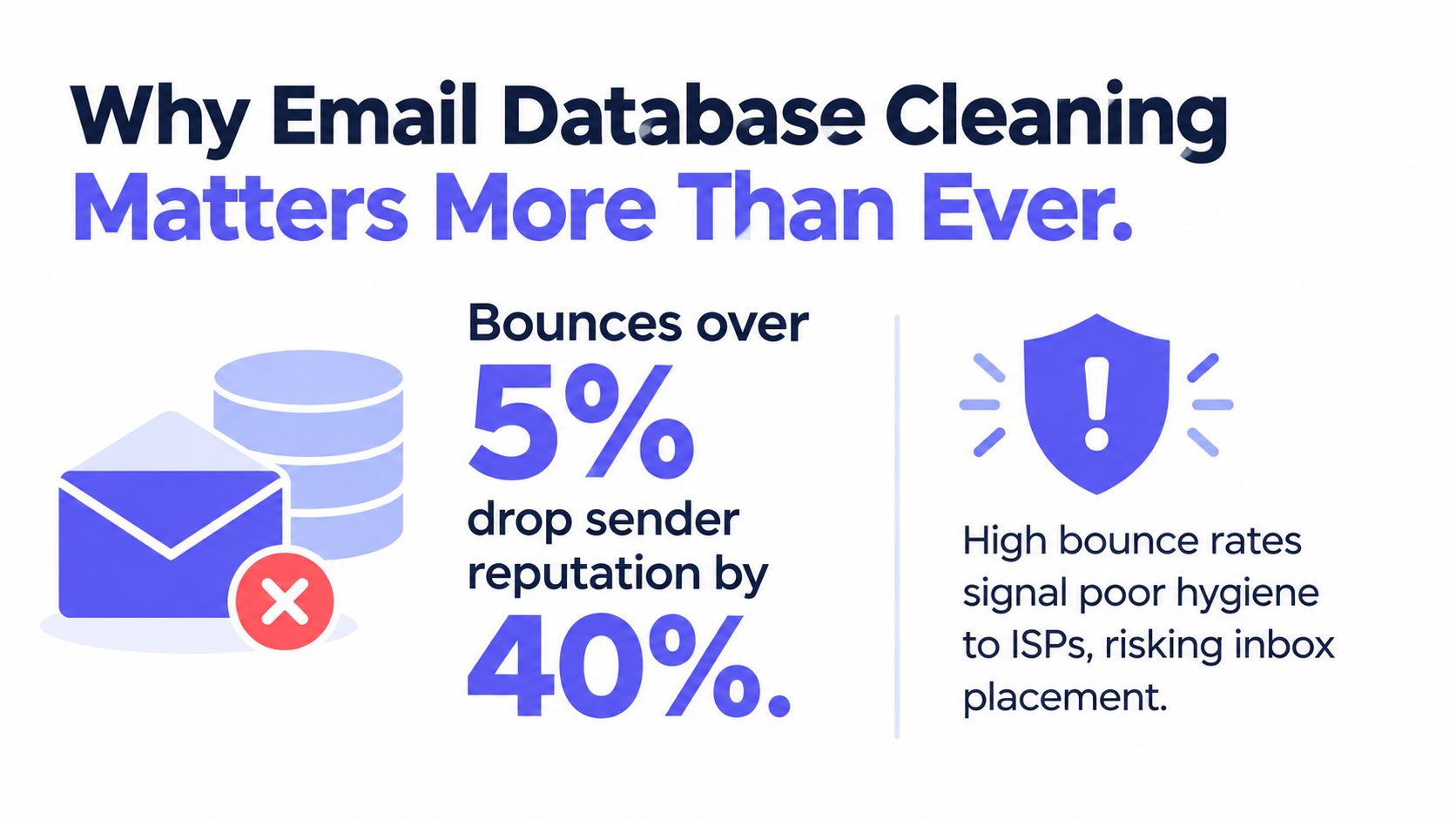
A poorly maintained email list can exceed a 5% bounce rate and reach 10% or higher, while well-maintained lists are commonly closer to 1.2% overall bounces. Teams that verify addresses in real time are reported to achieve around 0.3% bounces and approximately 95% inbox placement, compared with 6.5% or more when lists are never cleaned, according to industry reporting on email list hygiene and bounce rates. Those figures reframe email database cleaning as an operational control, not a cosmetic marketing task.
The work also extends beyond deliverability. An address can be reachable but unsuitable for a campaign, risky for a signup flow, subject to a suppression request, or no longer necessary under a data-minimization policy. A reliable process therefore connects verification, segmentation, retention, consent, suppression, and audit records.
Table of Contents
- Why Email Database Cleaning Matters More Than Ever
- Preparing Your List for Bulk Cleaning
- Understanding the Verification Passes
- Deciding What to Keep, Quarantine, or Suppress
- Building a Cleaning Schedule That Fits Your Operations
- Integrating Verification Into APIs and CRM Workflows
- Turning Compliance Requirements Into Practical Cleaning Policies
Why Email Database Cleaning Matters More Than Ever
A hard-bounce rate above 2% is commonly treated as a data-quality warning, according to the Mailgun State of Deliverability takeaways. Mailbox providers use bounce behavior as evidence of sender maintenance. Poor list controls can therefore affect inbox placement for valid, engaged contacts, not only the addresses that fail.
Cleaning also has a governance cost. An address may still accept mail yet lack current consent, conflict with a suppression request, belong to an outdated account, or no longer meet a retention policy. A defensible process records the verification result, suppression reason, consent context, and decision owner. That audit trail matters when marketing, sales, privacy, and compliance teams handle the same database.
Prevention and repair serve different purposes. Real-time verification can stop obvious errors at signup, lead capture, and CRM entry. Batch cleaning examines older records after job changes, company closures, abandoned inboxes, or changes in collection practices. B2B contact data decays by roughly 22.5% per year. For a 10,000-record database, that implies roughly 2,250 records may require re-verification over a year, which makes prevention less expensive than repeatedly repairing campaign failures.
Healthy hygiene depends on context
Sector benchmarks help diagnose a list, but they do not define an acceptable result. Retail and e-commerce lists are often reported around 3.5% to 6%, B2B SaaS around 1.5% to 3%, and nonprofit lists at 5% or higher, according to MailTester's sector breakdown.
| Sector | Typical bounce range | Decay drivers |
|---|---|---|
| Retail and e-commerce | 3.5%–6% | Frequent acquisition, promotions, consumer address changes |
| B2B SaaS | 1.5%–3% | Employee movement, role changes, company closures |
| Nonprofits | 5% or higher | Reused lists, limited maintenance, dormant supporters |
Use these ranges to investigate acquisition sources, consent records, complaint history, sending patterns, and domain reputation. For implementation ideas, guidance on reducing email bounce rate connects list checks with sending controls.
A one-time scrub removes current failures. A maintained program also blocks risky records during signup, reconciles offline batches, preserves suppression decisions, and shows why each address remained active, was quarantined, or was removed.
Preparing Your List for Bulk Cleaning
Start with the source, not the verifier. Export a read-only copy from the CRM or email platform, preserve the original file, and create a working version with a clear date and owner. This separation prevents an accidental overwrite from becoming an irreversible data-management incident.
Before uploading anything, normalize the file:
- Keep the email field explicit: Use a dedicated
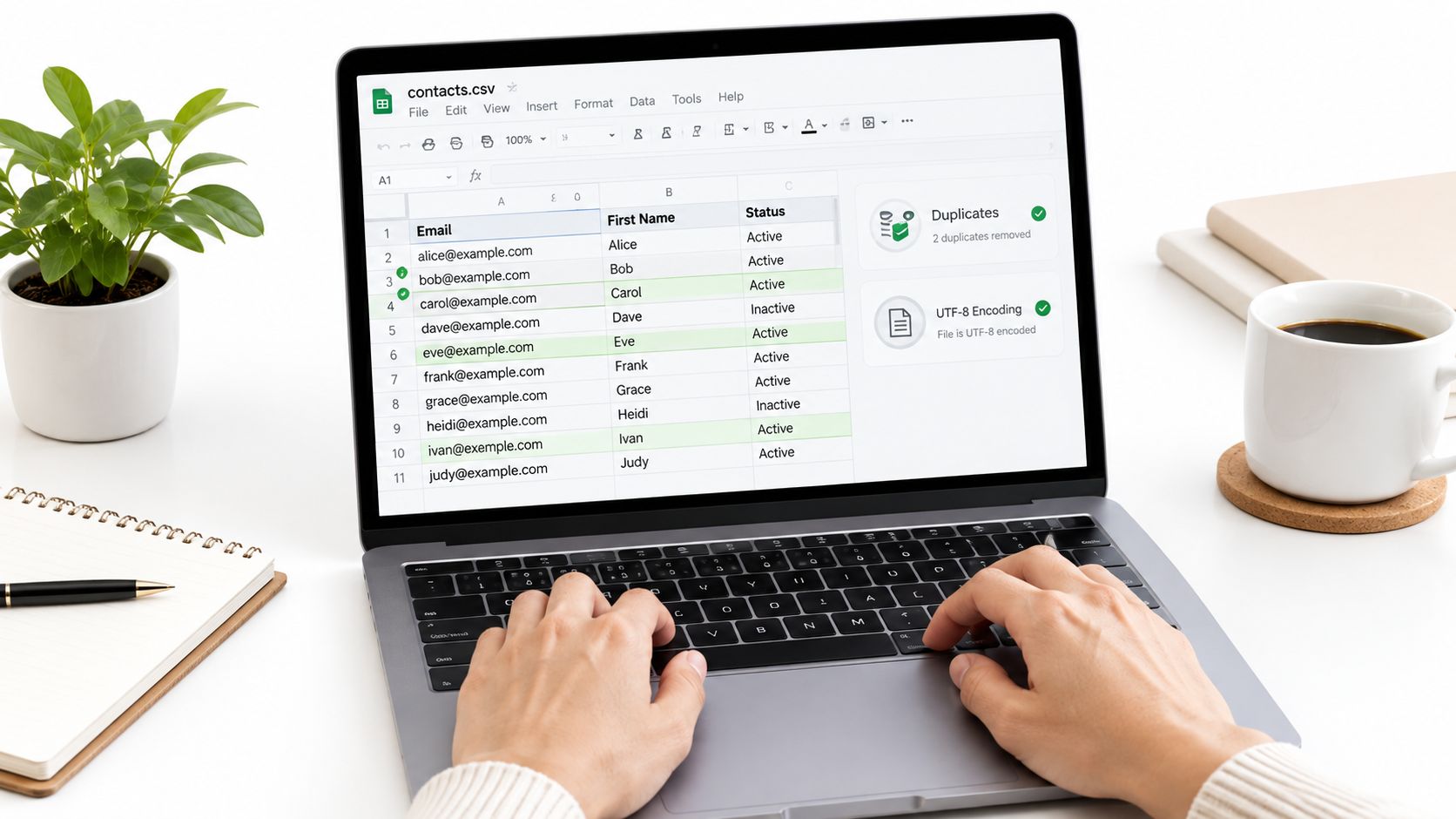
emailcolumn and retain only the identity and segmentation fields needed for the cleaning decision. - Standardize formatting: Trim leading and trailing spaces, preserve one address per row, and use a consistent text encoding such as UTF-8.
- Deduplicate before verification: Compare normalized email values first, so you don't pay to process the same address repeatedly or create duplicate outcomes.
- Preserve consent context: Keep acquisition source, consent status, consent timestamp, lifecycle stage, and suppression indicators where those fields support governance.
- Separate suppression data: Export unsubscribes, complaints, prior hard bounces, and direct removal requests into a protected reference file.
Don't delete records just because they look untidy. Keep the raw export separately, then document every transformation applied to the working file. That gives marketing a clean upload while allowing operations or compliance teams to reconstruct what happened.
Stage the job before sending it
Inspect the header names and data types before using an API or CSV verifier. A common failure is mapping email_address to the wrong field, importing a spreadsheet formula instead of its displayed value, or including contacts from a suppression table in the active upload.
Account controls affect execution. Check the API key, monthly quota, batch-size limits, asynchronous job limits, retention behavior, and overage rates before launching a large file. If the platform supports plan-based quotas or service tiers, size the job around the available allowance rather than discovering a limit halfway through processing.
Run a small representative sample first. Include newer records, older contacts, different domains, role addresses, and addresses with known engagement states. Review the returned statuses and reason codes, confirm your field mapping, then launch the full batch with an idempotent job identifier and an export destination that won't overwrite the source.
Understanding the Verification Passes
Verification isn't one test with a binary answer. A useful pipeline assigns different signals to different checks, then returns an explainable result that engineers and operations teams can act on consistently.
The checks that establish technical reachability
Syntax validation catches malformed addresses before the system performs network work. It identifies missing components, invalid characters, spacing errors, and other formatting problems. This is fast and suitable for an immediate form response, but it can't prove that a mailbox exists.
Domain and MX resolution checks whether the domain is configured to receive mail. A domain that lacks the relevant mail-exchange setup is a strong reason to reject or quarantine an address, although a successful domain check still doesn't prove that the individual mailbox accepts messages.
SMTP existence probing goes deeper by asking the receiving system whether the mailbox appears to exist. Some servers provide a clear response, while others obscure or generalize their behavior. That uncertainty is why a verifier should return an unknown or risky state instead of pretending that every result is definitive.
Disposable-domain detection identifies temporary inbox providers. In a product signup flow, those addresses can distort account quality, weaken lifecycle reporting, or enable repeated trial creation. In a support or research context, the right action may differ, so the signal should be routed according to policy.
The checks that shape business decisions
Role-based detection flags addresses such as shared departmental accounts. Free-provider detection distinguishes consumer domains from organizational addresses, which can matter for a B2B workflow but isn't automatically a reason to reject a contact. Catch-all assessment identifies domains that accept mail for almost any address, making mailbox-level certainty weaker.
Mailbeam-style systems can combine these checks into a validity status, a numeric score, and machine-readable reason codes. Cached or DNS-only paths can respond in approximately 80 milliseconds, while full SMTP probes can complete in under one second, according to the publisher's product information. That makes the fast path appropriate for signup feedback, with deeper checks reserved for cases where the extra signal justifies the latency.
Use an email verification check as a decision input, not as a promise of inbox placement. A deterministic policy might accept a clearly valid address, ask the user to correct an invalid one, and hold an unknown result for review. The value comes from making the next action predictable.
Deciding What to Keep, Quarantine, or Suppress
A deliverable result answers a technical question. It doesn't answer whether you should send. That distinction is where many cleaning programs fail, because they reduce a set of nuanced outcomes to “valid” and “invalid.”
Keep addresses with evidence behind them
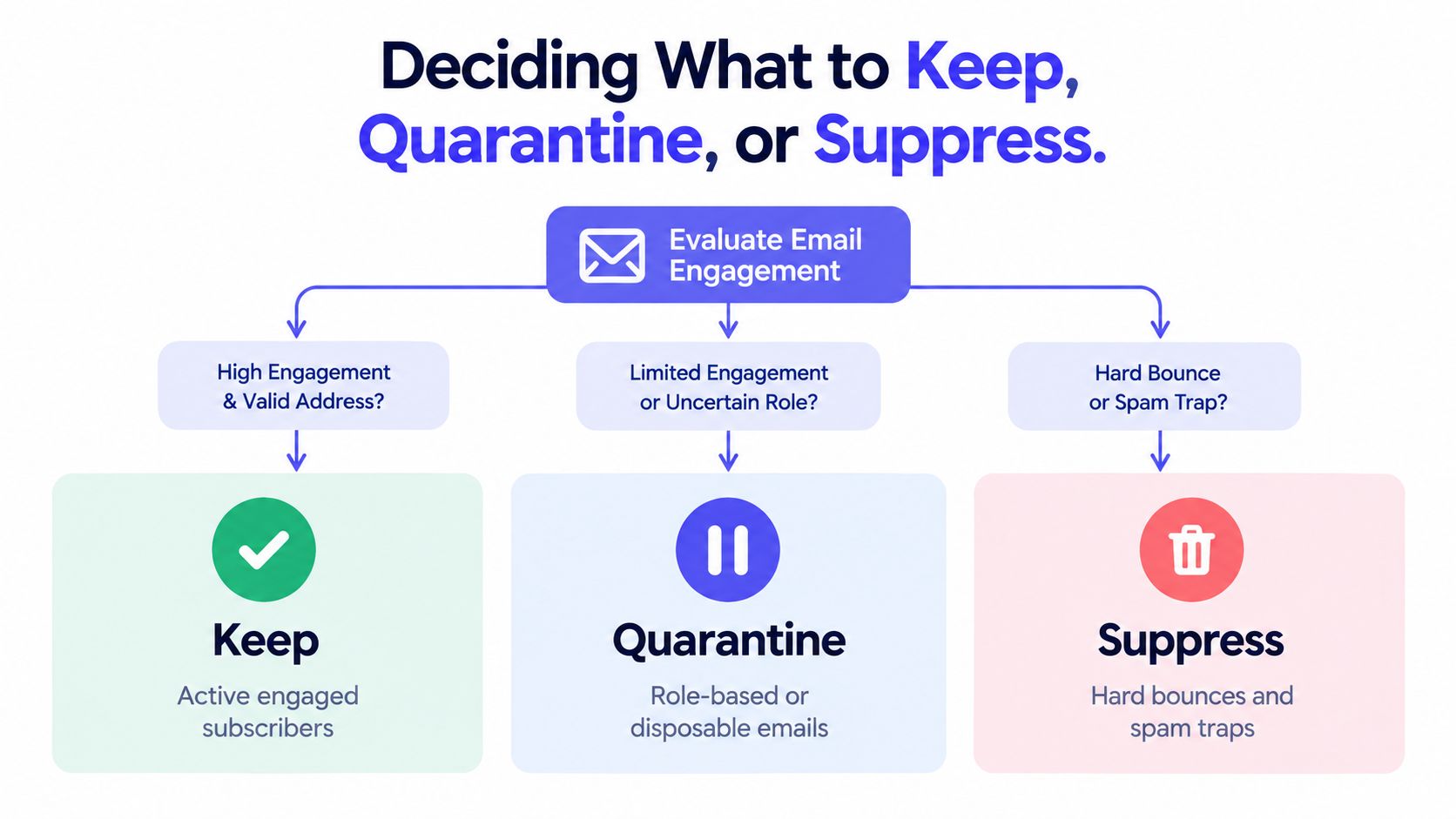
Keep a contact in the active mailing population when the address is technically reachable, the organization has a valid permission basis, and the contact remains appropriate for the purpose. Engagement belongs in this decision. A technically valid address with no meaningful activity can still dilute reporting and create unnecessary complaint exposure.
Hard bounces belong in suppression unless a human verifies that the address was incorrectly classified and has been corrected. Repeatedly retrying a permanent failure isn't persistence. It's uncontrolled risk.
Quarantine ambiguous categories
Role-based addresses need judgment. info@, sales@, and support@ can be legitimate destinations in B2B workflows, especially when the campaign concerns an organization rather than an individual. They should usually be segmented, labeled, and measured separately instead of automatically deleted.
Catch-all domains deserve similar treatment. The domain can accept mail, but the verifier may not be able to confirm the specific mailbox. Send only when the relationship, consent, and business value justify the uncertainty, preferably with conservative volume and close monitoring.
Disposable addresses are different in many signup contexts. If the product depends on durable identity, account continuity, or reliable lifecycle messaging, block or warn at registration. For a one-time resource that doesn't require an ongoing relationship, quarantine may be more appropriate than treating every temporary address as a compliance violation.
Suppress contacts that no longer belong in active sends
Unsubscribes, complaints, confirmed hard bounces, and addresses associated with abuse signals should be excluded from campaigns. Inactive contacts require a more careful policy. A re-engagement path can test whether the person still wants communication, but zero-engagement contacts should be suppressed or re-verified after 12 to 18 months, according to guidance on email verification states.
Decision rule: Keep the address active only when reachability, permission, purpose, and recent relevance all support sending. Quarantine uncertainty. Suppress permanent failures and explicit objections.
Building a Cleaning Schedule That Fits Your Operations
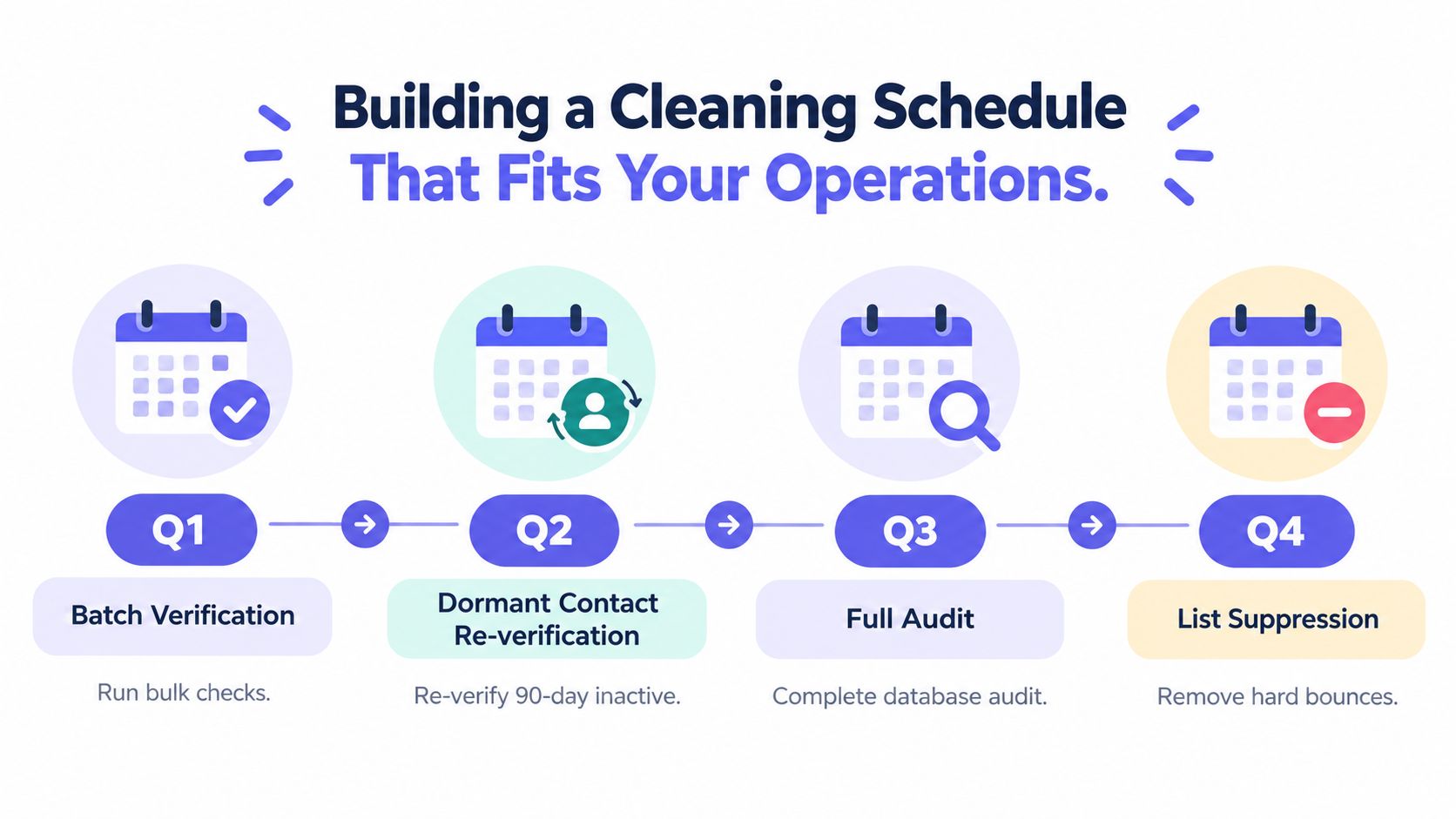
A cleaning schedule should follow how records enter, change, and leave your systems. Signup addresses need checks at collection. Active audiences need review before important campaigns. Dormant contacts require a separate workflow, with clear rules for re-verification, retention, and suppression.
Set an owner and run the work from a queue rather than relying on a campaign manager's reminder. A SaaS team, for example, might verify new signups synchronously, run monthly batch verification on dormant contacts, and record the verification timestamp, reason code, policy decision, and operator for every change. That audit trail helps prevent suppressed addresses from returning through an old import and shows why a contact remained sendable.
A practical operating rhythm
- At collection: Verify each new address as the user submits the form. Return a useful correction message instead of creating a questionable record without warning.
- Before major sends: Run a batch check against the campaign audience, apply the suppression table, and start with the most trusted segment.
- For dormant records: Move inactive contacts into re-verification or re-engagement. Do not leave them in the default audience indefinitely.
- For every result: Store the verification timestamp, status, reason code, source list, policy decision, and operator or service responsible for the change.
- After sending: Review bounce and complaint trends, suppression growth, and verification-status distribution. A sudden change can indicate a faulty source, import, or mapping rule.
Use asynchronous endpoints and webhooks for work that should not block a campaign or user journey. A batch job can accept a CSV, process it in the background, and write results to the CRM or data warehouse. A webhook can update the contact record, send an ambiguous address to review, or append a suppression event to the audit log.
Document retention beside the schedule. Define which records remain active, which move to suppression, who approves exceptions, and how every import checks the suppression table before reactivating a removed contact. Review the schedule when signup sources, CRM ownership, or sending volume changes.
Integrating Verification Into APIs and CRM Workflows
Real-time and batch verification solve different problems. A signup flow needs a fast, user-friendly answer. A CRM cleanup job needs throughput, traceability, and enough detail to update thousands of records without blocking normal operations.
For a synchronous flow, the pattern is straightforward:
- The form sends the submitted address to an authenticated verification endpoint.
- The service returns validity, a score, and reason codes.
- Your application maps the result to an action, such as accept, request correction, warn, or reject.
- The application stores the decision and verification timestamp with the user record.
Don't expose raw technical errors to users. Convert a syntax reason into “Check the email address,” and route a disposable or role-based result according to the product policy. Keep the API key on the server, set timeouts, log correlation IDs, and define a fallback when the verification service is temporarily unavailable.
For a deeper implementation pattern, review how to verify an email address through an API. Cached and DNS-only checks can support responsive form interactions, while full SMTP probes can run when the product can tolerate additional response time.
Batch processing belongs outside the request path
For offline cleaning, upload a CSV or submit records to an asynchronous batch endpoint. The worker can process the file, classify each address, and send completion events through webhooks. Your CRM integration can then update the active status, preserve the original result, and append the reason to a review queue.
Plan for account-level controls before production use. API keys, monthly quotas, overage rates, batch limits, and optional SLA tiers affect how you schedule jobs and budget processing. A large marketing operation might run scheduled asynchronous batches, while a fintech onboarding service may reserve synchronous capacity for new applications.
Mailbeam provides real-time HTTP verification, CSV and asynchronous batch processing, reason codes, webhooks, and EU-hosted processing for these workflows. Treat it as one component in a broader governance design, alongside consent records, suppression controls, CRM ownership, and campaign monitoring.
Turning Compliance Requirements Into Practical Cleaning Policies
A European team can reduce bounce risk and still mishandle its database. Keeping inaccurate or unnecessary personal data indefinitely creates a separate governance problem, particularly when old exports circulate outside the system of record.
GDPR principles around accuracy and data minimization make list hygiene a policy question. Guidance on cleaning email lists with privacy and data-minimization considerations recommends periodic cleaning, suppression logging, and deleting or re-verifying dormant contacts rather than retaining them without purpose.
Separate active records from suppression records
Suppression does not always mean destruction. An active mailing record should contain contacts who can still receive a defined category of communication. A suppression record can preserve the minimum information needed to prevent accidental re-mailing after an unsubscribe, complaint, hard bounce, or removal request. Access should be restricted, retention should be defined, and the reason for the suppression should remain auditable.
Deleting every failed address immediately can create a practical problem if an old CRM export is later re-imported. Keeping unlimited personal data creates another problem. The workable compromise is a documented suppression design that records only what is necessary to enforce the decision, with a review process for when that record should be removed.
Use this checklist to make ownership clear:
- Assign responsibility: Name the team accountable for active-list quality, suppression integrity, and exception review.
- Define statuses: Separate deliverable, risky, undeliverable, inactive, unsubscribed, and complaint states.
- Record decisions: Store the reason, date, source, and policy outcome for each material change.
- Protect imports: Check every new file against suppression records before it reaches a sending platform.
- Review retention: Set rules for dormant, invalid, and suppressed records, then document why each category remains stored.
- Audit the workflow: Confirm that signup verification, batch cleaning, CRM updates, and campaign sends use the same policy.
Email database cleaning works when deliverability and governance share one operating model. The address isn't the only unit that matters. The decision, its purpose, its evidence, and its future handling matter too.
Mailbeam can verify addresses in real time and through CSV or asynchronous batch workflows, returning validity results, scores, and reason codes for signup and CRM decisions. Use Mailbeam to connect email database cleaning with EU-focused processing, suppression controls, and repeatable operational checks.