Your logs say the verification code was sent. The user says nothing arrived, support can't reproduce it, and engineering is staring at a green API 200 wondering who's wrong. Usually, nobody is lying. You're looking at different stages of the same asynchronous process, and only one of them proves the message reached a mailbox.
That's the trap behind most email not sending incidents. The fix isn't a longer checklist. It's learning to separate acceptance from delivery, then working out whether the failure lives in your application, your sender identity, the receiving provider, or the address itself.
Table of Contents
- When Sent Does Not Mean Delivered
- Reading the SMTP Response Like a Diagnostic
- Mapping the Most Common SMTP Errors to Real Causes
- Authentication and DNS Hygiene That Gates Delivery
- Why Naive Retries Make Things Worse
- When the Recipient Itself Is the Problem
- A Triage Checklist You Can Run in Ten Minutes
When Sent Does Not Mean Delivered
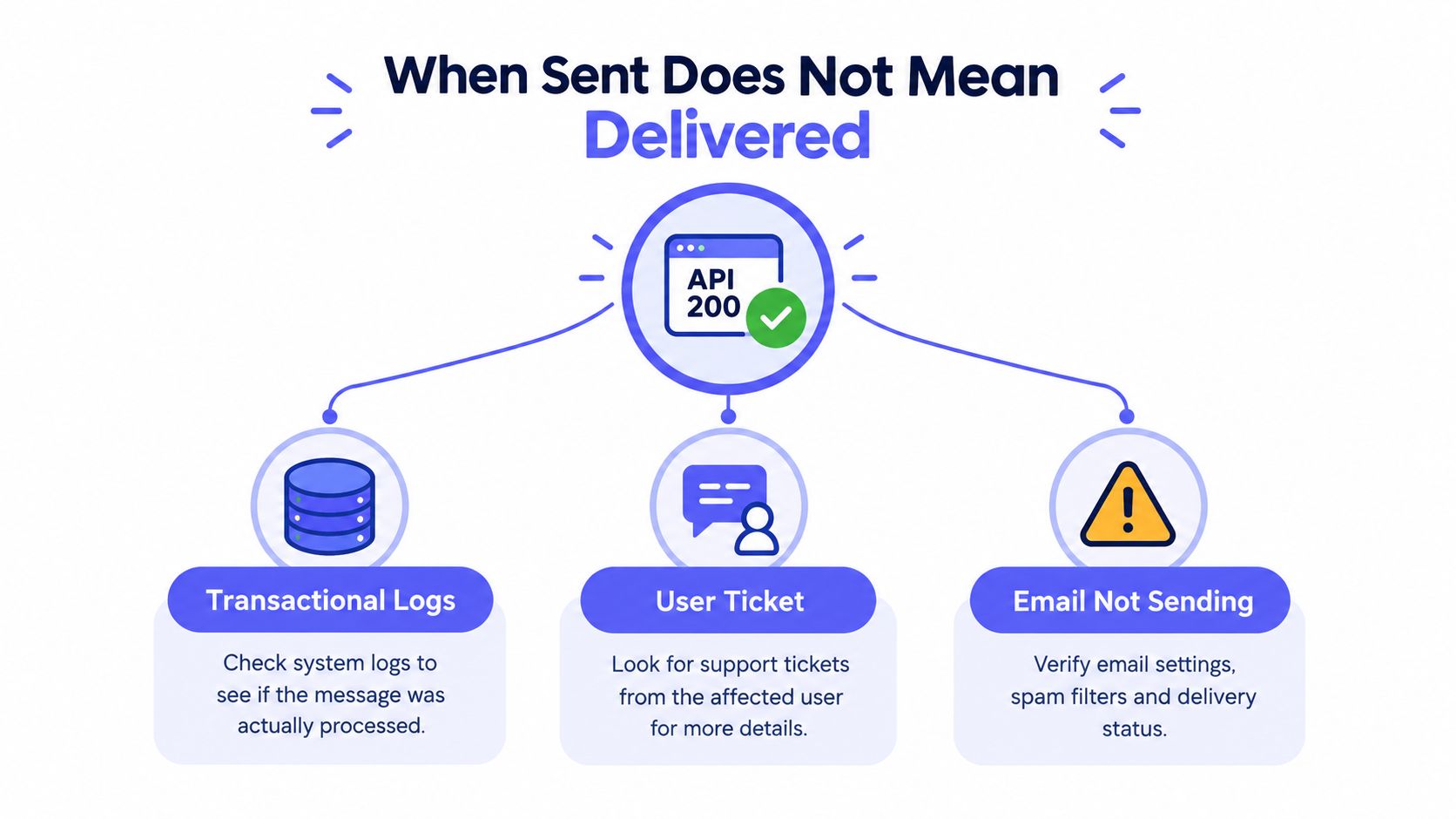
A signup flow gives you the cleanest version of this problem. Your app calls your email provider, gets a successful response, writes sent to the database, and shows the user a confirmation screen. Thirty seconds later the user writes to support saying the code never came. Your dashboard looks healthy. Their inbox is empty.
Both observations can be true. An SMTP 250 OK means the receiving system accepted responsibility for the message. It doesn't prove inbox placement, and it doesn't rule out a later filter, quarantine, gateway rule, or delay. Provider acceptance alone can't establish that a message landed where a user will see it, a distinction covered in guidance on why accepted mail still fails to reach the inbox.
Three states that look identical to the user
From the user's chair, every failure is just an empty inbox. From yours, there are three distinct states, and each needs different evidence.
- Not generated: Your application never produced the message, often because a job failed, a template errored, or a suppression rule blocked it before submission.
- Accepted but not delivered: The provider handed the message off, but it was deferred, filtered, quarantined, or routed somewhere the user isn't checking.
- Rejected and returned: The receiving system refused the message, and evidence exists in a status code or a delivery-status notification sent back to your MAIL FROM address, if that mailbox is monitored.
If you don't record which state you're in, you'll debug the wrong layer. Teams rewrite templates for messages that were never generated, or rotate API keys for mail that was accepted and then filtered.
Why averages hide the damage
Aggregate delivery numbers make this worse. During Gmail's September 23, 2013 incident, 71% of messages were unaffected and the median delay was only 2.6 seconds, yet about 1.5% of messages were delayed for more than two hours while 29.1% were delayed at all, according to Google's account of that incident and its delivery statistics. A dashboard built on medians would call that day fine. The users in the tail experienced a broken product.
Practical rule: Treat sent, accepted, and delivered as three separate metrics. If you only track the first, your users become your delivery monitoring.
The cost of conflating these states isn't just confusion. It shapes bad product decisions, because you tell users to check spam when the message was never generated, or you resend aggressively when the first copy is sitting in a queue. Start every triage by naming the state, then go find the evidence that proves it.
Reading the SMTP Response Like a Diagnostic
Most stuck-email debugging starts too late. The team opens a ticket, goes looking for evidence, and discovers the application logged a timestamp and a recipient, and nothing else. Everything after that is guesswork, because the information that would have settled the question existed for a moment at submission time and nobody kept it.
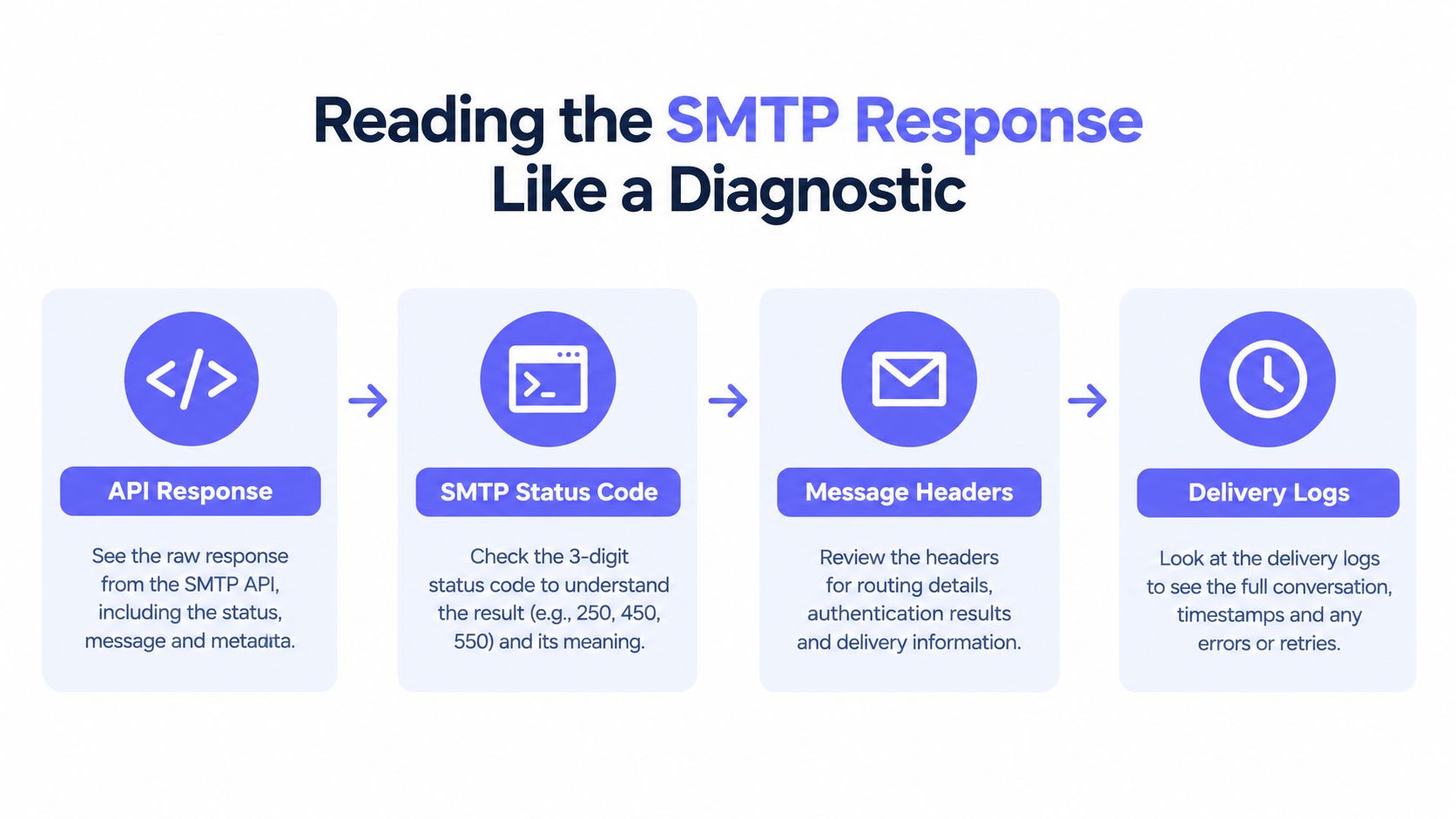
The diagnostic below covers the four layers of evidence worth capturing on every send.
Layer one and two, the response and the message ID
First, capture the API or SMTP response exactly as returned, including the full text, not just a success boolean. Providers embed the useful detail in that text. Second, store the provider message ID alongside your internal record. Without it, you can't correlate your logs with the provider's logs, and a support escalation to that provider goes nowhere.
These two layers answer the most basic question in any email not sending report. Did the handoff happen at all, and can you trace it downstream if it did?
Layer three and four, status codes and delivery notifications
Third, record the SMTP status code and the enhanced status code, the dotted form like 5.7.1 that carries the specific reason. You classify the outcome as accepted, deferred, or rejected, following the layered approach described in SMTP guidance on classifying responses and correlating delivery notifications. Fourth, correlate everything with the eventual delivery-status notification, which may arrive much later than the send attempt.
That delay is normal, not a bug. Google's incident report for November 30 and December 1, 2023 documents a cumulative disruption of 6 hours and 23 minutes, with messages automatically retried and generally expected within a few hours after mitigation, per Google's official incident report for that disruption. Final failure information often trails the original send by hours.
The walkthrough below shows how these response layers fit together in a live debugging session.
What good logging buys you
- A classification, not a hunch: You can say deferred versus rejected instead of guessing from a user's screenshot.
- A retry decision: Temporary failures get retried, permanent ones get suppressed, and the code tells you which.
- A postmortem trail: When a provider incident hits, you can identify exactly which messages were in the affected window.
The single most common mistake here is treating API request succeeded as proof of mailbox delivery. It proves one HTTP call worked. Everything this article covers after this point depends on not confusing those two things.
Mapping the Most Common SMTP Errors to Real Causes
Status codes are only useful once you translate them. A raw 550 in a log tells an on-call engineer almost nothing, because providers use the same code for a nonexistent mailbox, a policy block, and a reputation rejection. The enhanced code and the response text are what separate those cases.
Start with the broadest split. 4xx codes are temporary. The receiving server is telling you to try again later, and the address may be perfectly valid. 5xx codes are permanent. Retrying the identical message won't change the outcome, and continuing to send to that address damages your reputation.
Reading the common codes in practice
A 421 usually means the service isn't available or you're being rate limited, often because you opened too many connections too fast. A 450 typically signals a temporary local problem or a greylisting-style deferral, while 452 points at insufficient storage or resource limits on the receiving side. These look similar in a log but imply different fixes, from slowing your sending rate to waiting.
On the permanent side, a 550 with enhanced code 5.1.1 generally means the mailbox doesn't exist. That address should be suppressed. A 550 with 5.7.1 is a different animal. It usually indicates a policy or authentication rejection, meaning the address may be fine and your sender setup is the problem. Suppressing users over a 5.7.1 is how teams lock out legitimate customers while fixing nothing.
The three-digit code tells you whether to retry. The enhanced code tells you what to fix. Logging only the first one is half a diagnosis.
Failures that never produce a clean code
Some email not sending cases die before a status code exists. Connection timeouts suggest network or firewall trouble, or a receiving host that's unreachable. TLS handshake failures mean the encrypted connection couldn't be established, which some receivers treat as grounds for rejection rather than plaintext fallback. Authentication failures, including relay errors saying you must authenticate first, almost always trace back to wrong credentials, a rotated password, or sending through a host that was never configured to relay for you.
These failures live in your infrastructure, not the recipient's mailbox. That's exactly why classifying them separately from 4xx and 5xx responses matters. A timeout shouldn't mark an address invalid, and an AUTH failure shouldn't trigger a retry loop against a server that will never accept those credentials.
Common SMTP Status Codes and What They Mean
| Code | Typical Cause | Retry? | Recommended Action |
|---|---|---|---|
| 421 | Service unavailable or rate limiting | Yes, with backoff | Slow down, reduce parallel connections |
| 450 | Temporary local error or greylisting | Yes | Retry after a delay, do not suppress |
| 452 | Insufficient storage on receiver | Yes, limited | Retry later, alert if it persists |
| 550 5.1.1 | Mailbox does not exist | No | Suppress the address permanently |
| 550 5.7.1 | Policy, authentication, or reputation block | No | Check SPF, DKIM, DMARC, and sender reputation |
| 554 | Transaction failed, often content or policy | No | Inspect message content and provider diagnostic text |
Pin a table like this next to your runbook. When the next incident hits at an inconvenient hour, the person responding shouldn't have to reconstruct this mapping from memory.
Authentication and DNS Hygiene That Gates Delivery
When the codes point at policy, resist the urge to change application code first. Validate the sender's identity, in order, because Gmail, Outlook, and Yahoo now treat authentication as a gate rather than a nice-to-have. A message from an unauthenticated or misaligned domain doesn't get the benefit of the doubt anymore.
Work through the checks below in sequence, since later ones depend on earlier ones being right.
The check sequence that actually finds the fault
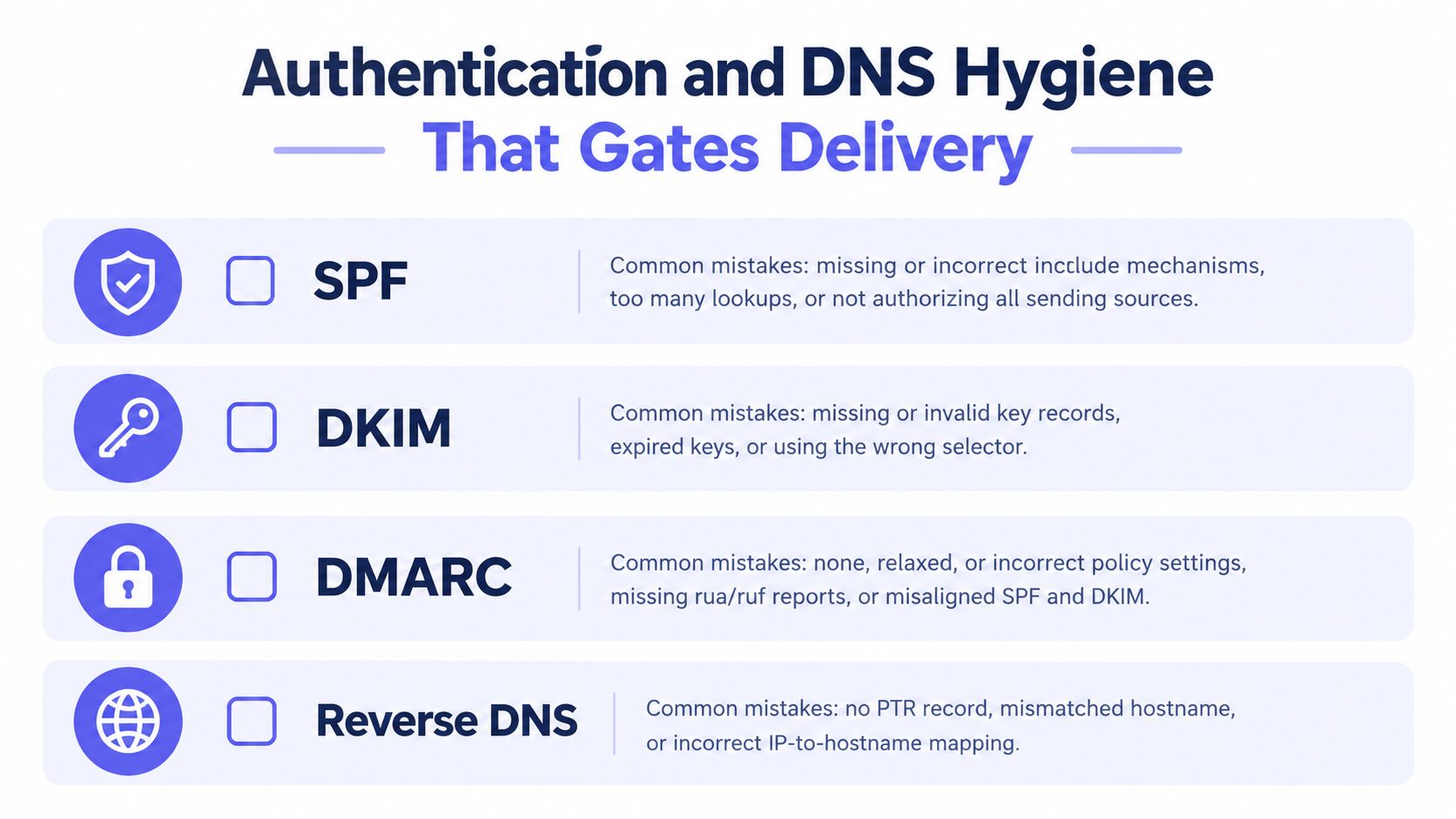
- Query SPF first: Confirm every legitimate sending service is authorized, including the SaaS tool marketing added last quarter.
- Verify DKIM: Confirm signatures validate and the selector in your headers still exists in DNS after any key rotation.
- Check DMARC alignment: The visible From domain must align with the SPF or DKIM domain, not merely pass one of them in isolation.
- Confirm forward and reverse DNS: The sending host needs valid, matching records, a condition Gmail checks explicitly.
- Send controlled tests: Inspect the Authentication-Results headers on messages you receive yourself before trusting any dashboard.
Gmail identifies missing SPF or DKIM authentication, invalid forward or reverse DNS, and malformed messages as conditions that can trigger temporary or permanent failures or spam placement, as set out in Gmail's sender troubleshooting guidance on authentication failures. If you're chasing a sudden failure after a config change, this breakdown of common email authentication error patterns and their causes is worth working through alongside your DNS records.
The mistakes that cause silent failures
The failures that hurt most are self-inflicted and quiet. Publishing multiple SPF TXT records instead of merging them into one invalidates the lot. Rotating DKIM keys without updating DNS breaks signatures overnight. Setting DMARC to reject before reviewing aggregate reports can block your own legitimate mail from services you forgot existed. Letting an SPF record exceed the ten-DNS-lookup limit produces intermittent failures that look like provider flakiness.
Before you launch: Authentication isn't a troubleshooting step anymore. For high-volume senders it's a launch gate, and discovering a misalignment mid-campaign means the campaign is already damaged.
Thresholds worth knowing before you hit them
Volume changes your obligations. High-volume Outlook consumer senders exceeding 5,000 messages per day are expected to pass SPF and DKIM and publish aligned DMARC, and Gmail and Yahoo require stronger authentication while keeping spam complaints below 0.3%, thresholds summarized in industry reporting on current sender requirements. A growing product can cross these lines without anyone noticing, which is why a flow that worked in beta starts failing after a successful launch.
Run the sequence above before the next big send, not after the next complaint. Authentication problems are cheap to find in a test and expensive to find in production.
Why Naive Retries Make Things Worse
When a transactional email doesn't arrive, the reflexive fix is to send it again. Then again, faster, from more workers. It feels responsive. It often makes the underlying problem worse, because most email not sending failures aren't transport failures that repetition can cure.
Consider what a blind retry does to a one-time code. The first message was accepted and deferred, sitting in a queue you can't see. Your retry generates a second code and invalidates the first. Both eventually arrive, the user enters the one on top, and it fails because it's the older, invalidated code. Your retry didn't just waste a send. It manufactured a support ticket.
Three ways aggressive retries backfire
- Duplicates: Deferred mail usually delivers eventually, so every retry during the delay becomes an extra copy the user has to sort through.
- Throttling: Receiving providers watch sending velocity, and a retry storm looks like abuse, earning you rate limits that delay everyone else's mail too.
- Complaint risk: Users who receive three password resets they didn't expect start hitting the spam button, which damages the reputation your next thousand messages depend on.
There's also a quieter failure. Some deferrals are deliberate, like temporary rejection through greylisting, where the receiver expects a well-behaved sender to come back later from the same identity. Retrying instantly, or from a different address each time, fails that test repeatedly.
What disciplined retrying looks like
Retry only what the classification says is retryable. Bounded exponential backoff is the standard shape, meaning increasing delays between a limited number of attempts rather than an infinite loop. Standard SMTP practice continues retries over an extended window before declaring final failure, so giving up after ninety seconds mislabels good addresses as dead.
Two details matter as much as the timing. Preserve the original envelope sender across retries, so delivery-status notifications return to an address someone monitors. And treat permanent 5xx errors as terminal, full stop. Every retry of a permanent failure spends reputation to learn something the first response already told you.
Adding retries is not the answer to undelivered mail. Adding the right retries, after you've classified the failure, is.
The uncomfortable part is that restraint looks like doing less. In practice it's the difference between a system that recovers from a provider deferral on its own and one that turns a twenty-minute delay into a throttling problem lasting days.
When the Recipient Itself Is the Problem
Sometimes your authentication is clean, your codes are logged, your retries are disciplined, and the message still doesn't arrive. That's when teams keep dismantling working infrastructure, because standard guides barely mention the other possibility. The address itself is the problem.
Recipient-side failures come in flavors that look identical in a signup form but behave very differently downstream.
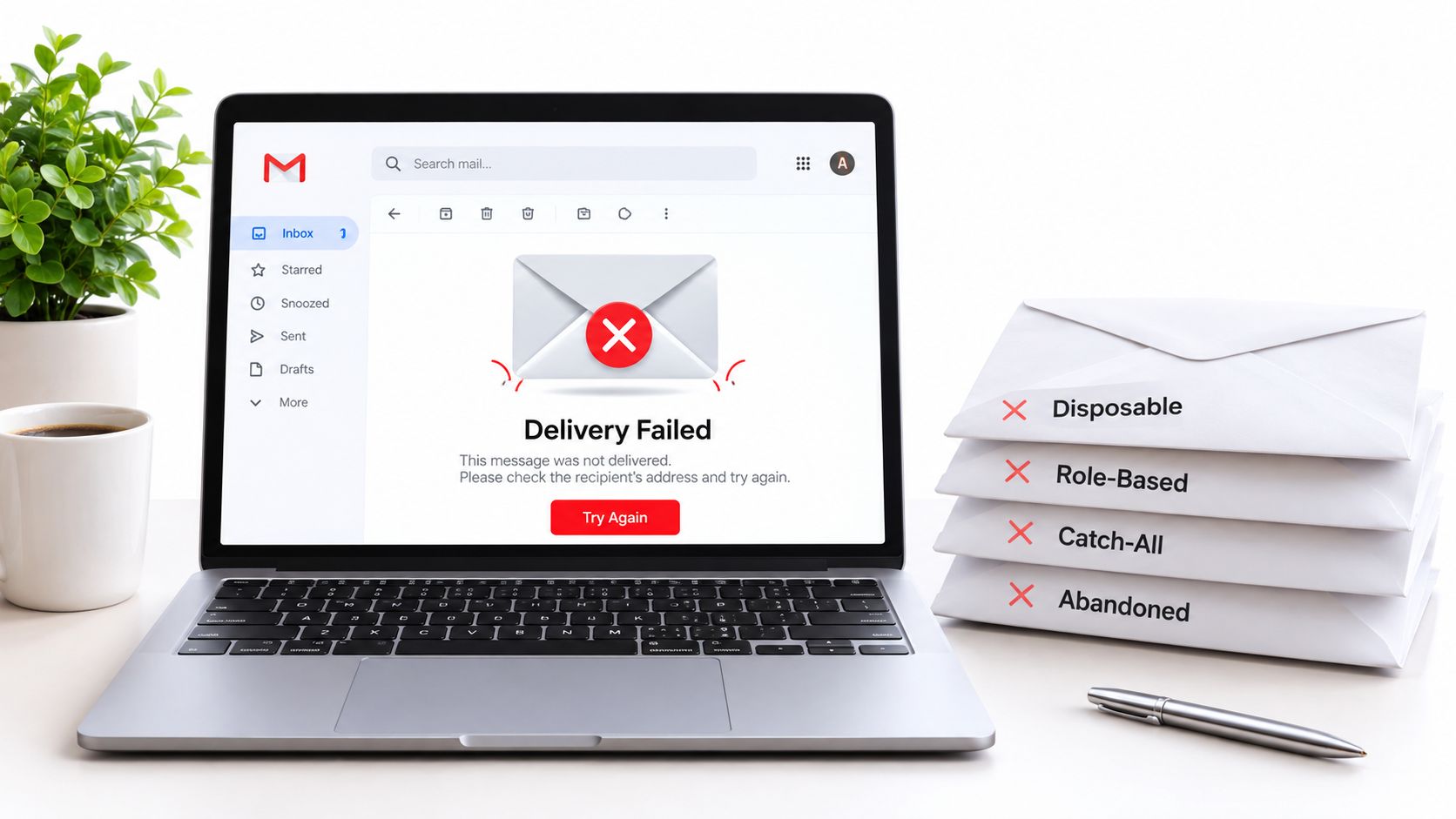
Address types that pass a format check and still fail you
Disposable addresses exist for minutes and then vanish, so the welcome email may deliver to an inbox nobody will ever open again. Role-based addresses like info@ or support@ route to shared inboxes, ticketing systems, or nobody in particular, which makes their delivery and engagement unpredictable. Catch-all domains accept mail for any local part, so an SMTP check can't confirm the specific mailbox exists, and your first real signal may be a later bounce or total silence. Abandoned accounts accept mail for a while, then start generating failures that look like a permanent hard bounce once the provider disables them.
Each type calls for a different product decision. You might block disposable domains at signup, accept role addresses with a warning, verify catch-all signups through a confirmation click, and suppress abandoned accounts after confirmed permanent failures. One generic invalid email error handles none of this well.
Separating address quality from infrastructure quality
The inverse trap matters too. A perfectly good address gets rejected because your domain is new, your volume just crossed a provider threshold, or your authentication drifted. If your only signal is delivered or not, you'll blame users for your own configuration problems.
Pre-send verification earns its place alongside post-send logs. A tool such as Mailbeam, which checks syntax, MX records, SMTP existence, disposable domains, role addresses, and catch-all behavior with explainable reason codes, lets you sort an address into invalid, risky, or temporarily unavailable before you send. That gives your signup flow distinct responses instead of one mystery failure, and it keeps address-quality problems from being misdiagnosed as infrastructure outages.
Instrument both sides. When an email not sending report comes in, you want to answer one question quickly. Did we fail to send properly, or was there never a reachable mailbox on the other end?
A Triage Checklist You Can Run in Ten Minutes
When the next report lands, work this sequence before changing anything.
- Find the send record: Pull the SMTP or API response and the provider message ID for that specific message.
- Classify the outcome: Read the status and enhanced codes, then label it accepted, deferred, or rejected.
- Check for a notification: Look for the delivery-status notification at your monitored MAIL FROM address.
- Verify sender identity: Run the SPF, DKIM, DMARC, and reverse DNS sequence if the code suggests policy.
- Inspect the address: Check suppression lists and address quality before blaming infrastructure.
- Decide, then act: Retry temporary failures with backoff, suppress permanent ones, and fix authentication before resending anything.
The habits that prevent the next incident are unglamorous. Monitor acceptance and delivery as separate rates, keep SPF under the lookup limit, document a DKIM rotation runbook, and review DMARC aggregate reports on a schedule rather than during a crisis. Email not sending is rarely one problem. It's a small set of distinct failure modes, and each one surrenders to different evidence.
If recipient-side failures keep disguising themselves as infrastructure problems, Mailbeam can classify addresses in real time during signup, returning validity, a score, and a machine-readable reason covering disposable domains, role addresses, catch-all behavior, and SMTP existence. Add that check before your first send, and you'll know whether the next missing email is your fault, the provider's, or an address that was never going to receive it.