
You've found the right hiring manager, the role is live on the company's careers page, and there's no direct contact listed. You could guess an address, buy a lookup result, or send a message to the general inbox. The hard part isn't producing something that looks like an email address. It's knowing whether it reaches the right person and whether you're allowed to use it.
If your search started with “find people email address,” focus on professional contact information that people or their employers have deliberately published. A useful workflow separates identity, mailbox validity, and permission rather than treating a finder's green checkmark as the answer to all three.
Table of Contents
- Which Methods Find an Address and How Reliable They Are
- How to Search Public Sources with Operators
- Guessing Patterns from Known Addresses
- Verifying Addresses Without Sending Mail
- Compliance Checks Before Anyone Gets Contacted
- Confirm the Right Address Before You Act
Which Methods Find an Address and How Reliable They Are
For a recruiter researching that hiring manager, the company website is the sensible starting point. Confirm who owns the function before searching for their address. A job posting might name a recruiting coordinator rather than the manager who makes the hiring decision.
No legitimate lookup can reliably identify any private person's current address from a name alone. Names collide, employers change, and databases contain historical records. Public sources, documented naming conventions, and technical checks provide evidence, not certainty.
The scale explains some of the ambiguity: the Radicati Group forecast 4.594 billion email users worldwide in 2025, as summarized by Secria's email statistics overview. That's an estimate of users, not a directory of individually attributable mailboxes. People can maintain multiple accounts, while an address you discover may be shared, duplicated, or inactive.
Email discovery methods compared
These are practical rankings for researching a named person, not measured accuracy rates.
| Method | Best for | Typical effort | Reliability for a named person |
|---|---|---|---|
| Company contact and press pages | Role inboxes and press contacts | Low | High for role addresses, low for staff |
| Search operators on public pages | Staff named in directories or bylines | Low | Medium |
| Author bylines and speaker pages | Writers, panelists, conference speakers | Low | Medium |
| Published code and commit history | Developers and open-source maintainers | Medium | Medium, check the author match |
| Naming-pattern inference | Companies with a visible address convention | Medium | Medium, needs verification |
| Professional profiles that list contact details | Individuals who publish their own contact | Low | Stronger when self-published and current |
| SMTP verification of candidate addresses | Confirming a guessed address | Medium | Graded result, not proof of ownership |
Role inboxes such as info@ are often easiest to locate, but they rarely identify the individual you want. Use them as general routing channels rather than attaching them to a person's CRM record.
Practical rule: Prefer an attributable address on a current professional page over an unexplained database match.
For teams comparing automated discovery rather than conducting occasional lookups, RichAPI's guide to evaluating finders for GTM data pipelines provides useful evaluation context. Assess provenance and handling of uncertain results alongside coverage.
The operational sequence is straightforward: find a candidate, assess the mailbox, then clear permission before contact. Establish privacy safeguards before collecting anything, too.
How to Search Public Sources with Operators
Search engines work best when you already know whom you're researching. A broad name search produces attractive false positives, especially when someone shares a name with an author, executive, or former employee.
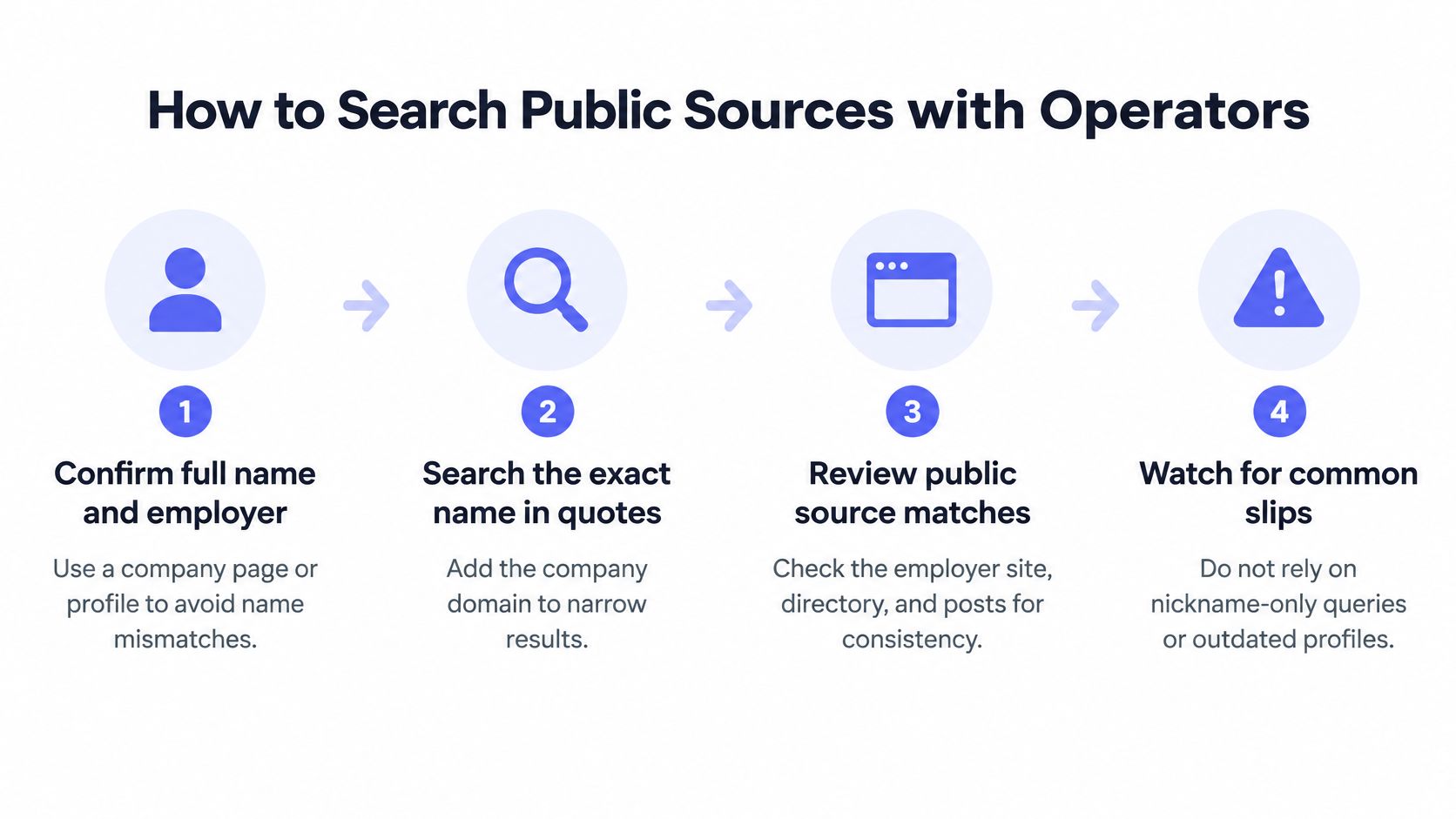
Build an attributable search trail
Confirm the full name and current employer. Use a company team page, staff biography, or professional profile that agrees with the role you're researching. Don't combine a nickname from a social account with an employer from an old conference biography.
Search the exact name with the employer's domain, using a query such as
"Jane Doe" site:company.com, then addcontactor the relevant function, such asengineering. Open the matching page rather than copying the search snippet, which may omit context or reflect an older version.Review bylines, speaker biographies, and podcast show notes. Search the person's name alongside their employer and terms such as
speakerorauthorto locate professional pages outside the company site. An address supplied for event logistics isn't automatically a general-purpose contact channel.Search the company domain with
emailto locate publicly listed staff addresses. This can reveal evidence for a naming convention, but don't mistake a subsidiary's domain or a shared press inbox for the parent company's employee format.Check public code only when it fits the person's work. Search the developer's public handle and inspect commit-author details for a matching professional identity. A
noreplyaddress is a privacy mechanism, not a direct mailbox, and a copied commit may attribute work to somebody else.Record the source page and the date you reviewed it alongside the candidate address. Preserve enough context to explain the match, such as the person's role and employer, without copying unrelated personal details into your system.
This visual summarizes the core search checks.
Use profiles to corroborate identity
Professional profiles are especially useful for distinguishing a current employee from someone who has moved on. Pipecorn's guide on how to use LinkedIn signals to find emails offers additional context for this kind of name-and-employer research.
Respect visibility settings. If contact details aren't available to you, don't try to bypass account restrictions or treat a third-party export as evidence of publication.
A matching name in a search result isn't enough. Check that the surrounding biography, function, employer, and publication context describe your intended contact before retaining the address.
Guessing Patterns from Known Addresses
Start with several publicly attributable addresses belonging to known employees at the same company domain. Compare the local parts, meaning the text before the @ symbol, and identify a plausible convention before applying it to your target.
A single staff address is weak evidence. It could be an exception, a legacy alias, or a format assigned before a merger.
Common corporate email patterns
The organizational contexts below are useful search hypotheses, not rules about company size. An employer's published examples should decide which pattern you test.
| Pattern | Example | Where it usually appears |
|---|---|---|
| first.last | jane.doe@company.com | Larger firms with a formal naming policy |
| flast | jdoe@company.com | Mid-sized firms and legacy systems |
| first | jane@company.com | Small companies and early-stage startups |
| first_last | jane_doe@company.com | Some engineering and IT teams |
| last.first | doe.jane@company.com | Some public-sector and academic domains |
| first.l | jane.d@company.com | Firms that avoid long local parts |
Test your inference against another employee whose address you can independently locate. Derive the candidate without looking at their published address, then compare the result. If the prediction fails, investigate before generating more candidates.
For a company-specific walkthrough, the BCG email format guide illustrates the narrower task of researching a particular employer's convention. Don't transfer a format from one organization to another just because their names or industries resemble each other.
Keep inference separate from evidence
A company might use first.last for most staff but first names for early executives. Duplicate names, punctuation, compound surnames, acquisitions, and regional directories can all create exceptions.
Shared addresses don't resolve those exceptions. A published recruitment inbox tells you where applications go, not how the company constructs individual employee addresses.
A pattern match is a candidate worth checking, not a contact record ready to send.
Keep guessed address and published address in separate fields, with a clear unconfirmed status for inferred candidates. Otherwise, a downstream export can strip away the uncertainty and make a guess look like a sourced fact.
When no consistent convention emerges, stop generating permutations. Take the best-supported candidate to verification, or leave the record unresolved if you have no defensible candidate at all.
Verifying Addresses Without Sending Mail
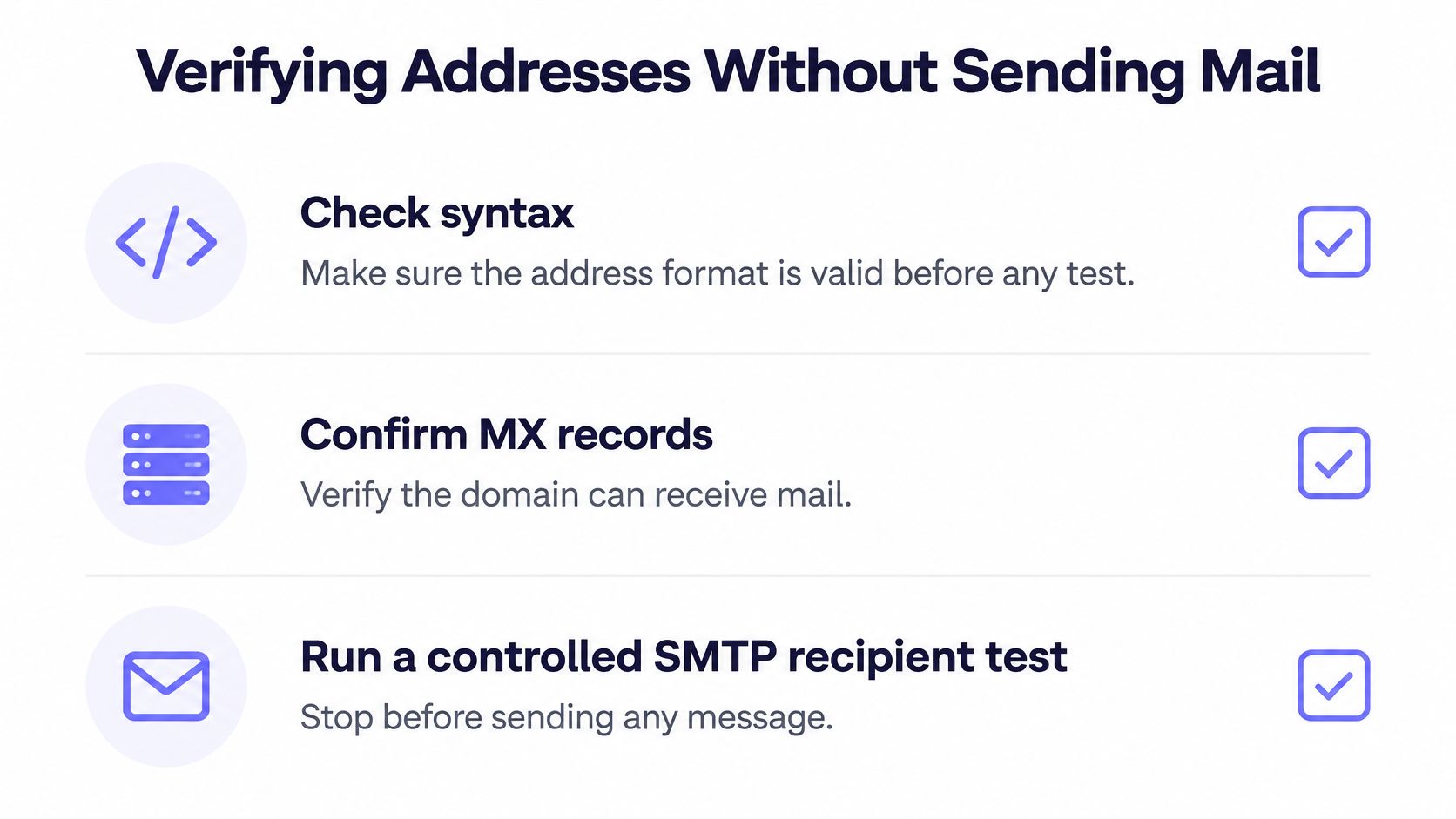
Verification should narrow uncertainty without delivering a test message. Start with inexpensive checks, then use controlled server interaction where appropriate.
Run checks in the right order
Check syntax. Remove accidental surrounding whitespace and flag malformed structure. Don't rewrite the local part or apply a suggested correction without retaining what changed.
Check mail routing. Confirm the domain's mail exchange records and their reachability. This establishes domain-level mail infrastructure, not the existence of your intended employee.
Assess the recipient response. A controlled SMTP check uses the recipient stage and stops before transmitting message content. Restrict this to authorized processing, respect server refusals, and don't attempt to bypass anti-abuse controls.
RFC 5321 distinguishes apparent address validity from actual verification: a 250 response during recipient handling isn't guaranteed delivery, while its rules for VRFY require actual verification for that response. Servers may restrict verification commands or accept recipients without confirming a particular mailbox.
This checklist shows the technical sequence.
Verification results and the action each one needs
Treat technical outcomes and address classifications as separate fields where possible. A role-based address can also be technically valid.
| Result | What it means | Next action |
|---|---|---|
| Valid | Mailbox accepted in a recipient test, without proving ownership | Confirm the person's current affiliation |
| Invalid | Recipient rejected or no usable mail route established | Drop the candidate or investigate the domain |
| Unknown | Greylisting, tarpitting, blocking, or refusal to answer | Retry later with bounded backoff |
| Catch-all | Domain accepts arbitrary recipients | Keep unconfirmed and seek independent evidence |
| Disposable | Address uses a throwaway provider | Discard for durable business-contact research |
| Role-based | Shared inbox such as info@ or admin@ | Route as a general contact, not an individual |
Missing MX records alone aren't always a definitive rejection, because SMTP can support fallback routing. Your verifier should assess routing rather than equating a missing record with a nonexistent person.
Catch-all acceptance proves little about the candidate's local part. Temporary failures also need restraint: space retries with bounded backoff, cap probe volume per domain, and stop rather than repeatedly pushing against a refusal.
For operational interpretation, consult email verification statuses explained by SignalVan. Our guide on how to check if an email address exists covers the distinction between existence checks and stronger conclusions.
A 2025 benchmark reported 7.6% of submitted addresses as invalid and 4.57% as risky at capture, according to the benchmark release published through King Newswire. Those figures describe its submitted addresses, not your own list, but support checking records before operational use.
Mailbeam's verification API can automate these checks in signup or authorized list workflows, returning a score and reason code for routing; our MX Records check confirms configured, reachable mail exchange records, while disposable detection returns a single boolean covering Mailinator, YOPmail, Guerrilla Mail, and 50,000+ other throwaway services.
Compliance Checks Before Anyone Gets Contacted
A public address isn't automatically fair game. The European Commission's data-protection guidance identifies a name-based email address as personal data when it relates to an identifiable living person, with protection applying across digital and paper records and processing by individuals and organizations.
That makes collecting, recording, and combining contact details a compliance question before any email is sent. Organizations established in the EEA, and organizations offering services to people there, need to assess the applicable GDPR requirements rather than assuming business research is exempt.
Document the purpose before collection
Define your purpose and lawful basis, determine what transparency information you owe the person, and collect only what you need. Set accuracy checks, retention limits, access controls, and a process for handling the recipient's rights.
Adding an employer, location, or profile to an address can make someone easier to identify. A role inbox may carry different expectations from a named address, but neither category provides a blanket exemption from marketing rules.
The compliance review belongs alongside contact research, not after list approval.

UK ICO direct-marketing guidance confirms that data protection applies when named business contacts' personal data is used and that people have an absolute right to object to direct marketing. Electronic-marketing consent requirements differ by recipient category, so assess corporate subscribers separately from individuals, sole traders, and relevant partnerships, including whether a soft opt-in applies.
Keep a copyable contact log:
- Source URL: Where the address appeared and its publication context.
- Collection date: When you obtained or reviewed it.
- Purpose: The specific intended use and lawful basis.
- Jurisdiction: Which privacy and marketing requirements you assessed.
- Objection status: Any suppression request and its propagation across systems.
Our GDPR email compliance guide provides further workflow context. For our real-time verification processing, addresses are processed in memory, discarded after the verdict, and never written to long-term storage; customers may not use Mailbeam for spam, phishing, or unsolicited messaging.
Verification assesses deliverability risk. It doesn't establish permission.
Confirm the Right Address Before You Act
An address is usable only when the identity evidence, mailbox assessment, and permission decision support the intended action.
Keep the person's professional context visible while you make that decision.

A named address published on a current company biography and accepted by the receiving server is a strong candidate for an otherwise permitted interaction. A guessed address on a catch-all domain should remain outside automatic contact workflows. A departmental inbox belongs in a routing record, not in the personal-email field of the manager you hope to reach.
Make uncertainty survive the handoff
Maintain a contact row with identity confidence, source date, permission status, address type, and technical outcome. Keep the supporting source attached so the next researcher can evaluate it without repeating the whole search.
Don't collapse everything into a single confidence score. A technically strong address with unresolved permission needs a different action from a permitted contact whose mailbox test is inconclusive.
Route weak records to manual review with an explicit reason, such as mismatched employer, stale publication, or catch-all result. Give reviewers a stop option, not just an approve button.
Use the accompanying video as an additional reference while reviewing your workflow.
For your next research session:
- Choose the discovery method that fits the person's professional footprint.
- Search public sources and preserve the evidence behind the strongest match.
- Verify the top candidate and retain the graded outcome.
- Confirm the legal basis and channel rules before sending anything.
An unresolved record is a legitimate result. Leaving it uncontacted is better than turning an unsupported guess into someone else's inbox problem.
Mailbeam offers real-time email verification with explainable results for signup flows and authorized contact-list maintenance. Visit Mailbeam to screen your strongest candidate and use its technical verdict alongside your identity evidence and permission checks.