
You're looking at a signup form full of typos, while a sales colleague has a person's name and company but no email address. Both need to “look up an email,” but they're solving different problems. One needs to find a publicly available contact or assess a likely work address; the other needs to decide whether a submitted address is usable without pretending a technical check proves who controls it.
Email is still a widely used identifier: DataReportal's 2025 Global Overview, drawing on GWI research, reports that 75% of online adults worldwide use email at least once per month. That broad use means a lookup system should handle different providers and regions rather than assume every address belongs to one familiar mailbox service. DataReportal's 2025 Global Overview also estimates that roughly 2 billion handsets accessed Gmail's mobile app each month, a figure that excludes Gmail use through browsers and iPhone's integrated inbox and isn't a count of unique people or accounts.
Table of Contents
- Which Lookup Method Fits Your Goal
- Keep Lookups Within GDPR and Anti-Enumeration Limits
- Find Public Addresses With Search Operators
- Run an Email Finder Without Guessing Blindly
- Verify Syntax, DNS and Mailbox Signals Step by Step
- Spot False Positives Before They Skew Results
- Set a Recheck Routine for Your Lookup Results
Which Lookup Method Fits Your Goal
First decide what you need to establish. RFC 5322 defines the structure of an Internet message address as a local part, an at sign, and a domain. Commonly described limits derived from email standards allow a local part of up to 64 octets and a domain of up to 255 octets. A format check can catch malformed input, but it can't tell you whether the address exists.
| Goal | Method | What a positive result proves | What it cannot prove |
|---|---|---|---|
| Find a public contact address | Search operators and company pages | The owner published the address | That it's current or consented |
| Find an address for a named person | Email finder with pattern matching | A likely pattern match with a confidence score | Ownership without a verification step |
| Check a typed address at signup | Syntax and DNS checks, plus SMTP where allowed | A well-formed address on a domain that accepts mail | That the person controls the mailbox |
| Confirm a domain can receive mail | MX record lookup | Mail servers are configured for the domain | That any individual mailbox exists |
| Clean an existing contact list | Batch verification with an unknown state | Risk flags and reason codes | Future engagement or inbox placement |
Use the method that answers your actual question. If you need a person's work contact, a directory-style finder may surface a public address or suggest a pattern, but treat the result as a candidate. A practical guide to finding decision-makers' email addresses can help you compare discovery approaches without confusing discovery with verification.
For signup forms, prioritize syntax and domain checks, then use mailbox signals only where appropriate. For an existing list, preserve an unknown outcome rather than forcing uncertain results into “valid” or “invalid.” A positive result is one piece of evidence, not a guarantee of ownership, permission, or future delivery.
Keep Lookups Within GDPR and Anti-Enumeration Limits
Finding an address and testing whether someone has an account are different activities. A work email tied to a living person can be personal data, so decide why you're checking it, identify the applicable lawful basis, and set a retention window before running lookups. European data-protection guidance describes the responsibilities organizations have when processing personal data. Teams building a broader control framework can also consult this privacy guidance for enterprise compliance teams and review GDPR considerations for email workflows.
The security risk is account enumeration: an attacker probes services to learn which addresses belong to registered users. A 2026 NDSS paper on account enumeration describes attacks at the scale of billions of accounts. A lookup endpoint that reveals whether a mailbox exists can become an oracle, even if its original purpose was harmless data cleanup.
Use a routine that limits both privacy exposure and the usefulness of your system to an attacker:
- Write down the purpose before the first lookup. Keep discovery of a public contact separate from testing an account on your own service.
- Retain only needed fields, such as normalized domain, timestamp, result, and reason code. Restrict access to anything more sensitive.
- Set a deletion window for raw addresses and batch files. Mailbeam processes real-time addresses in memory and discards them once a verdict is returned. It keeps batch lists and results for 72 hours so they can be downloaded, then deletes them. These are examples of a retention policy, not a replacement for your own assessment.
- Rate-limit public endpoints that could reveal whether an address exists. Monitor for bursts from one source.
- Use generic responses for signup and password reset. Don't tell a requester that an account exists or does not exist.
- Avoid repeated mailbox probes and test messages sent solely to discover whether an address is active.
Mailbeam processes and stores verification data in European data centres, and users' emails do not leave the EU. The working principle is simple: use verification to improve deliverability and data quality, not to expose whether a person holds an account.
Find Public Addresses With Search Operators
The most useful starting point is the company domain in quotes. This method finds addresses that someone has already published, such as on a press page, event program, team page, or contact sheet. It doesn't reveal private addresses, and a search result alone doesn't establish that an address is current.
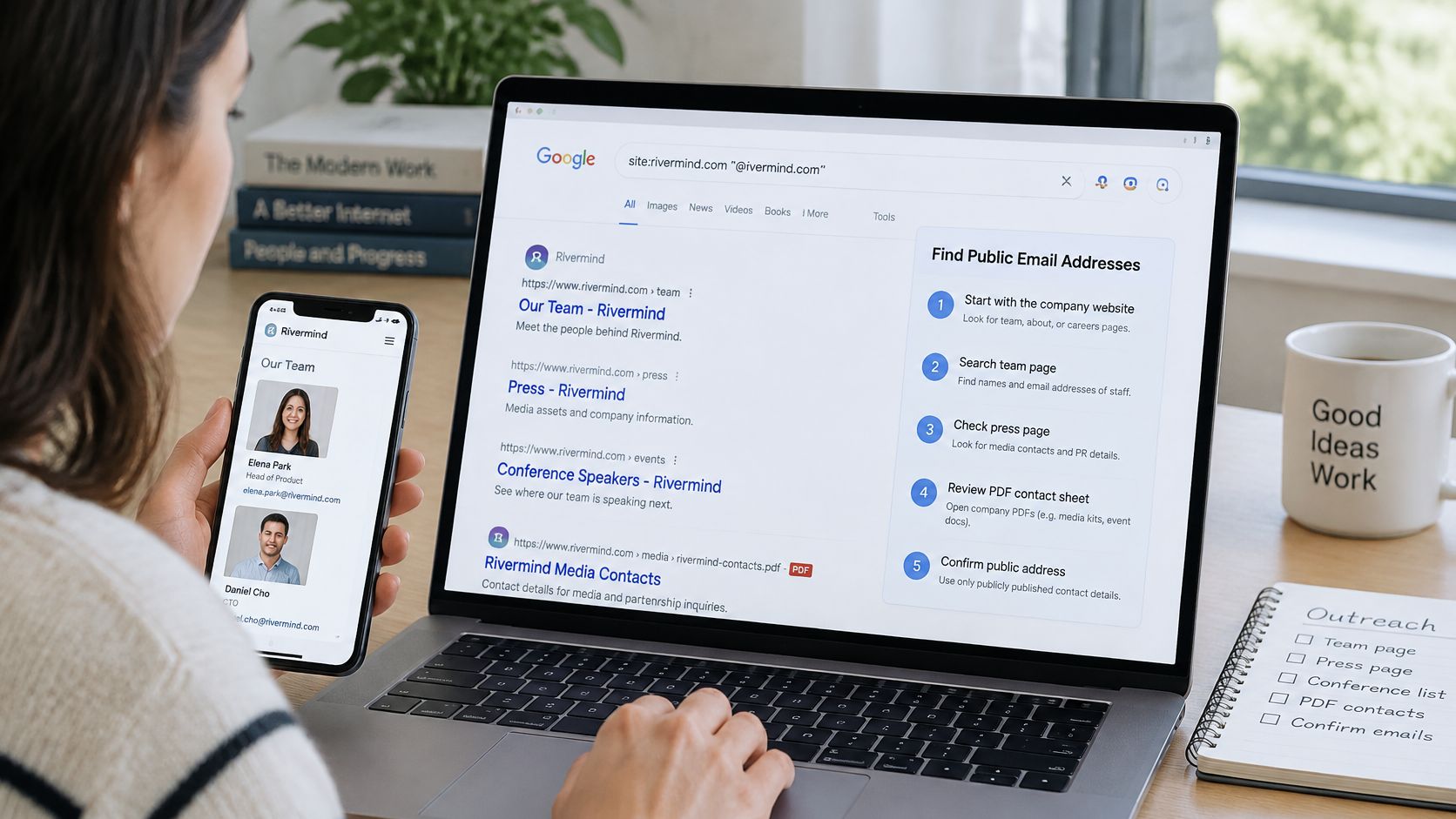
Try this sequence, checking the source rather than copying an address straight from a snippet:
- Search the domain. Enter a quoted domain fragment such as
@yourtargetcompany.comto find pages that print addresses. - Add the person's name. Search
"Jane Smith" "@targetcompany.com"to narrow results to pages that mention both. - Search the company site. Use
site:targetcompany.com "@targetcompany.com"to focus on the organization's own pages. - Look through PDFs. Add
filetype:pdfto surface press kits, speaker lists, and event programs that may contain contact details. - Target staff pages. Try
intitle:contactorintitle:"our team"to locate relevant pages. - Check when the page was published or updated. Old conference programs can preserve addresses that have since been retired.
- Record the source URL. Keep it beside the address so someone reviewing the contact can see where it came from.
Search operators help you find evidence of publication, not permission to contact. A published address isn't automatically consent to message someone. Don't bulk-harvest websites: it can violate site terms and conflict with the purpose limits and data minimization expected in privacy-conscious workflows.
A short visual walkthrough can help you see how search operators narrow results before you try them on a real company domain.
Run an Email Finder Without Guessing Blindly
A recruiter has Priya Raman's name and knows she works at a logistics firm, but doesn't have her work address. An email finder may combine her name with the company domain and test common patterns such as first.last@domain, flast@domain, and first@domain. It can return several candidates with confidence labels. Those labels help rank candidates, but they don't prove that any mailbox belongs to Priya.
Work through the candidates in order:
- Confirm the company domain on its own website. Search snippets can point to an old or unrelated domain.
- Enter the person's professional name accurately. Include the name as it appears in their public work materials.
- Compare the top patterns. Check whether public company addresses use a consistent format; don't assume every employee follows it.
- Apply a confidence threshold. Treat a score below your team's chosen threshold as unconfirmed, not as a usable address.
- Check the best candidate's syntax and domain. A well-formed address on a mail-enabled domain is a stronger candidate, but still not proof of mailbox ownership.
- Reject mismatched provider types. If you expect a work address, a candidate on a free provider is a reason to pause and investigate.
Guides to verified work email finders can help you assess what finder tools do and where their confidence labels fit into a workflow. The key distinction is that pattern matching predicts an address format; verification evaluates technical signals. A finder can suggest a likely combination of name and domain, but it rarely proves that the specific mailbox receives mail. If the address matters, verify it before use and keep the result's limits clear.
Verify Syntax, DNS and Mailbox Signals Step by Step
A regex can accept an address-shaped string that points nowhere. A domain can also have valid mail routing while an individual mailbox does not exist. Reliable lookup therefore uses a staged pipeline, not a single “valid” flag. RFC 5321, the SMTP delivery standard, defines the protocol but doesn't prescribe a universal way to prove a mailbox belongs to a person.
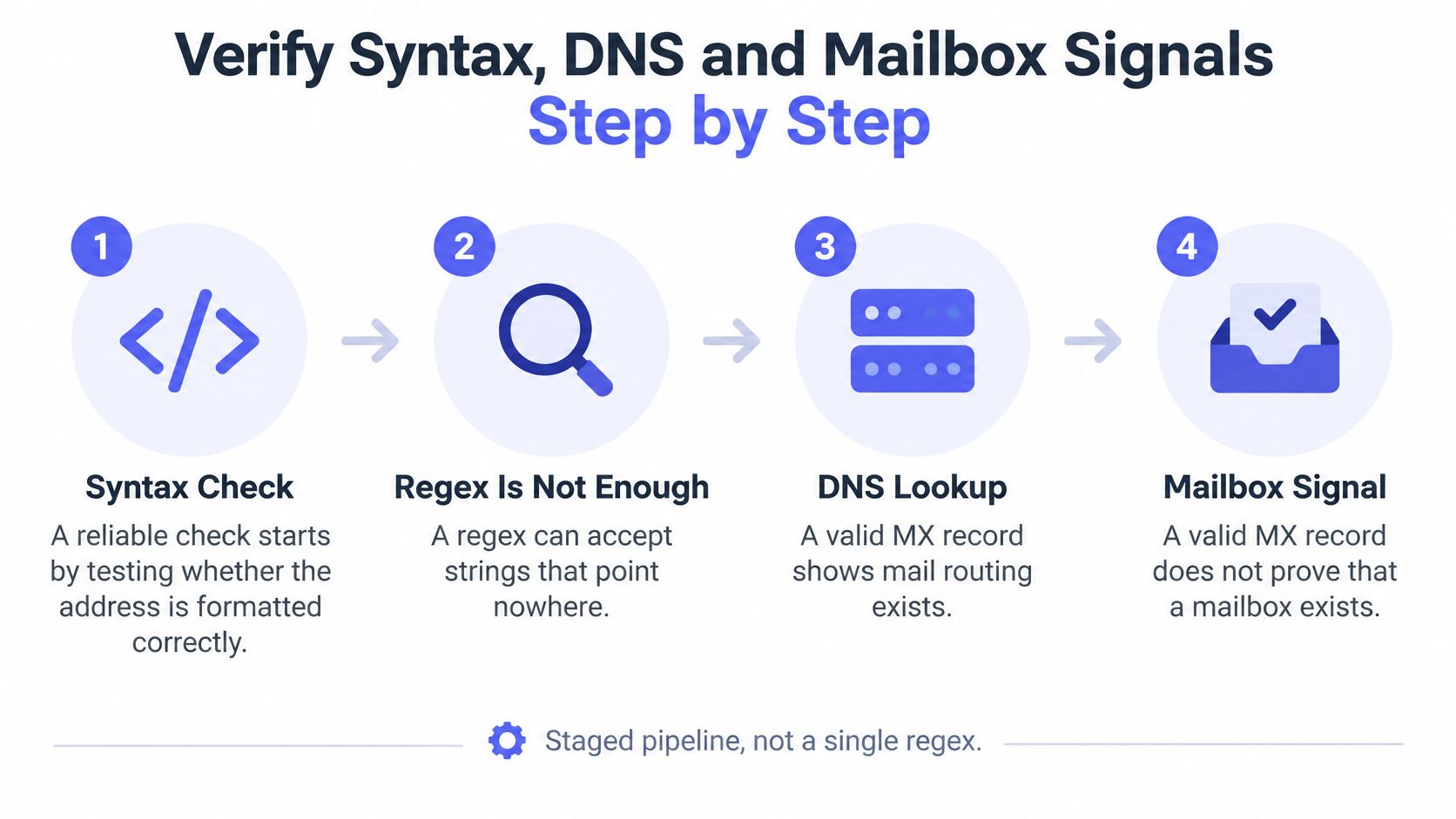
| Stage | What it checks | Possible outcome | Watch for |
|---|---|---|---|
| 1. Parse | Split local part and domain | Parsed or malformed | Local part up to 64 octets, domain up to 255 |
| 2. Syntax | Apply address grammar | Pass or fail | A well-formed address can still point nowhere |
| 3. DNS MX | Query mail exchange records | Route found or none | A valid MX record doesn't prove the mailbox exists |
| 4. SMTP dialogue | EHLO, MAIL FROM, RCPT TO | 250, 4xx, or 5xx reply | A 250 is evidence, not a guarantee; 4xx is often temporary |
| 5. Classify | Deliverable, undeliverable, or unknown | Verdict with a reason code | Store the reason, not only a true or false flag |
The implementation order matters:
- Parse the address into local part and domain, then normalize the domain to lowercase.
- Apply syntax rules that match the address format you support. Don't rely on one permissive regex.
- Query DNS for MX records. If none are present, interpret the domain carefully rather than assuming an individual address is invalid.
- Use controlled SMTP checks only where appropriate. A dialogue may involve
EHLO,MAIL FROM, andRCPT TO, but cap timeouts, avoid repeated probes, and never send a test message just to check a mailbox. - Keep the reason code. A Boolean discards useful distinctions between malformed input, missing mail routing, and uncertain mailbox signals.
- Treat temporary replies as temporary. A 4xx response or greylisting isn't the same as a permanent rejection. Retry later with backoff when a retry is justified.
A 250 response to RCPT TO is evidence, not proof that the person owns the mailbox or that a future message will be delivered. Catch-all domains, anti-enumeration policies, rate limits, and provider-specific behavior make an explicit unknown state necessary. Mailbeam returns unknown for uncertain results such as individual mailboxes on catch-all servers instead of treating them as a pass.
Spot False Positives Before They Skew Results
A team reports that verification found a 2% invalid rate, then calls a campaign's 6% bounce rate a contradiction. The mistake is treating unlike measurements as if they were the same. A verifier's invalid share is calculated before sending; a bounce only occurs after a real message is sent. European data-protection guidance also treats an address linked to a living person as personal data, so keep the evaluation limited to the technical fields and retention needed for the task. The European Commission's GDPR guidance provides an overview of data-protection responsibilities.
| Symptom | Likely cause | Fix |
|---|---|---|
| Address passes but bounces | Catch-all domain accepts every mailbox | Mark it unknown and send only low-risk messages |
| Good address flagged undeliverable | Greylisting or a temporary 4xx reply | Retry with backoff before making a final decision |
Lead signs up with gmal.com |
Typo in a common provider domain | Suggest the correction at form entry |
| Signup uses a throwaway address | Disposable email provider | Block it or require a second confirmation channel |
| Invalid share looks high but bounces are low | Pre-send removals counted as bounces | Measure bounce rate only after real sends |
Keep three measures separate: syntax-valid rate, verification verdict rate, and campaign bounce rate. Calculate results by source channel, watch the share classified as unknown, and sample accepted addresses against later delivery outcomes to see whether your checks are calibrated. A correction suggestion can fix an obvious typo at entry; for example, Mailbeam can suggest gmail.com when someone enters gmal.com.
Don't treat any vendor's or list-cleaning service's claimed success rate as a universal benchmark. Address quality changes with how and when records were collected, where they came from, and whether people consented. For a deeper look at the operational distinctions between SMTP signals and delivery outcomes, see SMTP verification.
Set a Recheck Routine for Your Lookup Results
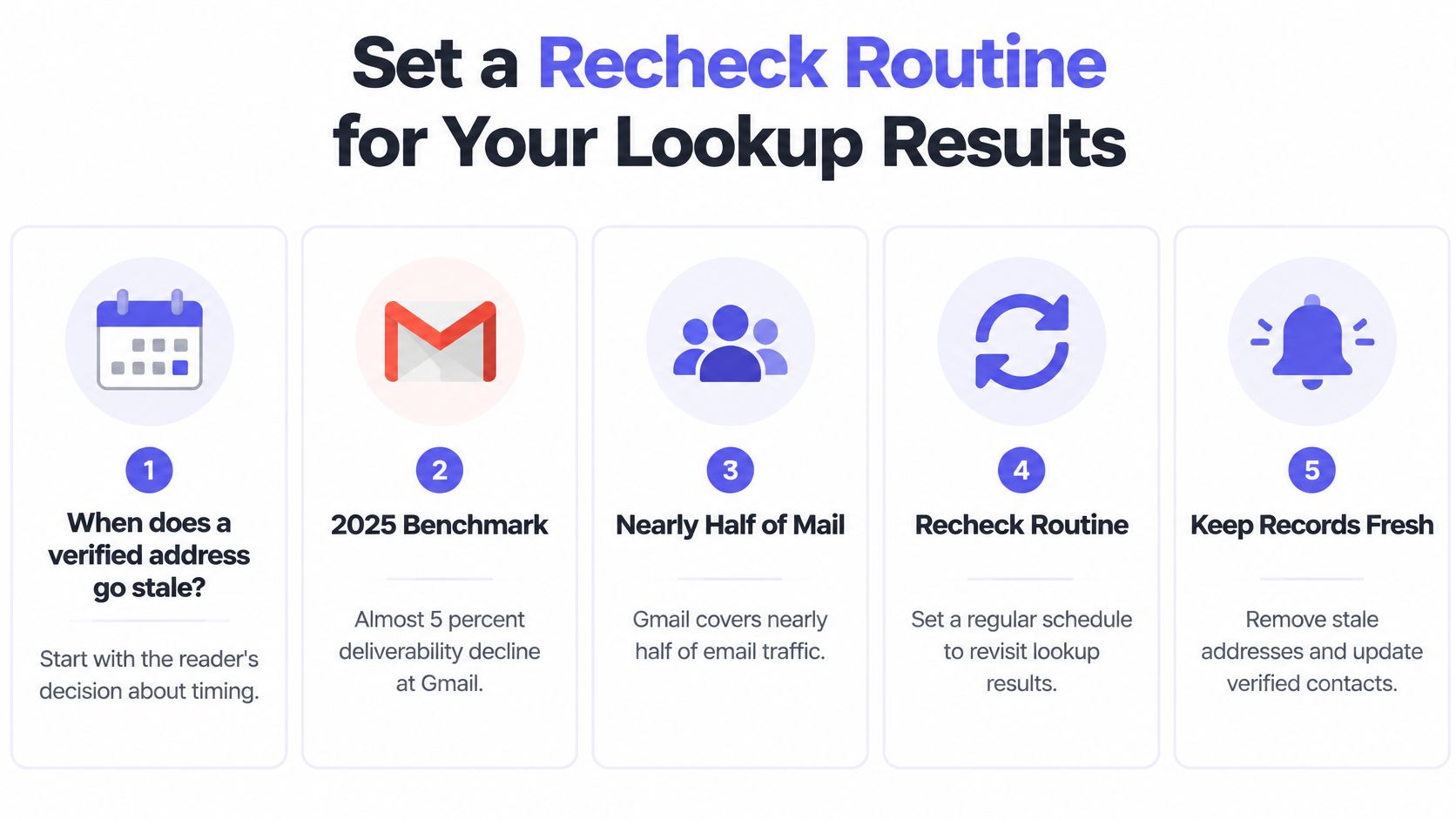
When does a verified address go stale? A positive result describes the signals available at the time of the check, not whether a person remains engaged or has given permission to receive a campaign. A 2025 benchmark reported an almost 5% deliverability decline at Gmail, which represents nearly half of consumer mailboxes globally. The same benchmark reported that 7.6% of emails captured through signup forms were already invalid and 4.57% were risky, showing why capture checks and later list hygiene solve different problems. Validity's 2025 benchmark report gives those measures their stated scope.
| Record type | At capture | Before campaigns and on schedule |
|---|---|---|
| Catch-all domain | Mark as unknown, don't treat as valid | Re-verify before each campaign and send only low-risk messages |
| Disposable provider | Block or require a second confirmation channel | Remove at each revalidation |
| Role-based or shared mailbox | Apply conservative handling | Check engagement before each campaign |
| Dormant record | Not applicable at capture | Revalidate before use, and suppress if it has hard-bounced or remained unengaged |
Use a practical review routine: check syntax, domain, and risk at capture; revisit catch-all and unknown records before campaigns; and revalidate dormant records on a schedule your team can maintain. Suppress hard bounces and long-term non-engagement regardless of a previous verification verdict. Log the check date and reason code, and review the unknown share regularly. For the broader practice of maintaining contact records, use this guide to email list hygiene.
Verification alone doesn't make a list safe. Pair lookup results with consent, engagement, and responsible sending practices. Mailbeam's free plan includes 1,000 verifications per month and doesn't require a credit card. This week, pull 500 recently captured addresses, run syntax and DNS checks, and record reason codes before setting a revalidation schedule.
Use Mailbeam to check addresses in signup flows or review existing lists with explainable results, including reason codes for uncertain outcomes. Start with the free plan, or visit Mailbeam to see how its verification tools fit your workflow.