
You typed an address you use every day, hit Create account, and the form came back with must be a valid email address. Nothing looks wrong. The @ is there, the domain is spelled the way the user always spells it, and support already has the same screenshot from three other signups this week.
That sentence is a label, not a diagnosis. The browser, a page script, your API, and a verification service can all print the same words. Loosening one regex across the product clears the screenshot and accepts mailboxes the server will bounce. I would start with the layer that rejected the value. Syntax, domain, and mailbox checks answer different questions, so the fix belongs on the layer that fired.
Table of Contents
- Diagnose Which Check Fires the Error
- Client, Server and Regex Rules That Disagree
- Error Messages That Tell Users What to Fix
- Cutting False Positives With Real-Time Verification
- Ship the Fix and Set a Retention Rule
Diagnose Which Check Fires the Error
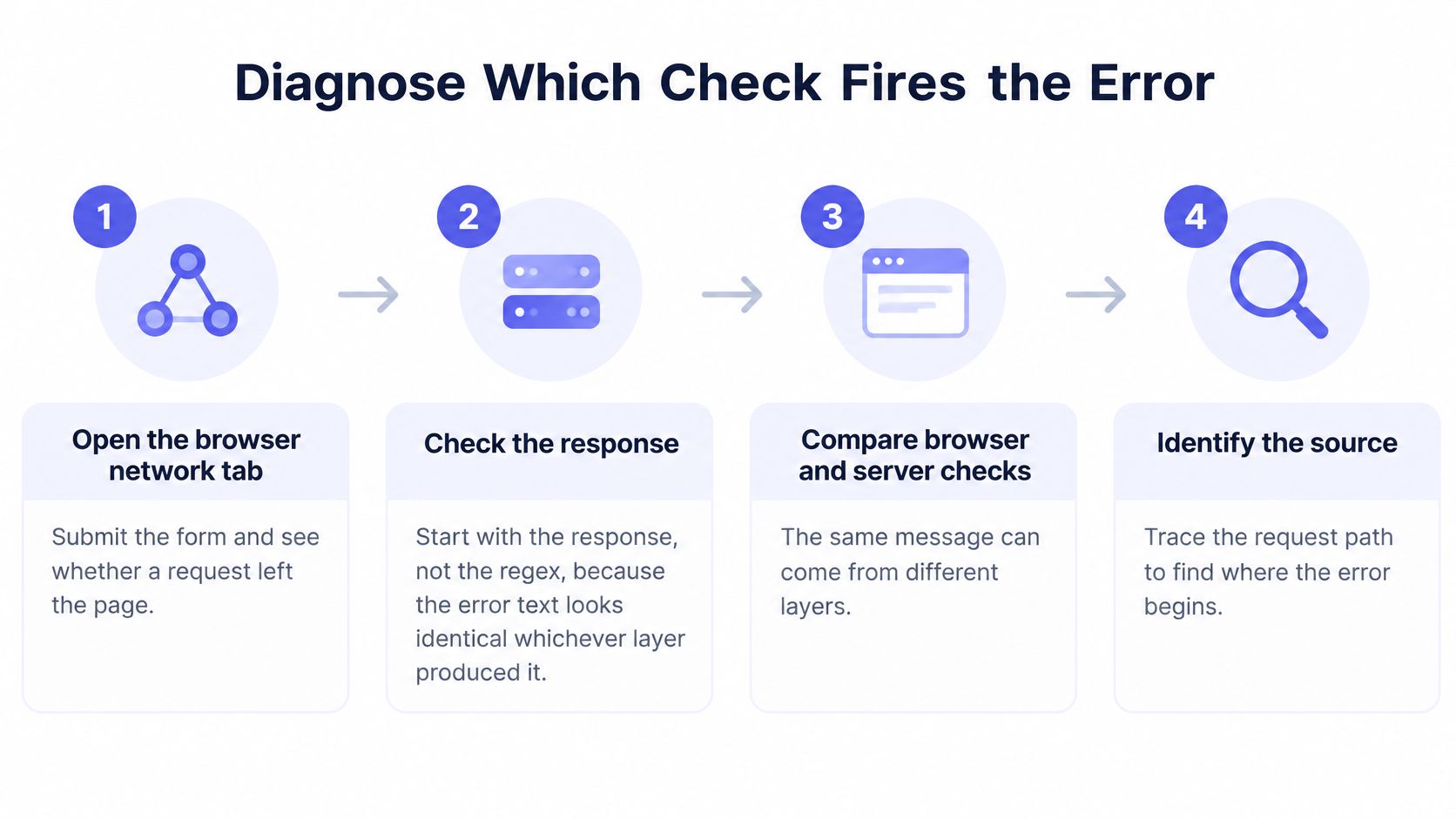
The most common waste of time is editing the pattern before you know which check spoke. The error text looks identical whichever layer produced it, so start with the response.
Walk the request before you edit code
- Open the browser network tab, submit the form, and see whether a request left the page. If nothing leaves, the browser or the page script rejected the value. HTML
type="email"and a client regex both stop the submit before your API runs. - If a request did go out, read the status and the JSON body. A 422 with a reason field points at a server or verification rule, and the reason names which one. We return status 422 for email validation errors such as an address that fails RFC 5322 syntax or is longer than 254 characters.
- Paste the failing address into a plain checker, then into a known-good one such as a plus-tagged Gmail address. If
alex+news@gmail.comfails andalex@gmail.compasses, you have a rule problem. If both fail, you have bad input or a broken client. - Look for invisible trouble. Leading or trailing spaces, a pasted non-breaking space, and addresses longer than 254 characters fail length or trim rules before any grammar check runs.
- Name the layer that owns the rule before you change anything. A client tweak that "makes signup work" can disagree with the server an hour later, when account recovery uses a stricter parser.
If you want a second pass on split failures, diagnose client and server validation failures the way FormBackend walks required-field mismatches: compare what the page blocked with what the API accepted.
Practical rule: Do not edit a regex until you can say which layer rejected this exact string.
Symptom, layer and first check
| What the user sees | Layer that fired | First check |
|---|---|---|
| Error shows before any network request | Client script | Review the regex and trim handling in the form code |
| HTTP 422 with a reason field after submit | Server or verification API | Read the reason value and match it to the rule |
| Only certain domains rejected | Domain or MX check | Run an MX lookup on the domain |
| Valid address rejected after typo correction | Normalization step | Compare the raw input with the stored value |
| Internationalized or long new TLD rejected | Validator pattern | Test IDN and long-TLD samples against the pattern |
Use that table as the lookup. The first column is what the user reports. The second is where you open the code. The third is the check you run before you ship a change.
Client, Server and Regex Rules That Disagree
Client checks and server checks are not two copies of the same rule. They disagree in predictable ways, and a regex is a third opinion that matches neither the mail standard nor your users.
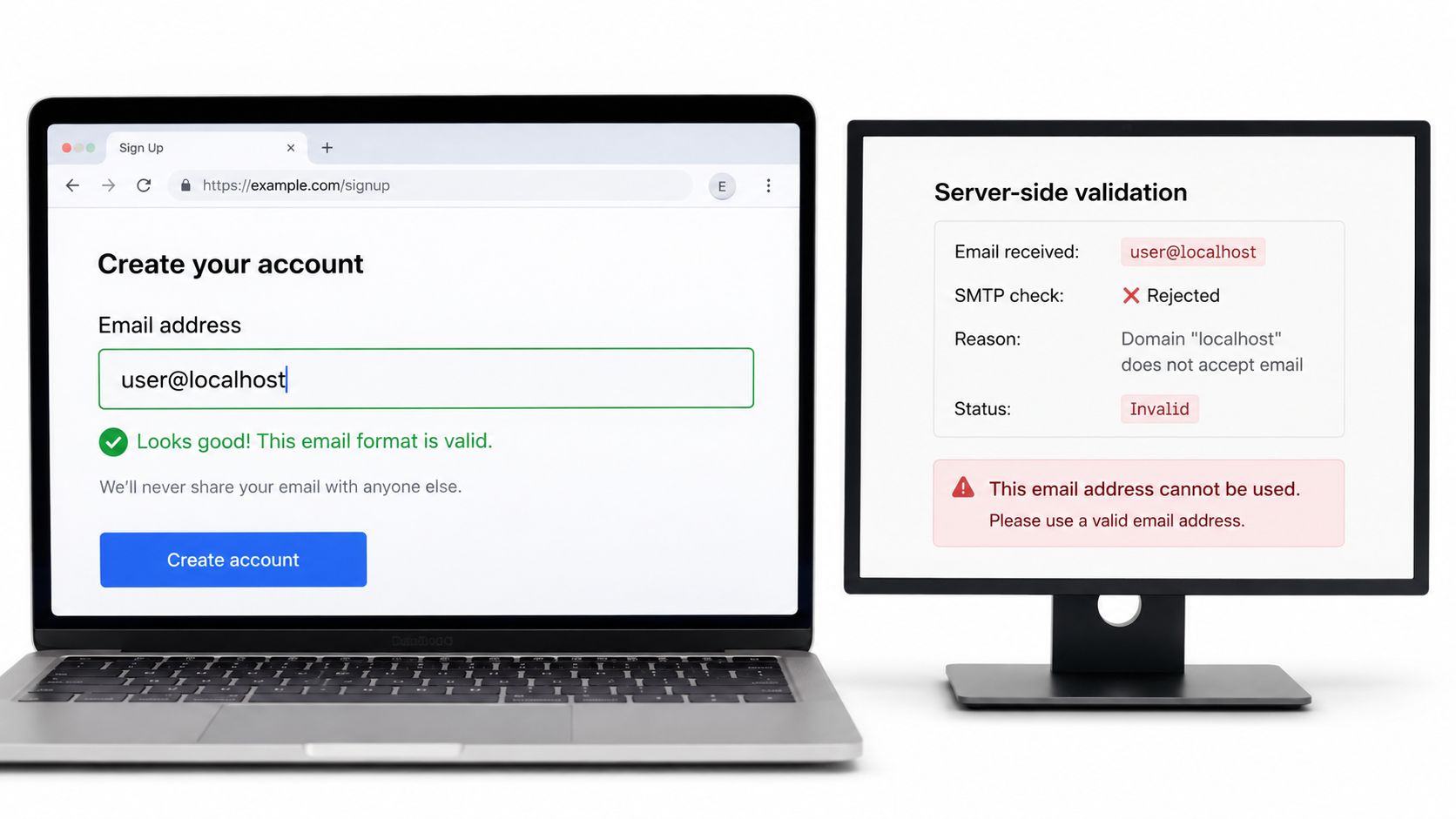
A client check runs in the browser, as an HTML email input or a JavaScript regex. It can hint while the person is still on the page. It cannot know what the server will accept. The HTML5 email type accepts user@localhost. A server that demands a dotted domain rejects that same string. Internal tools and staging inboxes hit this every week.
Server checks hold the full set: length, internationalized domains, disposable-domain lists, and whatever else you decided belongs in signup. If those rules live only in the browser, a direct API call skips them. If they live only on the server, the page shows a generic must be a valid email address after a round trip the user did not need.
One source of truth
Keep the rules in a shared module or schema and run the same checks on both sides. Treat the client result as a hint. Let the server decide. Log which side rejected each submission so you can see drift: client pass and server fail means the page is too loose, and the reverse means the page is blocking people your API would have accepted.
A practical default for the browser side is in our notes on JavaScript email validation: a small shape check up front, the parser on the server.
Patterns from broadest to strictest
The Internet Engineering Task Force RFC 5322, published on October 1, 2008, defines a valid address as an addr-spec: a local part, @, and a domain. A validator has to judge dot placement, quoted forms, comments, and domain syntax, not merely the presence of @. RFC 5322 replaced RFC 2822. It also records older route syntax, which shows how far the grammar has moved. Passing that grammar still does not prove a mailbox exists, accepts mail, or is safe to contact. Those questions need domain, mail-server, or mailbox checks. A format-valid address can be undeliverable, disposable, abandoned, or a catch-all. Syntax is the first gate, not the verdict.
Every extra pattern rule rejects some real mailbox. Pick the one that matches your users, then stop.
| Pattern | Accepts | Breaks on |
|---|---|---|
.+@.+ |
Almost any string containing an at sign | Accepts spaces and a@b with no real domain |
^[^@\s]+@[^@\s]+\.[^@\s]+$ |
Most everyday addresses | Rejects user@localhost, which some internal systems use |
^[a-zA-Z0-9._%+-]+@[a-zA-Z0-9.-]+\.[a-zA-Z]{2,}$ |
ASCII addresses with plus tags and subdomains | Rejects Unicode local parts and quoted forms |
^[\p{L}\p{N}._%+-]+@[\p{L}\p{N}.-]+\.\p{L}{2,}$ with u flag |
Letters in non-Latin scripts | Rejects punycode TLDs such as xn--p1ai |
| Strict RFC 5322 grammar | Every syntactically valid form | Rejects many real addresses in signup flows that users expect to work |
.+@.+ accepts a@b and strings with spaces. A pattern that requires a dot after @ rejects user@localhost. An ASCII pattern with a two-letter top-level domain accepts jane+news@example.com and rejects a Unicode local part. A Unicode pattern with the u flag accepts non-Latin letters and still rejects xn--p1ai, because its top-level branch allows only letters.
A permissive shape check belongs on the client. A parser library belongs on the server. Domain and mailbox checks come after both. No regex confirms that a mailbox exists.
Error Messages That Tell Users What to Fix
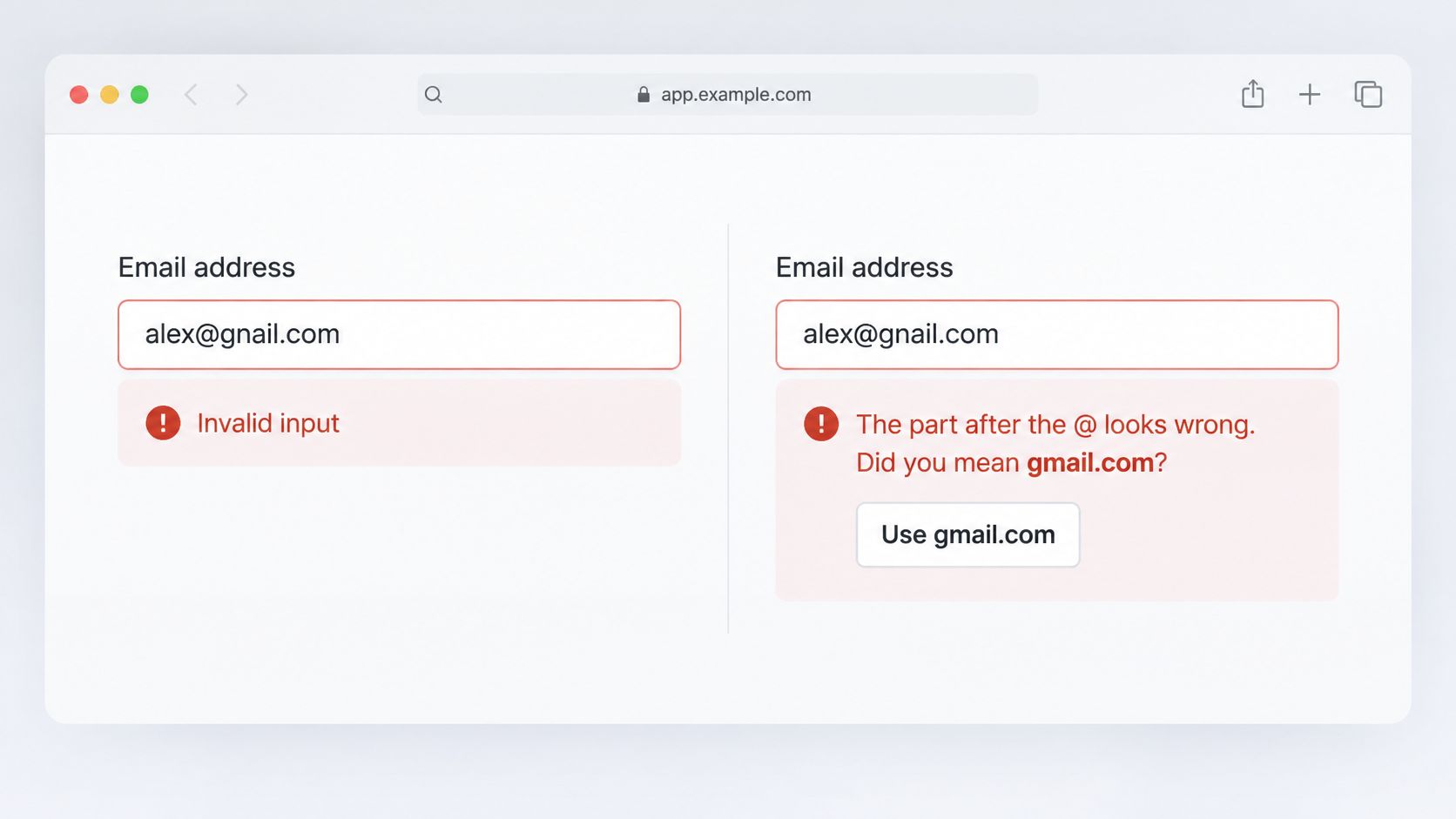
Invalid input tells the user nothing. The part after the @ looks wrong. Did you mean gmail.com? names the broken piece and offers a fix they can accept or ignore.
Build copy around four cases, and tie each one to a reason code so the page and the server share one list. Our guide to reason codes is the list those messages should follow.
- Missing part: There is no domain after
@, or no local part before it. Say which side is empty. Do not call the whole string invalid. - Likely typo:
gmial.comforgmail.com. Offer the correction and keep the typed value. Typo correction belongs on signup forms, checkout email fields, lead capture forms, and account email changes, where a suggested fix saves a support ticket. - Disallowed or disposable domain: Name the policy and the alternative, such as a work address for a business trial.
- Cannot verify right now: The mail server did not answer. Ask the user to retry. Do not lock the account out for a timeout.
When to show it, and how assistive tech hears it
Validate on blur, not on every keystroke. Mid-word errors train people to ignore the field. Show the final error again at submit. The typed address goes out as a POST to /v1/verify on submit, or on blur when you are correcting inline.
Keep the typed value in the field. Move focus back to it. Point the error at the input with aria-describedby, and announce it in a live region so a screen reader user hears the new text. Do not clear the field. Do not reset the form. A wiped address after a failed check is how a correct mailbox becomes a second typo.
Cutting False Positives With Real-Time Verification
A false positive is a real, deliverable address your rules rejected. A false negative is a dead address you accepted. Regex produces many of the first kind and none of the second, because a pattern never asks whether the mailbox can receive mail.
Real-time verification runs the next layers together: syntax, MX records, SMTP existence, disposable-domain detection, role-based addresses, free-provider checks, and catch-all assessment. The response includes a checks object with syntax, mx, smtp, disposable, roleAddress, and freeProvider results, so you can see which check decided. The valid field is true when the address passes all critical checks, and reason is null when it is valid. When valid is false, reason is a machine-readable code such as invalid_syntax, no_mx_records, smtp_rejected, disposable_domain, or role_address. Each code should drive a different interface decision, which is the point of real-time email validation inside a signup handler.
Disposable detection returns one boolean and covers Mailinator, YOPmail, Guerrilla Mail, and 50,000+ other throwaway services. That boolean is not a syntax failure. Blocking it with the same copy as a missing @ sends the user hunting for a typo that is not there.
| Reason code | What it means | Suggested handling |
|---|---|---|
| invalid_syntax | Address fails the format grammar | Block submit and show a specific fix |
| no_mx_records | Domain has no reachable mail exchange records | Block and suggest checking the domain spelling |
| smtp_rejected | Mail server refused the mailbox during the probe | Ask the user to confirm the address before accepting |
| disposable_domain | Throwaway service detected | Block consumer signups; flag or allow with a note in B2B flows |
| role_address | Shared address such as info@ or support@ | Allow with a warning in B2B; reject only if policy requires personal addresses |
| valid true, reason null | Passes all critical checks | Proceed with signup |
Role addresses such as info@ often deserve a warning rather than a hard reject, especially in business signup. Catch-all domains are a flag, not a pass. They accept mail for any local part, so the probe cannot confirm the person behind the address. Treat that result as uncertain and decide with product policy, not with a boolean you pretend is a mailbox proof.
Ship the Fix and Set a Retention Rule
A fix that only works on your laptop is not shipped. Retest, then decide how long the address is allowed to live.
- Retest with about 20 real samples: a plus-tagged address, a two-letter top-level domain, a long new top-level domain, an internationalized domain, and a value pasted with a leading space.
- Confirm the server message and the client message match for the same reason code. If they don't, the user still sees a generic must be a valid email address for a failure you already classified.
- List every place the raw address can appear: form state, server logs, error dashboards, CSV uploads, and webhook payloads.
- Set a retention period for each place. The European Data Protection Board says personal data must be deleted or anonymized once it is no longer necessary, and the UK Information Commissioner's Office says you must define and justify retention periods and periodically erase or anonymize data. GDPR sets no single universal period. Short-lived verdicts suit signup gating. Longer retention needs a documented purpose.
- Test one address on the free single-address screen before you wire an API key. That screen needs no key. Addresses sent for real-time verification are not stored after the verdict, which shortens your retention list. Your own logs still need a rule.
Finish by matching production logs to the symptom table. If the log says the client rejected the string and the user never left the page, you are done with the server.
Mailbeam checks syntax, mail exchange, and mailbox signals in one real-time call and returns a reason code your form can show instead of a blank rejection. That split is what turns "must be a valid email address" into a fix the user can act on. Try a signup flow against Mailbeam and wire the reason codes to the messages your form already shows.