Delta Air Lines does not publish one universal customer-service email address for all travelers, so there's no single Delta e-mailadres to paste into your mail app for every problem. Use the channel table below to match your exact job, whether that's a charter, a receipt copy, a complaint, or a reservation, to the route Delta publishes.
Popular advice tells you to keep hunting until you find that one hidden inbox. That's backwards. You'll get an answer faster, and you'll avoid fake addresses, if you stop searching for a general mailbox and start by naming the job you need done.
Table of Contents
- Delta Has No Single Email Inbox
- Published Delta Contacts by Job
- How Region and Task Change the Route
- How to Check an Address Before You Trust It
- Lookalike Messages and Other Delta Names
- When Phone or Airport Help Beats Email
- Choose the Channel Before You Write
Delta Has No Single Email Inbox
Say you've just landed, your baggage receipt is missing, and a forum post gives you a neat looking Delta address to try. You write a careful message, attach your booking reference, and wait. Nothing useful comes back, because you sent a document request to an address that was never published for that job, or wasn't Delta's at all.
Think of Delta like a hospital switchboard. The switchboard doesn't give every caller one shared number for surgery, billing, and lost property. It routes you by the kind of problem you have. Delta does the same thing, sorting contact routes by job, region, and channel.
Why the Search Misleads People
Charter requests, receipt copies, agency matters, ordinary complaints, and reservation calls each follow a different path. Some paths use email. Others use a web form, a phone line, or post.
Other organisations also use the Delta name, including credit unions, so this guide covers Delta Air Lines unless your paperwork names a different company. Forum posts, old blogs, and unexpected messages are the usual source of wrong or fraudulent addresses. Start from the published routes table, not from a copied inbox someone posted years ago.
Published Delta Contacts by Job
Match your job to one row first. Don't read the advice below the table until you've found your row, because the right route depends entirely on what you're trying to do.
| Job | Route | Who it is for | Where Delta publishes it |
|---|---|---|---|
| Charter request | charter@delta.com | Charter customers | Help and Asia-Pacific pages |
| Ticket or baggage receipt copy | ticketreceipt@delta.com | Travelers needing document copies | Ticket-support page |
| Agency revenue recovery | collections.delta@delta.com | Travel agencies | Agency-support directory |
| European agency refund inquiry | EUAgency.Delta@Delta.com | European agencies | Agency-support directory |
| General comment or complaint | Online comments-and-complaints form, no public inbox | Ordinary travelers | delta.com help pages |
| Written customer care by post | Customer Care, P.O. Box 20980, Department 980, Atlanta, Georgia 30320-2980 | Travelers writing in | Customer-care pages |
| U.S. reservations and account help | 1-800-221-1212 | Travelers with new or existing reservations | Help and data-protection guidance |
How to Pick Your Row
Start with the plainest description of your task. If you need a copy of a document you already paid for, that's the receipt row. If you want to complain about a delayed flight or a rude interaction, that's the comments-and-complaints form, even though it feels less direct than email.
The Delta Need Help overview shows this split clearly, because Delta doesn't present one universal public customer-service email address and instead separates routes by purpose and region. The same help system lists charter@delta.com for charter requests, directs general customer care to the online form, and gives the Atlanta postal address in the table. Its agency-support directory lists collections.delta@delta.com for revenue-recovery matters and EUAgency.Delta@Delta.com for European agency refund inquiries, and its data-protection guidance identifies 1-800-221-1212 as the U.S. reservations number.
That history matters for how you search today. Delta moved from a simple mail-and-telephone model toward centralized, web-based support, so a form isn't a second-best workaround. For ordinary complaints, the form is the published front door.
Three Caveats That Prevent Most Mistakes
- An address belongs to its row: ticketreceipt@delta.com is a document-retrieval mailbox, not a complaint desk, so don't send a service complaint there and expect the right team to pick it up.
- Agency rows aren't for leisure passengers: If you booked your own holiday, the collections and European agency addresses aren't your route, even if your question involves a refund.
- Unlisted means unpublished: A similar looking address that isn't in the table should be treated as unpublished, no matter how professional it looks.
Practical rule: Open the matching page on delta.com yourself and copy the address from there rather than relying on this article alone. If Delta updates a page, the live page wins.
Delta's own guidance points customers to delta.com or its published telephone numbers instead of unsolicited email, especially for account activity. Follow that order. Pick the row, confirm it on the official page, then write or call.
How Region and Task Change the Route
Region changes the route because Delta doesn't run one worldwide inbox with local labels on it. The Delta global help page groups countries into support categories including Europe, Latin America, Asia-Pacific, and other international markets, and it often routes cases through forms and telephone systems rather than direct email. For several regions it provides country-specific postal or telephone information, while some locations are instructed to use a comment-and-complaint form or email-based contact process.
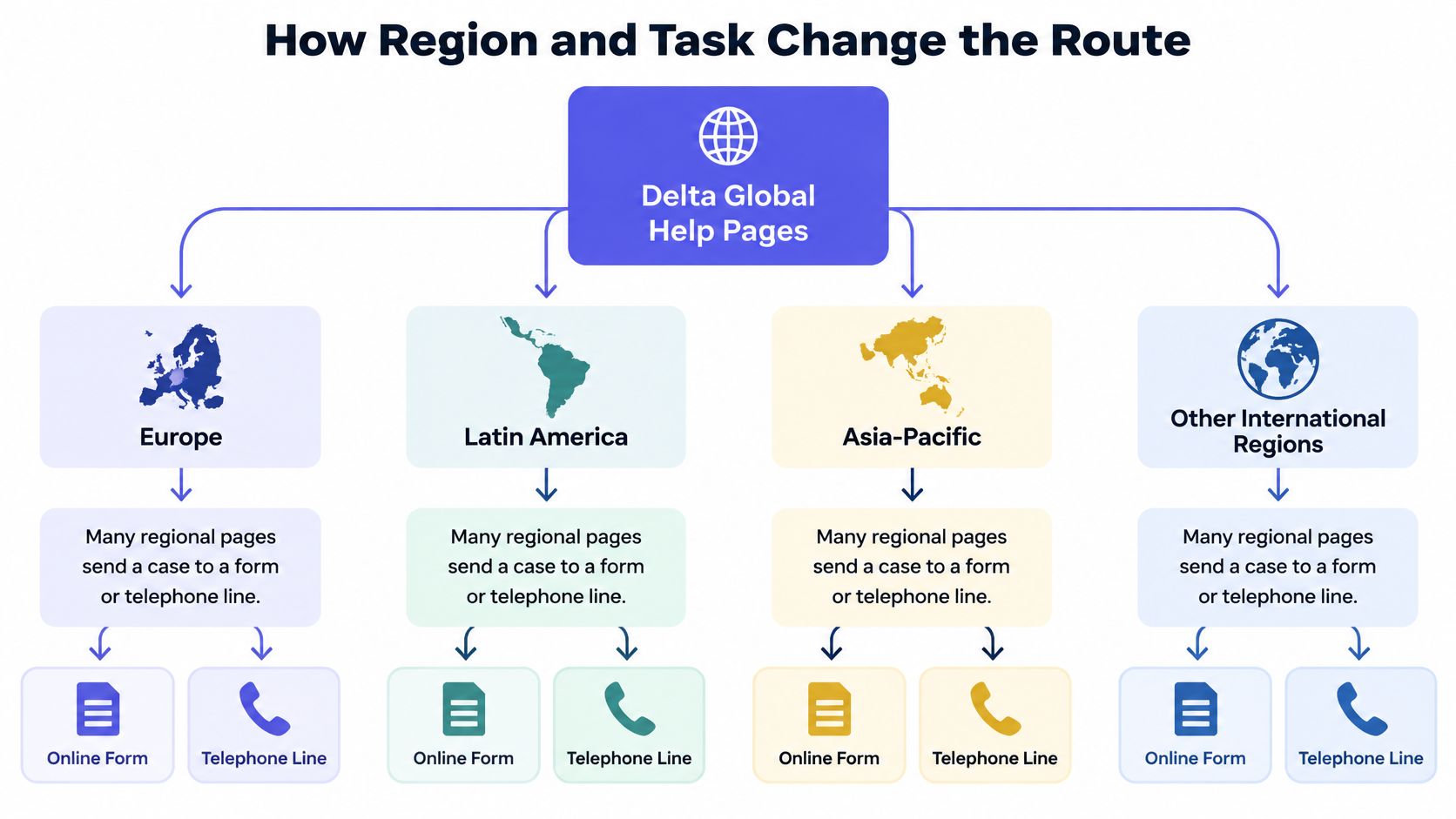
That design followed the expansion of online booking and digital account management. Support became organized around issue-specific workflows instead of one publicly advertised mailbox, which is why two travelers with similar problems can end up on different channels.
Three Cases Side by Side
Asia-Pacific reservation help. Say you're in the Asia-Pacific region and you want to speak with a representative about a new or existing reservation. Delta's Asia-Pacific help page continues to publish 800-221-1212 for that conversation, while charter requests still go separately to charter@delta.com. Same regional page, two different routes, because the jobs differ.
A Dutch traveler with a complaint. Say you flew from Amsterdam and you want to complain about the return leg. Don't look for a Dutch-language copy of an address you saw on a blog. Start on Delta's official Europe or global help page and use only the route printed there for your country and issue. If that page sends you to a form, the form is your route.
An agency refund question. A travel agency doesn't use the traveler complaint form for its own business matter. It uses the agency-support directory, where the collections address or the European agency address applies by matter and market. Role changes the route just as much as geography does.
The receipt address shows the other side of the pattern. Delta's ticket-support page identifies ticketreceipt@delta.com for requesting copies of tickets or baggage receipts, so email stays available for a narrow document task even though general complaints moved to web forms. Email isn't gone. It's assigned to jobs where a mailbox fits.
A Three Step Method You Can Reuse
- Name the job in one sentence: Write down whether it's a receipt copy, a charter, an agency refund, or an ordinary complaint before you search for any address.
- Open your country or region help page: Go to delta.com, choose the region that matches your booking, and use only the route printed there.
- Accept a form or phone route when it's shown: If the page shows a form or a number, don't substitute a guessed info@ address to get email anyway.
The domain and the function must both match a published workflow. A plausible @delta.com address alone doesn't prove it's the right, or safe, place to write.
How to Check an Address Before You Trust It
You're making three separate decisions when you look at a Delta address, and trouble starts when you collapse them into one gut feeling. Keep them apart and each one gets simpler.
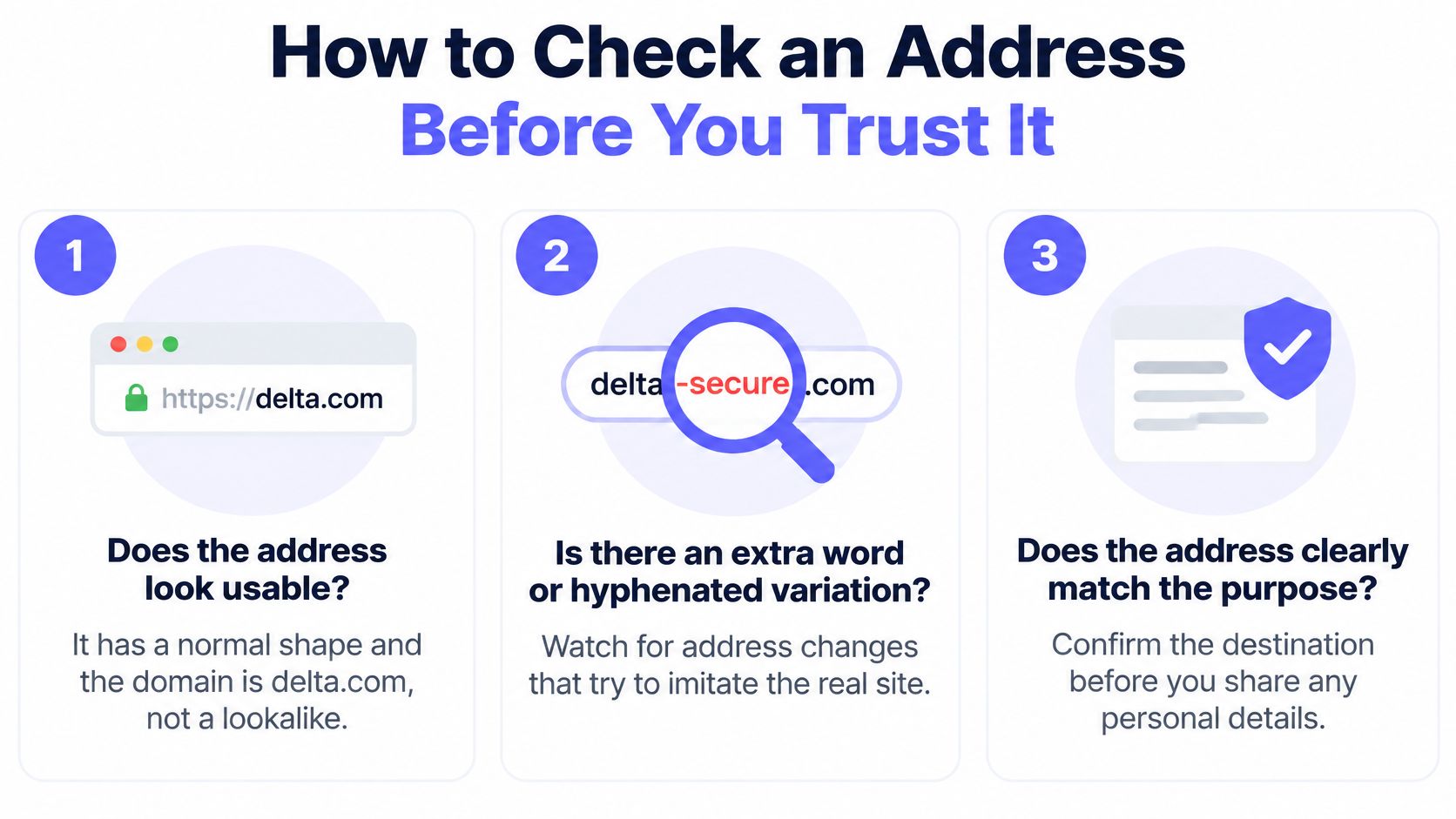
First, does the address look usable? It should have a normal shape, with a local part, an @ sign, and the domain delta.com. Watch for lookalikes, such as an extra word added to the brand, a hyphenated version of the name, or a free-mail provider pretending to be the airline.
Second, is that exact mailbox published for this job? A clean looking address still fails this test if Delta's help pages never assign it to your task. This is the step often skipped, and it's the one that matters most before you write.
Third, if a message already arrived, do its authentication results support the visible From domain? That's a question about a received message, not about an address you're thinking of writing to. Our guide on how to check if an email address is valid walks through that kind of deliverability check in more detail.
What SPF and DMARC Actually Tell You
SPF is the list of sending infrastructure allowed to send mail for a domain. DMARC compares the visible From domain with authenticated SPF or DKIM identities, and an enforcement policy instructs receiving systems to quarantine or reject messages that fail those checks.
The UpGuard security report for Delta reports a correctly formed SPF policy for delta.com, strict sender authorization rather than an unrestricted +all mechanism, and an enforced DMARC policy that is not p=none, with coverage at the default 100% percentage. It also records no failing email checks for delta.com, including SPF syntax and DMARC-policy presence.
Those controls reduce forged Delta-branded mail. They don't eliminate it, and they don't prove a particular mailbox exists. A check that asks whether delta.com can receive mail measures reachability, not whether the message in your inbox is authentic.
| Check | A pass means | It does not prove |
|---|---|---|
| Address shape and @delta.com domain | The string is a normal address on the brand domain | The mailbox is published or the message is genuine |
| Exact address on a delta.com help page | Delta assigned that mailbox to a named job | Every message from a similar address is official |
| Strict SPF and enforced DMARC on delta.com | Forged From delta.com mail is harder to deliver | A specific mailbox exists or this message passed |
| Role-style local part such as info@ or admin@ | The box is departmental if it exists | It is Delta's public customer-care inbox |
Numbered Checks Before You Send Anything
- Open delta.com yourself: Type the address or use your own bookmark instead of following a link inside the message you're checking.
- Match the address to a published job: Find the exact mailbox on an official help, ticket-support, or agency page for your task.
- Keep secrets out of email: Never send a password, payment card number, or SkyMiles login because a message asked you to.
- Treat role-style boxes as departmental: Treat info@ or admin@ style addresses as departmental unless an official Delta page names them for your job.
Lookalike Messages and Other Delta Names
An unexpected email says your refund is ready, but you must confirm your card details today to release it. It shows the Delta name, a red logo, and an urgent subject line about your booking. The From domain isn't delta.com, and the button leads somewhere else entirely.
That pattern is worth learning to recognize. Lookalike messages usually arrive uninvited and push you to act quickly on something you never started.
Patterns That Should Slow You Down
- Unexpected payment requests: A message asks you to pay a fee, confirm a card, or send money to fix a booking you didn't change.
- Password resets you never started: You're told to reset a login or share a code, even though you didn't request either one.
- Attachments you never asked for: A receipt or itinerary file arrives for a trip or document request you don't recognize.
Contrast that with a real receipt task. You start that job yourself from Delta's ticket-support page, using the published receipt mailbox, because you need a copy of a ticket or baggage receipt. The direction matters. You initiated it, on the official site, for a named job. If you're unsure why a message failed its checks, our explainer on email authentication errors and what triggers them covers the common failure messages in plain language.
When Delta Isn't the Airline
Delta Community and other Delta-named organisations, including credit unions, aren't Delta Air Lines. A notice asking you to update contact details for a bank account belongs on that organisation's own site, not in an airline inbox. Sending financial details to an airline address, or flight details to a credit union, helps nobody and creates a privacy problem.
An info@ or admin@ address on a random domain isn't a substitute for the comments form either. It just looks like one because role addresses feel official and generic at the same time.
If an unexpected message asks for money, a login, or a code, close it and start again from delta.com or a published phone number.
If you meant a different Delta organisation, use the name printed on your card or statement and go to that organisation's own contact page. Don't let a shared first name route your personal details to the wrong company.
When Phone or Airport Help Beats Email
Some problems shouldn't wait for a mailbox at all. Delta's accessible travel services overview lists an accessibility line at 404-209-3434, available 24 hours a day, seven days a week, with relay access through 711. If your travel is more than seven days away, you can also submit an accessibility request through My Trips.
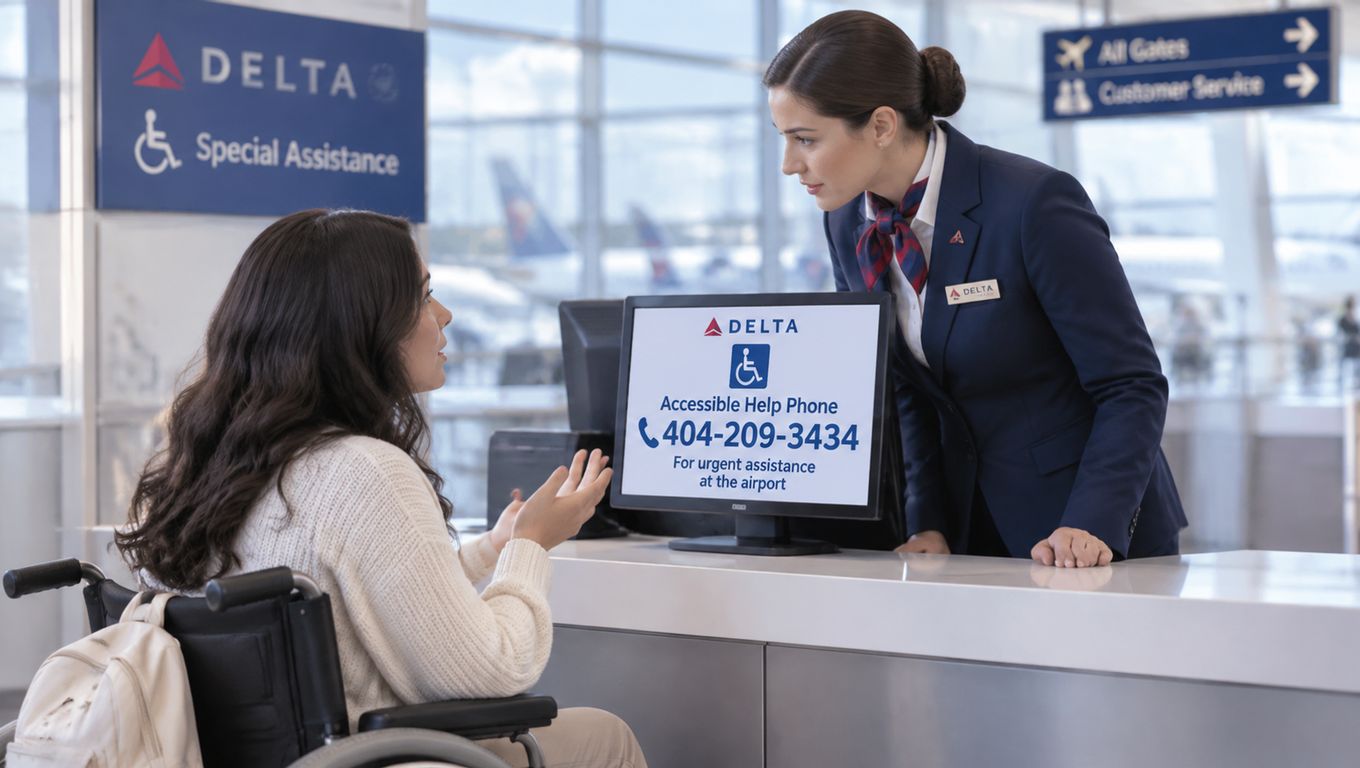
Say your hearing or vision makes a long, unexpected email thread hard to follow, and your flight leaves tomorrow. Email is the wrong channel for that situation, not because you're doing anything wrong, but because the channel doesn't fit the need or the timing. Call the accessibility line, or use relay access through 711, and talk through seating, boarding, or assistance with a person who can act on it.
Help at the Airport Itself
At airports, specially trained Complaint Resolution Officials are available to address disability-related concerns on the spot. That's the route when a mailbox would be too slow, for example when assistance hasn't arrived, a seat assignment doesn't work, or boarding is about to start. Ask airport staff to connect you with a Complaint Resolution Official rather than composing a message and hoping someone reads it in time.
This route also fits discrimination concerns raised during travel. A trained official at the airport can hear what happened, document it, and respond while you're still there. An inbox can't do any of that in the moment.
Response Clocks in Plain Numbers
Delta states that disability complaints receive a dispositive response within 30 days. Other written complaints are acknowledged within 30 days and receive a substantive response within 60 days.
Read those numbers as response windows, not as a promise that a generic inbox exists somewhere. They tell you how long a written complaint can take, which is exactly why time-sensitive airport problems belong on the phone or with an official in person.
If you're outside the United States, the same principle holds even when your local help page shows a different number. Use the official page for your country to find the right line. When the issue is disability access rather than a document copy, choose the accessibility route over any mailbox.
Choose the Channel Before You Write
Pick the one row in the published routes table that matches your job, confirm it on delta.com, then stop searching. A second hour of hunting won't reveal a general inbox, because there isn't one to find. For accessibility or airport help, use the accessibility line or relay 711 rather than any mailbox.
Don't reply to an unsolicited message, and don't invent an info@ address because email feels easier. If you're weighing phone-based help for a time-sensitive problem and want a human-first option to compare, you can contact BubblyPhone to see how its support model works before you decide. Messages from unnamed senders deserve the same skepticism, which is why our notes on noreply email addresses and when not to reply are worth a quick read before you answer one.
One note for businesses, because it's a different job. Checking addresses in your own lists isn't the same as contacting Delta, and a mailbox that exists doesn't give you consent to write to someone who never asked. We don't allow our service to be used to verify addresses for spam, phishing, or unsolicited messaging, and we're designed as a GDPR-compliant data processor. Our status field returns deliverable when a mailbox was confirmed, undeliverable when it's confirmed bad, risky for real but low-quality addresses, and unknown when we couldn't find out.
Before your next signup or mailing list sends to an address you haven't checked, run it through Mailbeam to confirm whether it's deliverable, risky, or undeliverable, with a clear reason you can act on. That separation, between an address that can receive mail and a message you should trust or send, is the same lesson Delta's published routes teach. Visit us to verify your first addresses in real time and keep bad ones out of your system from the start.